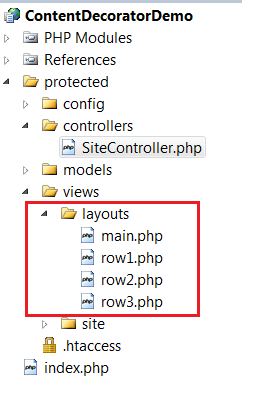
現代 Web 應用普遍需要非同步圖片上傳體驗。Yii 配合 jQuery File Upload 前端套件,可實現拖曳上傳、即時預覽、多檔案佇列、自動生成多規格縮圖。本文提供控制器完整處理邏輯(含 Kohana Image 庫縮圖)與視圖前端整合代碼。
class AttachmentController extends Controller {
    public function actionGetAjax() {
        $model = new Attachment(); // 附件模型
        $tmpFile = CUploadedFile::getInstanceByName('image'); // 對應前端 name="image"

        // 1. 建立日期分層儲存路徑
        $basePath = Yii::app()->params['uploadPath']; // 例:/uploads
        $ymd = date('Y/m/d');
        $saveDir = $basePath . '/' . $ymd . '/';
        $absDir = dirname(Yii::app()->basePath) . $saveDir; // 實體絕對路徑
        Tool::makedir($absDir); // 遞迴建立目錄

        $result = array('success' => false);

        if ($tmpFile instanceof CUploadedFile) {
            $ext = strtolower($tmpFile->extensionName);
            $allowed = array('jpg', 'jpeg', 'gif', 'png');
            $fileName = time() . '_' . rand(1000, 9999);

            // 2. 圖片處理:生成三種縮圖
            if (in_array($ext, $allowed)) {
                $origPath  = $saveDir . $fileName . '.' . $ext;
                $thumb600  = $saveDir . $fileName . '_600.' . $ext;
                $thumb310  = $saveDir . $fileName . '_310.' . $ext;
                $thumb100  = $saveDir . $fileName . '_100.' . $ext;

                $model->zat_thumb = $thumb100; // 列表頁用小圖
            } else {
                $origPath = $saveDir . $fileName . '.' . $ext;
            }

            // 3. 填充模型屬性
            $model->zat_url = $origPath;
            $model->zat_file_name = $fileName . '.' . $ext;
            $model->zat_title = $tmpFile->name;
            $model->zat_file_type = $tmpFile->type;
            $model->zat_file_size = $tmpFile->size;
            $model->zat_image = in_array($ext, $allowed) ? 2 : 1; // 1=檔案 2=圖片
            $model->zat_ip = Yii::app()->request->userHostAddress;

            // 4. 儲存資料庫記錄
            if ($model->save()) {
                // 5. 移動暫存檔到永久位置
                $tmpFile->saveAs(dirname(Yii::app()->basePath) . $origPath);

                // 6. 生成縮圖(需安裝 extension.image.KohanaImage)
                if (in_array($ext, $allowed)) {
                    $img = Yii::app()->image->load(dirname(Yii::app()->basePath) . $origPath);
                    $img->resize(600, 600)->quality(85)->save(dirname(Yii::app()->basePath) . $thumb600);
                    $img->resize(310, 310)->quality(85)->save(dirname(Yii::app()->basePath) . $thumb310);
                    $img->resize(100, 100)->quality(85)->save(dirname(Yii::app()->basePath) . $thumb100);
                }

                // 7. 回傳 JSON 供前端更新介面
                $result = array(
                    'success' => true,
                    'upfile' => array(
                        'zat_id' => Yii::app()->db->getLastInsertID(),
                        'file' => $origPath,
                        'small' => isset($thumb310) ? $thumb310 : null,
                        'thumb' => isset($thumb100) ? $thumb100 : null,
                    )
                );
            } else {
                $result['errors'] = $model->getErrors();
            }
        } else {
            $result['message'] = '未接收到上傳檔案';
        }

        header('Content-Type: application/json; charset=UTF-8');
        echo CJSON::encode($result);
        Yii::app()->end();
    }
}
js/ 目錄三個核心檔案。protected/extensions/image/,配置 main.php:'image' => array('class' => 'application.extensions.image.CImageComponent', 'driver' => 'GD')| 需求 | 實作方式 |
|---|---|
| 上傳前壓縮 | 前端 canvas.toBlob() 壓縮後再上傳,或後端 quality(70) |
| 水印浮印 | Kohana Image $img->watermark($markImg, 'bottom_right', 50) |
| 雲端儲存 | 儲存本地後佇列推送至 S3/OSS,資料庫存雲端 URL |
| 斷點續傳 | 前端分片上傳,後端合併分片(需自訂 Action) |
| 圖片審核 | 上傳後推送至 AI 審核 API,回調更新 status 欄位 |
Yii + jQuery File Upload 是 AJAX 圖片上傳的經典組合。關鍵在於:控制器統一處理「接收→驗證→儲存→縮圖→記錄→回傳」、前端僅負責 UI 狀態與 JSON 解析。照著本文架構落地,即可獲得生產級的上傳體驗,並易於擴充水印、雲端同步、AI 審核等進階功能。