機器重啟後,執行 nginx -s reload 無反應,錯誤日誌顯示:
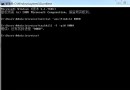
2016/02/17 10:48:05 [emerg] 2298#0: open() "/data/wwwlogs/access_xxx.log" failed (24: Too many open files)
nginx -t)nginx -s reopen)卡在**第 2 步**打開大量日誌檔時,觸發「Too many open files」。
| 進程類型 | Soft Limit | Hard Limit | 來源 |
|---|---|---|---|
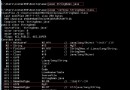
| Master (root 啟動) | 1024 | 4096 | 系統預設,**未套用 limits.conf** |
| Worker (nginx 用戶) | 409600 | 409600 | 已套用 worker_rlimit_nofile 與 limits.conf |
Linux 啟動流程:
/etc/inittab 讀取 runlevel/etc/rc.d/rc.sysinit 系統初始化/etc/rc.d/rc 啟動服務腳本/etc/rc.d/rc.local **最後執行**(此處啟動 Nginx)/bin/login → 讀取 /etc/security/limits.conf、/etc/profile**Nginx Master 在 login 之前啟動,故 limits.conf 尚未生效**,導致 Master 繼承系統預設 1024 限制。
| 層級 | 配置項 | 線上值 | 狀態 |
|---|---|---|---|
| Nginx 內建 | worker_rlimit_nofile | 409600 | ✅ 已設 |
| 用戶級 | /etc/security/limits.conf | * soft/hard nofile 655350 | ✅ 已設 |
| 核心級 | /etc/sysctl.conf fs.file-max | 6553600 | ✅ 已設 |
# /etc/rc.local
ulimit -HSn 655350   # 必須在 nginx 啟動命令之前
/usr/local/nginx/sbin/nginx
或在 Systemd 服務檔中加入:
[Service]
LimitNOFILE=655350
ExecStartPre=/bin/sh -c 'ulimit -HSn 655350'
# 重啟後檢查 Master 進程限制
cat /proc/$(pgrep -o nginx)/limits
# Max open files 應顯示 655350 / 655350
# 減少 TIME_WAIT 佔用,降低核心負擔
net.ipv4.tcp_max_tw_buckets = 18000

# Nginx Hash 表擴容,應對大量虛擬主機
server_names_hash_max_size 512000;
server_names_hash_bucket_size 64;
map_hash_max_size 204800;
map_hash_bucket_size 64;
搞清啟動順序與限制繼承機制,在 rc.local 或 Systemd 中提前 ulimit,徹底解決重啟後 reload 失效。