SVNKit 是純 Java 實現的 Subversion 客戶端庫。高階 API (`SVNClient`) 適合僅棧出/提交等常規操作;但當需要單次提交中混合執行刪除、修改、新增文件/目錄、或無需工作副本直接對倉庫操作時,低階介面 `ISVNEditor` 提供了精細控制。本文通過完整代碼演示如何使用 `ISVNEditor` 實現倉庫結構的精準變更。
package com.example.svnkit;

import com.google.gson.Gson;
import org.tmatesoft.svn.core.*;
import org.tmatesoft.svn.core.auth.ISVNAuthenticationManager;
import org.tmatesoft.svn.core.internal.io.dav.DAVRepositoryFactory;
import org.tmatesoft.svn.core.io.*;
import org.tmatesoft.svn.core.io.diff.SVNDeltaGenerator;
import org.tmatesoft.svn.core.wc.SVNWCUtil;

import java.io.ByteArrayInputStream;
import java.io.UnsupportedEncodingException;

public class RepositoryEditorDemo {

    public static void main(String[] args) throws Exception {
        // 1. 初始化協議工廠 (HTTP/HTTPS)
        DAVRepositoryFactory.setup();

        // 2. 目標倉庫 URL (操作根節點為 trunk/nodeB)
        String url = "https://svn.example.com/svn/repo/trunk/nodeB";
        SVNRepository repository = SVNRepositoryFactory.create(SVNURL.parseURIEncoded(url));

        // 3. 認證配置
        String username = "devuser";
        String password = "devpass";
        ISVNAuthenticationManager authManager = SVNWCUtil.createDefaultAuthenticationManager(username, password);
        repository.setAuthenticationManager(authManager);

        long latestRevision = -1; // HEAD 版本

        // ===== 操作 1: 刪除 nodeB/itemB1 =====
        executeCommit(repository, "刪除 itemB1", latestRevision, editor -> {
            editor.openRoot(latestRevision);
            editor.deleteEntry("itemB1", latestRevision);
            editor.closeDir(); // 關閉根目錄
        });

        // ===== 操作 2: 修改 nodeC/itemC1 內容 =====
        executeCommit(repository, "修改 itemC1", latestRevision, editor -> {
            editor.openRoot(latestRevision);
            editor.openDir("nodeC", latestRevision);

            String filePath = "nodeC/itemC1";
            editor.openFile(filePath, latestRevision);
            editor.applyTextDelta(filePath, null); // 無基準校驗和

            // 生成差異數據
            byte[] newContent = "更新後的內容 v2".getBytes("UTF-8");
            SVNDeltaGenerator generator = new SVNDeltaGenerator();
            String checksum = generator.sendDelta(filePath,
                    new ByteArrayInputStream(new byte[0]), 0,
                    new ByteArrayInputStream(newContent), editor, true);

            editor.closeFile(filePath, checksum);
            editor.closeDir(); // nodeC
            editor.closeDir(); // root
        });

        // ===== 操作 3: 新增 nodeC/itemC2 並設置屬性 =====
        executeCommit(repository, "新增 itemC2", latestRevision, editor -> {
            editor.openRoot(latestRevision);
            editor.openDir("nodeC", latestRevision);

            String filePath = "nodeC/itemC2";
            editor.addFile(filePath, null, latestRevision); // 無複製來源
            editor.applyTextDelta(filePath, null);

            byte[] content = "全新文件 itemC2".getBytes("UTF-8");
            SVNDeltaGenerator generator = new SVNDeltaGenerator();
            String checksum = generator.sendDelta(filePath,
                    new ByteArrayInputStream(new byte[0]), 0,
                    new ByteArrayInputStream(content), editor, true);

            // 設置自定義屬性
            editor.changeFileProperty(filePath, "author", SVNPropertyValue.create("devuser"));
            editor.changeFileProperty(filePath, "build-number", SVNPropertyValue.create("12345"));

            editor.closeFile(filePath, checksum);
            editor.closeDir(); // nodeC
            editor.closeDir(); // root
        });

        // ===== 操作 4: 新增目錄 nodeB/nodeD =====
        executeCommit(repository, "新增目錄 nodeD", latestRevision, editor -> {
            editor.openRoot(latestRevision);
            editor.addDir("nodeD", null, latestRevision);
            editor.closeDir(); // nodeD
            editor.closeDir(); // root
        });
    }

    /**
     * 統一提交模板:獲取編輯器 → 執行操作 → 提交/回滾
     */
    private static void executeCommit(SVNRepository repository, String logMsg, long revision, EditorConsumer consumer) {
        ISVNEditor editor = null;
        try {
            editor = repository.getCommitEditor(logMsg, null, true, null);
            consumer.accept(editor);
            SVNCommitInfo commitInfo = editor.closeEdit();
            System.out.printf("✅ [%s] 提交成功: r%d by '%s' at %s%n",
                    logMsg, commitInfo.getNewRevision(), commitInfo.getAuthor(), commitInfo.getDate());
        } catch (SVNException e) {
            System.err.printf("❌ [%s] 提交失敗: %s%n", logMsg, e.getMessage());
            if (editor != null) {
                try { editor.abortEdit(); } catch (SVNException ex) { ex.printStackTrace(); }
            }
        }
    }

    @FunctionalInterface
    interface EditorConsumer {
        void accept(ISVNEditor editor) throws SVNException;
    }
}
所有路徑 (`itemB1`, `nodeC/itemC1`, `nodeD`) 均相對於 `getCommitEditor` 時指定的根 URL (本例中為 `trunk/nodeB`)。
`addFile(path, copyFromPath, rev)` / `addDir(path, copyFromPath, rev)` 中的 `copyFromPath` 指定複製來源路徑 (相對倉庫根),實現廉價複製 (類似 `svn copy`)。
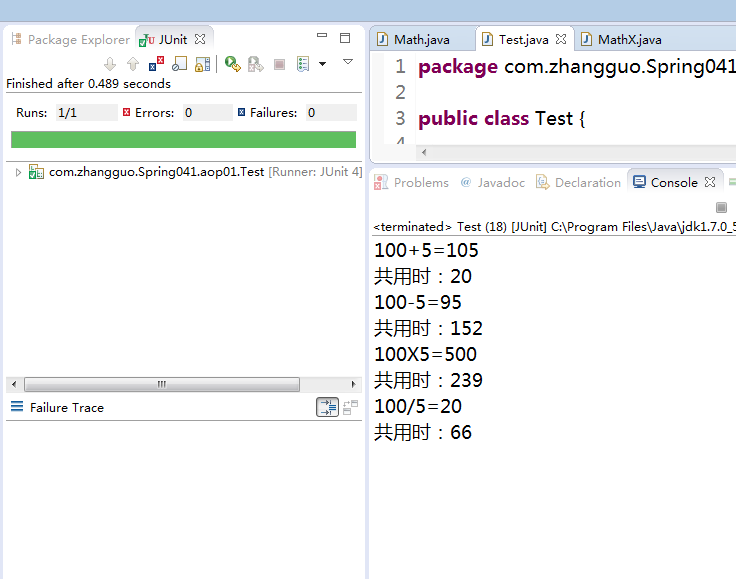
✅ [刪除 itemB1] 提交成功: r51 by 'devuser' at 2024-01-15 10:30:45
✅ [修改 itemC1] 提交成功: r52 by 'devuser' at 2024-01-15 10:30:46
✅ [新增 itemC2] 提交成功: r53 by 'devuser' at 2024-01-15 10:30:47
{"customProps":{"author":"devuser","build-number":"12345"},"svn:entry:committed-rev":"53",...}
✅ [新增目錄 nodeD] 提交成功: r54 by 'devuser' at 2024-01-15 10:30:48
| 場景 | 推薦 API | 理由 |
|---|---|---|
| 常規 Checkout/Update/Commit | 高階 `SVNClient` | 封裝工作副本管理、衝突解決、認證快取,開發效率高 |
| 無工作副本,直接操作倉庫 | 低階 `ISVNEditor` | 如 CI/CD 流水線中動態生成目錄結構、標籤發布 |
| 單次提交混合多種操作類型 | 低階 `ISVNEditor` | 精確控制操作順序、屬性、差異生成 |
| 需自定義差異算法/流式處理大文件 | 低階 `ISVNEditor` + `SVNDeltaGenerator` | 避免載入整個文件到記憶體 |
| 批量屬性修改 | 低階 `ISVNEditor` | 高階 API 屬性操作較繁瑣 |
`ISVNEditor` 是 SVNKit 最核心的寫入介面,將 Subversion 的「編輯器/報告器」協議直接暴露給 Java 開發者。雖然調用繁瑣,但提供了無工作副本、精細控制、流式差異等高階 API 難以企及的能力。掌握其「打開→操作→關閉→提交」的固定模式,配合 `SVNDeltaGenerator` 處理內容差異,即可實現任意複雜的倉庫結構變更自動化。