Java IO 流從不同維度可分類,掌握全景圖能讓你在面對文件讀寫、網絡通信、對象序列化等場景時秒級選型。本文結合類圖與實戰代碼,系統梳理流體系。

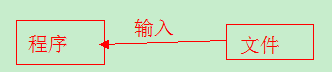
OutputStream(字節)、Writer(字符)InputStream(字節)、Reader(字符)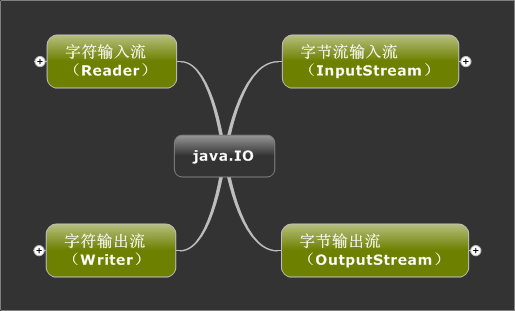
InputStream/OutputStream。適用所有文件(二進制/文本)。Reader/Writer。僅適用文本文件,內部封裝編碼轉換。String path = "d:\\bbb.txt";
File file = new File(path);
// true = 追加模式,false/無參 = 覆蓋模式
FileOutputStream fos = new FileOutputStream(file, true);
String content = "這是要輸出到文本的內容";
byte[] bytes = content.getBytes("UTF-8"); // 顯式指定編碼
fos.write(bytes);
fos.close();
String path = "d:\\bbb.txt";
File file = new File(path);
FileInputStream fis = new FileInputStream(file);
// 精確分配數組大小:文件長度即字節數
byte[] bytes = new byte[(int) file.length()];
fis.read(bytes);
fis.close();
String str = new String(bytes, "UTF-8");
System.out.println(str);
String path = "d://bbb.txt";
File file = new File(path);
FileWriter fw = new FileWriter(file, true); // 追加模式
fw.write("這是要輸入的內容"); // 直接寫字符串,無需轉 byte[]
fw.close();
// 方案 A:Reader + char[](不推薦,長度難控制)
FileReader fr = new FileReader(file);
char[] chars = new char[100];
fr.read(chars);
fr.close();

// 方案 B:Scanner(推薦,按行讀取,自動處理編碼與換行)
Scanner sc = new Scanner(new File("d:\\bbb.txt"), "UTF-8");
while (sc.hasNextLine()) {
    System.out.println(sc.nextLine());
}
sc.close();
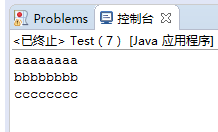
緩衝流本身無 IO 能力,包裝節點流提供內存緩衝區,減少系統調用,提升數量級性能。
字節緩衝:BufferedInputStream、BufferedOutputStream
字符緩衝:BufferedReader(神技readLine())、BufferedWriter
詳細用法請參考:Java IO 緩衝流深度解析
| 場景 | 推薦流 | 關鍵點 |
|---|---|---|
| 讀寫圖片/視頻/二進制 | FileInputStream / FileOutputStream + Buffered | 必用字節流 |
| 讀寫文本/配置/源碼 | FileReader / FileWriter + Buffered | 字符流自動編碼 |
| 按行讀取文本 | BufferedReader.readLine() / Scanner | Scanner 更靈活 |
| 指定編碼讀寫文本 | InputStreamReader / OutputStreamWriter | 構造函數傳 charset |
| 基本類型/對象序列化 | DataOutputStream / ObjectOutputStream | 實現 Serializable |
Java IO 流體系看似繁雜,實則遵循流向→單位→功能三層決策。牢記:二進制用字節流,文本用字符流,高頻加緩衝,按行用 Scanner。掌握四大抽象類實戰模板,應付 95% 業務場景綽綽有餘。