分享一個基於 java.util.zip 封裝的 ZIP 壓縮/解壓工具類,採用遞歸遍歷目錄結構,代碼精簡實用。
/**
 * TestZip.java
 * coding by Serol Luo. rollingpig@163.com
 * 2003/07/03
 * 轉載請保留版權信息
 */
import java.util.*;
import java.util.zip.*;
import java.io.*;

class TestZip {
    // 壓縮入口:檔案名字串
    public void zip(String zipFileName, String inputFile) throws Exception {
        zip(zipFileName, new File(inputFile));
    }

    // 壓縮入口:File 物件
    public void zip(String zipFileName, File inputFile) throws Exception {
        ZipOutputStream out = new ZipOutputStream(new FileOutputStream(zipFileName));
        zip(out, inputFile, "");
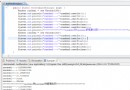
        System.out.println("zip done");
        out.close();
    }

    // 解壓縮
    public void unzip(String zipFileName, String outputDirectory) throws Exception {
        ZipInputStream in = new ZipInputStream(new FileInputStream(zipFileName));
        ZipEntry z;
        while ((z = in.getNextEntry()) != null) {
            System.out.println("unziping " + z.getName());
            if (z.isDirectory()) {
                String name = z.getName().substring(0, z.getName().length() - 1); // 移除尾部 '/'
                File f = new File(outputDirectory + File.separator + name);
                f.mkdir();
                System.out.println("mkdir " + f.getPath());
            } else {
                File f = new File(outputDirectory + File.separator + z.getName());
                f.createNewFile();
                FileOutputStream out = new FileOutputStream(f);
                int b;
                while ((b = in.read()) != -1) out.write(b);
                out.close();
            }
        }
        in.close();
    }

    // 遞歸壓縮核心
    public void zip(ZipOutputStream out, File f, String base) throws Exception {
        System.out.println("Zipping " + f.getName());
        if (f.isDirectory()) {
            File[] fl = f.listFiles();
            out.putNextEntry(new ZipEntry(base + "/"));
            base = base.length() == 0 ? "" : base + "/";
            for (int i = 0; i < fl.length; i++) {
                zip(out, fl[i], base + fl[i].getName());
            }
        } else {
            out.putNextEntry(new ZipEntry(base));
            FileInputStream in = new FileInputStream(f);
            int b;
            while ((b = in.read()) != -1) out.write(b);
            in.close();
        }
    }

    public static void main(String[] args) {
        try {
            TestZip t = new TestZip();
            t.zip("c:\\test.zip", "c:\\test");
            t.unzip("c:\\test.zip", "c:\\test2");
        } catch (Exception e) { e.printStackTrace(System.out); }
    }
}zip(ZipOutputStream, File, String) 方法自我調用處理子目錄,base 參數累積相對路徑。/ 結尾的 ZipEntry 標記目錄,解壓時自動 mkdir()。read()/write(int)),簡單但非最高效;大檔案建議改用緩衝區(byte[] buf = new byte[8192])。File.separator 而非硬編碼 \ 或 /。BufferedInputStream/BufferedOutputStream 提升大檔案效能。try-with-resources(Java 7+)確保流關閉。ZipOutputStream.setLevel())。