團隊協作中常遇到:代碼本地正常,拉取最新後編譯報錯 The method getPOIByName(String) of type POISearchByGeoway must override a superclass method。這是 JDK 版本不一致導致的 @Override 語義差異問題。
根因分析
- JDK 1.5:
@Override 僅能標註「覆寫父類方法」,不能標註「實現接口方法」。
- JDK 1.6+:擴展為「覆寫父類方法」或「實現接口方法」均可。
若項目編譯級別設為 1.5,而代碼中接口實現方法加了 @Override,Eclipse 會報上述錯誤。
解決方案(Eclipse 為例)
方法一:項目級別調整(推薦)
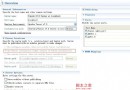
- 右鍵項目 → Build Path → Configure Build Path
- 切換到 Java Compiler 頁籤
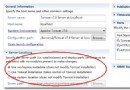
- 取消勾選 Use compliance from execution environment
- Compiler compliance level 選擇 1.6 或更高
- Apply → Yes 重新構建
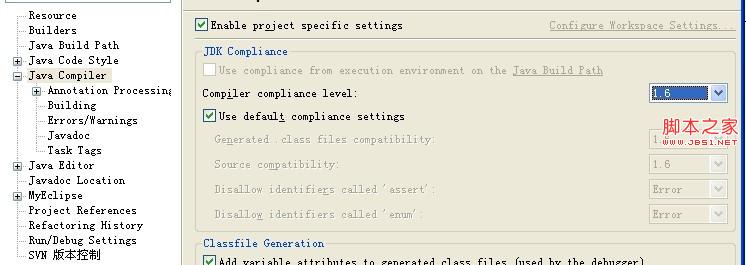
方法二:工作區全局調整
- 菜單 Window → Preferences
- 展開 Java → Compiler
- Compiler compliance level 設為 1.6+
- Apply and Close
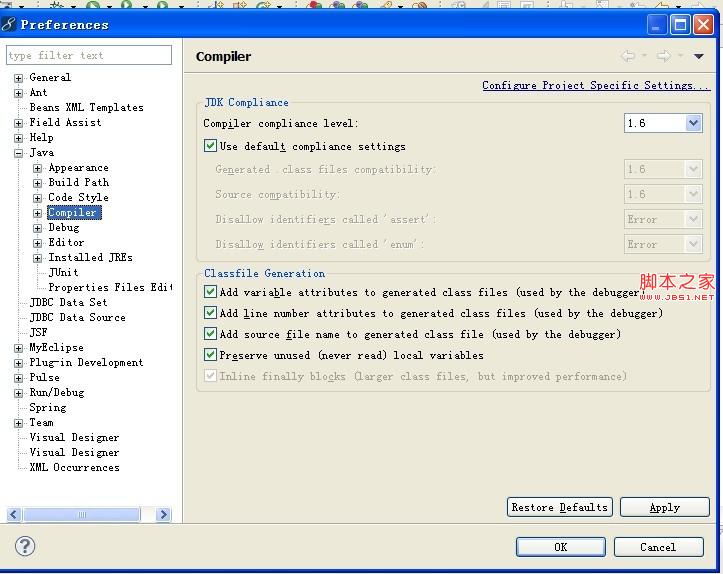
最佳實踐建議
- 統一團隊 JDK 版本:建構工具中鎖定
maven-compiler-plugin 的 source/target 為 1.8+。
- CI/CD 管道強制檢查:編譯階段失敗快,避免不一致流入生產。
- 新專案默認 1.8+:享受 Lambda、Stream、模塊系統等現代特性。
調整後重新編譯,錯誤即刻消失,團隊協作恢復順暢。