MIDP 2.0 引入 javax.microedition.lcdui.game.GameCanvas,內建雙緩衝、按鍵狀態查詢、遊戲迴路支援,是手機遊戲開發利器。本文通過實現「流動星空」特效,詳細講解 GameCanvas 核心用法。
Canvas,保留 showNotify()/hideNotify() 生命週期,適合初始化/釋放資源。getGraphics() 取得離屏緩衝,繪製完成後 flushGraphics() 一次性刷新到屏幕,無閃爍。getKeyStates() 即時查詢按鍵狀態,適合遊戲輪詢模式。protected void showNotify() {
random = new Random();
thread = new Thread(this);
thread.start();
}
protected void hideNotify() {
thread = null; // 結束迴路
}
public void run() {
Graphics g = getGraphics(); // 離屏緩衝
while (thread == Thread.currentThread()) {
int keyState = getKeyStates();
// 1. 處理輸入
// 2. 更新邏輯
// 3. 渲染幀
g.setColor(0xFFFFFF);
g.fillRect(0, 0, getWidth(), getHeight());
// 繪製精靈等
flushGraphics(); // 刷新到屏幕
// 4. 幀率控制
try { Thread.sleep(sleepTime); } catch (InterruptedException e) {}
}
}
graphics.copyArea(0, 0, w, h, 0, 1, Graphics.TOP | Graphics.LEFT) 將畫面向下平移 1 像素。g.drawLine(0, 0, w, 0)。if (Math.abs(random.nextInt()) % 100 < 5) g.drawLine(i, 0, i, 0);。sleepTime 控制流速快慢。// 主 MIDlet
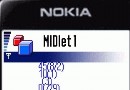
public class GameCanvasTest extends MIDlet implements CommandListener {
private Display display;
private static final Command EXIT_CMD = new Command("Exit", Command.EXIT, 1);
protected void startApp() {
if (display == null) {
display = Display.getDisplay(this);
GameCanvas canvas = new StarField();
canvas.addCommand(EXIT_CMD);
canvas.setCommandListener(this);
display.setCurrent(canvas);
}
}
// ... pauseApp/destroyApp/commandAction 標準實現
}
// 星空畫布
public class StarField extends GameCanvas implements Runnable {
private static final int SLEEP_INCREMENT = 10;
private static final int SLEEP_INITIAL = 150;
private static final int SLEEP_MAX = 300;
private Graphics graphics;
private Random random;
private int sleepTime = SLEEP_INITIAL;
private volatile Thread thread;
public StarField() {
super(true); // 啟用雙緩衝
graphics = getGraphics();
graphics.setColor(0, 0, 0);
graphics.fillRect(0, 0, getWidth(), getHeight());
}
public void run() {
int w = getWidth();
int h = getHeight() - 1;
while (thread == Thread.currentThread()) {
int state = getKeyStates();
if ((state & DOWN_PRESSED) != 0) {
sleepTime = Math.min(sleepTime + SLEEP_INCREMENT, SLEEP_MAX);
} else if ((state & UP_PRESSED) != 0) {
sleepTime = Math.max(sleepTime - SLEEP_INCREMENT, 0);
}
// 滾動星空
graphics.copyArea(0, 0, w, h, 0, 1, Graphics.TOP | Graphics.LEFT);
graphics.setColor(0, 0, 0);
graphics.drawLine(0, 0, w, 0); // 清空新行
graphics.setColor(255, 255, 255);
for (int i = 0; i < w; i++) {
if (Math.abs(random.nextInt()) % 100 < 5) {
graphics.drawLine(i, 0, i, 0); // 畫星星
}
}
flushGraphics();
try { Thread.sleep(sleepTime); } catch (InterruptedException e) {}
}
}
protected void showNotify() {
random = new Random();
thread = new Thread(this);
thread.start();
}
protected void hideNotify() { thread = null; }
}
| 方法 | 用途 |
|---|---|
super(true) | 構造時啟用雙緩衝 |
getGraphics() | 取得離屏緩衝 Graphics |
flushGraphics() | 將離屏內容刷新到屏幕 |
getKeyStates() | 獲取按鍵位掩碼 |
copyArea(x, y, w, h, dx, dy, anchor) | 區域複製(實現滾動) |
showNotify/hideNotify | 顯示/隱藏時啟動/停止遊戲迴路 |
GameCanvas 以雙緩衝、按鍵輪詢、生命週期掛鉤三大特性,極大簡化了 J2ME 遊戲開發。星空特效展示了 copyArea 實現無限滾動背景的經典技巧,可延伸至跑酷、飛行射擊等多類遊戲場景。