J2ME 透過 Generic Connection Framework (GCF) 提供統一的網路連接介面,支援 TCP、UDP、HTTP、檔案、序列埠等多種協議。本文系統整理 GCF 架構、連接流程與各協議實作範例。
核心類別:javax.microedition.io.Connector —— 唯一進入點,提供 open(String url) 靜態方法,依 URL 協議前綴回傳對應 Connection 介面實例。
| 類型 | 介面/類別 | 協議 | 適用場景 |
|---|---|---|---|
| 資料報 | DatagramConnection | UDP | 即時遊戲、廣播、可容忍丟包 |
| 串流連線 | StreamConnectionNotifier | TCP Server | 伺服器端監聽 |
| 串流連線 | StreamConnection | TCP Client | 可靠雙向通訊 |
| HTTP | HttpConnection | HTTP/HTTPS | Web 服務、REST API、檔案下載 |
| 序列埠 | CommConnection | 藍牙、紅外、RS232 | 周邊裝置通訊 |
| 檔案 | FileConnection (JSR 75) | file:// | 本地檔案系統存取 |
Connection conn = Connector.open(url); + 型別轉換InputStream/OutputStream 或 DataInputStream/DataOutputStream 讀寫
Connection conn = Connector.open("file:///path/to/file.txt");
// 需裝置支援 JSR 75 FileConnection API
// 序列埠
Connection conn = Connector.open("comm:0;baudrate=9600");
// 藍牙 L2CAP
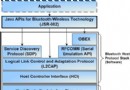
Connection conn = Connector.open("btl2cap://localhost:uuid");
// 藍牙 RFCOMM
Connection conn = Connector.open("btspp://001122334455:1;authenticate=false;encrypt=false;master=false");
// 客戶端發送
DatagramConnection dc = (DatagramConnection) Connector.open("datagram://:5000");
Datagram dg = dc.newDatagram(buf, buf.length);
dc.send(dg);

// 伺服器接收
DatagramConnection dc = (DatagramConnection) Connector.open("datagram://:5000");
Datagram dg = dc.newDatagram(maxSize);
dc.receive(dg);  // 封鎖直到收到資料
// 客戶端
StreamConnection sc = (StreamConnection) Connector.open("socket://192.168.1.100:8080");
DataOutputStream dos = new DataOutputStream(sc.openOutputStream());
DataInputStream dis = new DataInputStream(sc.openInputStream());
// 讀寫...
dis.close(); dos.close(); sc.close();

// 伺服器
StreamConnectionNotifier scn = (StreamConnectionNotifier) Connector.open("socket://:8080");
StreamConnection sc = scn.acceptAndOpen();  // 封鎖等待連接
// 處理通訊...
HttpConnection http = null;
InputStream is = null;
OutputStream os = null;

try {
    // 1. 建立連接
    http = (HttpConnection) Connector.open("https://example.com/api/data");
    http.setRequestMethod(HttpConnection.GET);
    http.setRequestProperty("User-Agent", "J2ME-Client/1.0");
    http.setRequestProperty("Accept", "application/json");

    // 2. 讀取回應
    int rc = http.getResponseCode();
    if (rc == HttpConnection.HTTP_OK) {
        is = http.openInputStream();
        DataInputStream dis = new DataInputStream(is);
        int num = dis.readInt();
        String str = dis.readUTF();
        // 處理資料...
    }

    // 3. 發送資料 (POST)
    http = (HttpConnection) Connector.open("https://example.com/api/submit");
    http.setRequestMethod(HttpConnection.POST);
    http.setRequestProperty("Content-Type", "application/x-www-form-urlencoded");
    os = http.openOutputStream();
    os.write("param1=value1¶m2=value2".getBytes());
    os.flush();

} catch (IOException e) {
    e.printStackTrace();
} finally {
    // 4. 嚴格關閉資源(順序重要)
    try { if (is != null) is.close(); } catch (Exception e) {}
    try { if (os != null) os.close(); } catch (Exception e) {}
    try { if (http != null) http.close(); } catch (Exception e) {}
}
startApp 或事件處理中直接連網會阻塞 UI,導致裝置當機或拋出例外http.setSocketTimeout(10000); 避免無限封鎖ConnectionNotFoundException、IOException、SecurityException(未簽名 MIDlet 存取網路會被拒)finally 區塊依序關閉串流、連接,順序反轉可能導致資源洩漏GCF 以單一 Connector.open() 統攝多種協議,設計極具前瞻性。掌握 URL 格式、連接三步驟、資源管理鐵律,即能在 J2ME 上構建穩健的網路應用。