MIDP 2.0 新增 MIDlet.platformRequest(String url) 方法,可呼叫平台原生應用程式:撥打電話 (tel:...)、開啟 WAP 瀏覽器 (https://...)、安裝/更新 MIDlet 套件 (.jad 或 .jar URL)。本文詳細說明如何實作應用程式自動更新功能。
// 撥打電話
platformRequest("tel:+886912345678");

// 開啟 WAP 瀏覽器
platformRequest("https://wap.example.com/index.wml");

// 安裝/更新 MIDlet (指向 JAD 或 JAR)
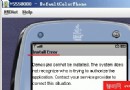
platformRequest("https://example.com/app/HelloWorld.jad");
platformRequest(jarUrl) 啟動系統安裝程式destroyApp/notifyDestroyed)public class AutoUpdateMIDlet extends MIDlet {
private static final String VERSION_URL =
"https://example.com/api/version.txt";
private static final String DOWNLOAD_URL =
"https://example.com/download/MyApp.jar";
private static final String CURRENT_VERSION = "1.0.0";
private Display display;
protected void startApp() {
if (display == null) {
display = Display.getDisplay(this);
checkUpdateAsync();
}
}
private void checkUpdateAsync() {
new Thread() {
public void run() {
try {
String latest = fetchVersion(VERSION_URL);
if (isNewer(latest, CURRENT_VERSION)) {
// 切換到事件執行緒顯示確認對話框
Display.getDisplay(AutoUpdateMIDlet.this).callSerially(() -> {
showUpdateConfirm(latest);
});
} else {
showMainScreen();
}
} catch (IOException e) {
// 網路錯誤靜默處理,進入主畫面
Display.getDisplay(AutoUpdateMIDlet.this).callSerially(
AutoUpdateMIDlet.this::showMainScreen);
}
}
}.start();
}
private String fetchVersion(String url) throws IOException {
HttpConnection conn = (HttpConnection) Connector.open(url);
try (DataInputStream dis = new DataInputStream(conn.openInputStream())) {
return dis.readUTF().trim(); // 伺服器回傳 "1.0.1"
} finally { conn.close(); }
}
private boolean isNewer(String latest, String current) {
// 簡單版本號比較,實際建議用語意化版本解析
return latest.compareTo(current) > 0;
}
private void showUpdateConfirm(String latestVersion) {
Form form = new Form("發現新版本");
form.append("目前版本: " + CURRENT_VERSION + "\n");
form.append("最新版本: " + latestVersion + "\n\n");
form.append("立即更新?");
Command yes = new Command("更新", Command.OK, 1);
Command no = new Command("稍後", Command.CANCEL, 2);
form.addCommand(yes);
form.addCommand(no);
form.setCommandListener(c -> {
if (c == yes) performUpdate();
else showMainScreen();
});
display.setCurrent(form);
}
private void performUpdate() {
try {
// 觸發系統安裝程式
platformRequest(DOWNLOAD_URL);
// 必須退出目前 MIDlet 讓安裝程式接管
destroyApp(true);
notifyDestroyed();
} catch (ConnectionNotFoundException e) {
showAlert("錯誤", "無法啟動安裝程式");
} catch (MIDletStateChangeException e) {
e.printStackTrace();
}
}
private void showMainScreen() {
Form main = new Form("主選單");
main.append("歡迎使用 v" + CURRENT_VERSION);
display.setCurrent(main);
}
}
// version.txt 內容純文字
1.0.1

// 或 JSON 格式 (需客戶端解析)
{
  "version": "1.0.1",
  "url": "https://example.com/download/MyApp-1.0.1.jar",
  "force": false,
  "changelog": "修正登入閃退、優化圖片載入"
}
某些平台 (如 Nokia S60 3rd+) 支援背景下載 JAR,下載完成後再提示安裝,不需中斷應用流程。但標準 MIDP 2.0 僅保證 platformRequest 基本行為。
| 項目 | 說明 |
|---|---|
| URL 格式 | 必須為完整 HTTP/HTTPS URL,指向 .jad 或 .jar |
| 版本號比較 | 建議採用 SemVer (Major.Minor.Patch) 並正確解析比較 |
| 強制更新 | 關鍵安全性修正可設 force=true,拒絕則無法繼續使用 |
| 資料遷移 | RMS 資料在更新後通常保留,但最好實作版本相容邏輯 |
| 簽名一致性 | 新版簽名憑證必須與舊版一致,否則視為不同應用 |
| 使用者體驗 | 建議提供下載進度、大小預估、更新日誌、可選擇稍後 |
platformRequest 會在主控台列印 URL,不會真正安裝實作自動更新機制能大幅降低使用者使用舊版本比例,確保安全性修正與新功能快速觸達,是成熟商業級 J2ME 應用的必備功能。