TicTacToeChoosePieceScreen、GameScreen、Game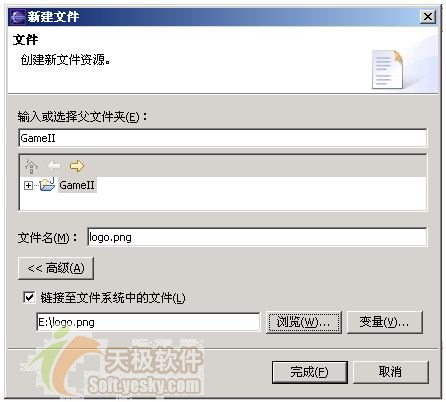
// 封面顯示 (startApp 中)
Image logo = null;
try { logo = Image.createImage("/logo.png"); }
catch (IOException e) {}
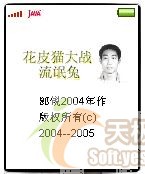
Alert splash = new Alert(null, "郎銳2004年作\n版權所有(c)\n2004--2005", logo, AlertType.INFO);
splash.setTimeout(4000);  // 4 秒後自動切換

// 角色選擇畫面
choosePieceScreen = new ChoosePieceScreen(this);
Display.getDisplay(this).setCurrent(splash, choosePieceScreen);
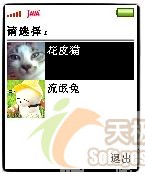
ChoosePieceScreen 繼承 List (IMPLICIT 模式),append(文字, 圖片) 建立選項,setCommandListener(this) 監聽選擇,commandAction 中以 getSelectedIndex() 判斷選擇貓/兔,呼叫 midlet.choosePieceScreenDone(isPlayerCat) 進入遊戲。
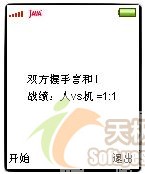
截圖示意:
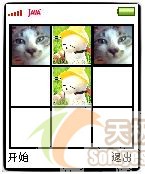
screenWidth = getWidth();
screenHeight = getHeight();
if (screenWidth > screenHeight) {
    boardCellSize = (screenHeight - 2) / 3;
    boardLeft = (screenWidth - boardCellSize * 3) / 2;
    boardTop = 1;
} else {
    boardCellSize = (screenWidth - 2) / 3;
    boardLeft = 1;
    boardTop = (screenHeight - boardCellSize * 3) / 2;
}g.setColor(WHITE);
g.fillRect(0, 0, screenWidth, screenHeight);
g.setColor(BLACK);
for (int i = 0; i < 4; i++) {
g.fillRect(boardLeft, boardCellSize*i + boardTop, boardCellSize*3 + 2, 2); // 橫線
g.fillRect(boardCellSize*i + boardLeft, boardTop, 2, boardCellSize*3); // 直線
}private void drawCat(Graphics g, int x, int y) {
Image img = null;
try { img = Image.createImage("/cat.png"); }
catch (Exception e) {}
g.drawImage(img, x + 1, y + 1, 0);
}目標格繪製緊貼網格的黑框 → 原位置依狀態重繪(空白填白、有子重繪子圖),消除殘影。
Font font = Font.getFont(Font.FACE_SYSTEM, Font.STYLE_PLAIN, Font.SIZE_MEDIUM);
int h = font.getHeight();
int w1 = font.stringWidth(statusMsg), w2 = font.stringWidth(tallyMsg);
int x = (screenWidth - Math.max(w1,w2)) / 2; if (x < 0) x = 0;
int y = (screenHeight - 2*h) / 2; if (y < 0) y = 0;
g.setColor(WHITE); g.fillRect(0,0,screenWidth,screenHeight);
g.setColor(BLACK);
g.drawString(statusMsg, x, y, Graphics.TOP|Graphics.LEFT);
g.drawString(tallyMsg, x, y+h+1, Graphics.TOP|Graphics.LEFT);棋盤 9 格編號 0-8,獲勝組合 8 種:{0,1,2},{3,4,5},{6,7,8},{0,3,6},{1,4,7},{2,5,8},{0,4,8},{2,4,6},以 WINS[][] 陣列記錄。
int move = getWinningComputerMove();      // 能贏就贏
if (move == -1) {
    move = getRequiredBlockingComputerMove(); // 擋住玩家贏
    if (move == -1)
        move = getRandomComputerMove();       // 隨手棋
}
computerState |= bit(move);int getWinningComputerMove() {
for (int i = 0; i < 9; i++)
if (isFree(i) && isWin(computerState | bit(i)))
return i;
return -1;
}getRequiredBlockingComputerMove 邏輯相同,改檢查 playerState。核心僅數十行,展現 AI 並不神秘。
本框架通用性強,替換遊戲劇本即可實現「華容道」、「俄羅斯方塊」等類似遊戲。J2ME 遊戲開發的門檻已打破,關鍵在於持續精進創意與技術。