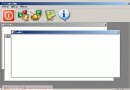
需求:CSplitterWnd 分割單文檔視窗為左右兩欄,左欄需設定**最小寬度 228 像素**,防止使用者拖曳分割條過度壓縮左側視圖。MFC 無內建屬性支援,通過重寫 OnMouseMove 攔截拖曳邏輯輕鬆實現。
class CMySplitter : public CSplitterWnd
{
    DECLARE_DYNCREATE(CMySplitter)
protected:
    virtual void OnMouseMove(UINT nFlags, CPoint point);
};
void CMySplitter::OnMouseMove(UINT nFlags, CPoint point)
{
    // point 為螢幕座標,需轉換為客戶區座標
    ScreenToClient(&point);

    // 限制分割條 X 座標範圍:左欄最小 228、最大 600 (視總寬而定)
    if (point.x < 228 || point.x > 600) {
        // 超出範圍:傳遞給 CWnd 預設處理 (不移動分割條)
        CWnd::OnMouseMove(nFlags, point);
    } else {
        // 範圍內:呼叫基類實作執行實際分割
        CSplitterWnd::OnMouseMove(nFlags, point);
    }
}
關鍵點:
ScreenToClient 轉換座標系,point.x 即為分割條目標位置。minX = 228; maxX = GetTotalWidth() - minRightWidth。CWnd::OnMouseMove 而非 CSplitterWnd::OnMouseMove 即可「吃掉」拖曳事件,分割條保持原位。
// MainFrm.h
protected:
    CMySplitter m_wndSplitter;

// MainFrm.cpp
BOOL CMainFrame::OnCreateClient(LPCREATESTRUCT, CCreateContext* pContext)
{
    if (!m_wndSplitter.CreateStatic(this, 1, 2)) // 1列2行
        return FALSE;

    if (!m_wndSplitter.CreateView(0, 0, RUNTIME_CLASS(CLeftView),
            CSize(228, 100), pContext) ||  // 初始寬度 228
        !m_wndSplitter.CreateView(0, 1, RUNTIME_CLASS(CDataEditView),
            CSize(100, 100), pContext)) {
        m_wndSplitter.DestroyWindow();
        return FALSE;
    }
    return TRUE;
}
void CMySplitter::OnMouseMove(UINT nFlags, CPoint point)
{
    ScreenToClient(&point);

    CRect rectClient;
    GetClientRect(&rectClient);
    int totalWidth = rectClient.Width();

    int minLeft = 228;
    int minRight = 150;
    int maxLeft = totalWidth - minRight;

    // 可選:鎖定比例 (如左欄固定 30%)
    // int lockedPos = totalWidth * 30 / 100;
    // if (abs(point.x - lockedPos) > tolerance) point.x = lockedPos;

    if (point.x < minLeft) point.x = minLeft;
    if (point.x > maxLeft) point.x = maxLeft;

    CSplitterWnd::OnMouseMove(nFlags, point);
}
| 方法 | 優點 | 缺點 |
|---|---|---|
| 重寫 OnMouseMove (本文) | 簡單、無副作用、即時生效 | 需自行計算座標範圍 |
| 處理 WM_SIZING | 系統級攔截 | CSplitterWnd 內部不送 WM_SIZING 給分割條 |
| GetMinMaxInfo | 標準視窗尺寸限制 | 僅對框架視窗有效,分割條不受影響 |
| CSplitterWnd::SetColumnInfo | 設定理想/最小寬度 | 僅作為 CreateView 參考,拖曳時不強制執行 |