功能特性
- 4 位隨機數字驗證碼
- 隨機背景色、字體色、干擾線
- Server 端 Session 儲存,刷新即變
- 完整防快取 Header,確保每次請求重新生成
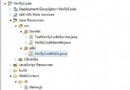
核心檔案:image.jsp(生成圖片)
<%@ page contentType="image/jpeg"
    import="java.awt.*,java.awt.image.*,java.util.*,javax.imageio.*" %>
<%!
    // 取得指定範圍內的隨機顏色
    Color getRandColor(int fc, int bc) {
        Random random = new Random();
        if (fc > 255) fc = 255;
        if (bc > 255) bc = 255;
        int r = fc + random.nextInt(bc - fc);
        int g = fc + random.nextInt(bc - fc);
        int b = fc + random.nextInt(bc - fc);
        return new Color(r, g, b);
    }
%>
<%
    // 1. 防快取
    response.setHeader("Pragma", "No-cache");
    response.setHeader("Cache-Control", "no-cache");
    response.setDateHeader("Expires", 0);

    // 2. 建立圖片緩衝區
    int width = 60, height = 20;
    BufferedImage image = new BufferedImage(width, height, BufferedImage.TYPE_INT_RGB);
    Graphics g = image.getGraphics();
    Random random = new Random();

    // 3. 繪製背景
    g.setColor(getRandColor(200, 250));
    g.fillRect(0, 0, width, height);

    // 4. 設定字體
    g.setFont(new Font("Times New Roman", Font.PLAIN, 18));

    // 5. 繪製 155 條干擾線
    g.setColor(getRandColor(160, 200));
    for (int i = 0; i < 155; i++) {
        int x = random.nextInt(width);
        int y = random.nextInt(height);
        int xl = random.nextInt(12);
        int yl = random.nextInt(12);
        g.drawLine(x, y, x + xl, y + yl);
    }

    // 6. 繪製 4 位隨機數字
    StringBuilder sRand = new StringBuilder();
    for (int i = 0; i < 4; i++) {
        String rand = String.valueOf(random.nextInt(10));
        sRand.append(rand);
        // 每個數字獨立隨機顏色
        g.setColor(new Color(20 + random.nextInt(110),
                             20 + random.nextInt(110),
                             20 + random.nextInt(110)));
        g.drawString(rand, 13 * i + 6, 16);
    }

    // 7. 存入 Session
    session.setAttribute("rand", sRand.toString());

    // 8. 輸出圖片
    g.dispose();
    ImageIO.write(image, "JPEG", response.getOutputStream());
%>
使用頁面:a.jsp
<%@ page contentType="text/html;charset=gb2312" %>
<html><head><title>驗證碼輸入</title>
<meta http-equiv="Pragma" content="no-cache">
<meta http-equiv="Cache-Control" content="no-cache">
<meta http-equiv="Expires" content="0"></head>
<body>
<form method="post" action="check.jsp">
    <table>
        <tr><td>系統產生的驗證碼:</td>
            <td><img src="image.jsp" border="0" /></td></tr>
        <tr><td>請輸入驗證碼:</td>
            <td><input type="text" name="rand" maxlength="4" /></td></tr>
        <tr><td colspan="2" align="center">
            <input type="submit" value="提交驗證" /></td></tr>
    </table>
</form>
</body></html>
驗證頁面:check.jsp
<%@ page contentType="text/html;charset=gb2312" %>
<html><body>
<%
    String rand = (String) session.getAttribute("rand");
    String input = request.getParameter("rand");
%>
系統產生:<%= rand %><br>
您輸入:<%= input %><br><br>
<%
    if (rand != null && rand.equals(input)) {
%>
    <font color="green">驗證成功!</font>
<%
    } else {
%>
    <font color="red">驗證失敗!</font>
<%
    }
%>
</body></html>
關鍵技術點解析
| 技術點 | 說明 |
|---|
BufferedImage.TYPE_INT_RGB | RGB 彩色圖片模式,支援豐富顏色 |
| 干擾線 | 增加 OCR 識別難度,155 條為經驗值 |
| Session 儲存 | 伺服端狀態,防止客戶端竄改 |
| 防快取 Header | Pragma、Cache-Control、Expires 三重保障 |
ImageIO.write | 標準化圖片輸出,支援 JPEG/PNG/GIF |
安全性增強建議
- 增加字母大小寫、扭曲、噪點、字體隨機化。
- 驗證碼使用後立即
session.removeAttribute("rand") 防重放。
- 限制同一 IP/Session 請求驗證碼頻率。
- 考慮引入成熟庫(Kaptcha、SimpleCaptcha、hutool-captcha)替代手寫。