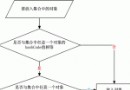
用戶在公眾號 H5 頁面發起支付(JSAPI),下單成功後發送模板消息通知用戶「待付款」,用戶點擊消息跳轉喚起微信支付收銀台。
orderNo、openId 調用後端 /weiXinSendprepay_idpaySign)返回前端WeixinJSBridge.invoke('getBrandWCPayRequest', ...) 唤起支付public JSONObject unifiedOrder(String nonceStr, String body, String outTradeNo,
String totalFee, String timeStart, String timeExpire,
String openId) {
// 構造 XML 請求體(含簽名)
String xml = ClientCustomSSL.CreateJsApiPackage(nonceStr, body, outTradeNo,
totalFee, timeStart, timeExpire, openId);
// 雙向憑證 HTTPS POST
CloseableHttpClient client = HttpClients.custom()
.setSSLSocketFactory(buildSSLFactory()) // 加載商戶證書
.build();
HttpPost post = new HttpPost("https://api.mch.weixin.qq.com/pay/unifiedorder");
post.setEntity(new StringEntity(xml, "UTF-8"));
try (CloseableHttpResponse resp = client.execute(post)) {
Document doc = new SAXReader().read(resp.getEntity().getContent());
Element root = doc.getRootElement();
if ("SUCCESS".equals(root.elementText("result_code"))) {
JSONObject result = new JSONObject();
result.put("prepayId", root.elementText("prepay_id"));
result.put("sign", root.elementText("sign")); // 簽名供前端二次簽名
return result;
}
throw new RuntimeException("下單失敗: " + root.elementText("err_code_des"));
}
}public JSONObject sendTemplateMsg(String openId, String prepayId, OrderInfo order) {
String url = "https://api.weixin.qq.com/cgi-bin/message/template/send?access_token=" + getAccessToken();
JsPay msg = new JsPay();
msg.setTouser(openId);
msg.setTemplate_id("MieXd4-4uqRFMdjnvqMjH0egFYpm16r5DPDT6P9gPgg"); // 模板ID
msg.setUrl("https://your.domain/weixinJsPay/init?packageValue=" + prepayId);
msg.setTopcolor("#173177");
List<Map<String, Map<String, String>>> data = new ArrayList<>();
Map<String, Map<String, String>> item = new HashMap<>();
item.put("first", kv("尊敬的用戶,您有一筆新訂單", "#173177"));
item.put("keyword1", kv(order.getOrderNo(), "#173177"));
item.put("keyword2", kv("生鮮訂單", "#173177"));
item.put("keyword3", kv(order.getPrice() + "元", "#173177"));
item.put("keyword4", kv("待付款", "#173177"));
item.put("remark", kv("點擊付款", "#173177"));
data.add(item);
msg.setData(data);
// 發送 HTTP POST JSON
return postJson(url, JSONObject.fromObject(msg).toString());
}
private Map<String, String> kv(String value, String color) {
Map<String, String> m = new HashMap<>();
m.put("value", value);
m.put("color", color);
return m;
}<script src="https://res.wx.qq.com/open/js/jweixin-1.6.0.js"></script>
<script>
wx.config({
appId: '你的AppId',
timestamp: '{{timestamp}}',
nonceStr: '{{nonceStr}}',
signature: '{{signature}}',
jsApiList: ['chooseWXPay']
});
wx.ready(function() {
wx.chooseWXPay({
timestamp: '{{timestamp}}',
nonceStr: '{{nonceStr}}',
package: 'prepay_id={{prepayId}}',
signType: 'MD5',
paySign: '{{paySign}}',
success: function(res) {
alert('支付成功');
location.href = '/order/success';
},
cancel: function() { alert('用戶取消'); },
fail: function(res) { alert('支付失敗: ' + res.errMsg); }
});
});
</script>apiclient_cert.p12,密碼為商戶號。key=商戶Key。appId/timeStamp/nonceStr/package/signType 重新簽名,不可直接用下單返回的 sign。| 現象 | 原因 | 解決 |
|---|---|---|
| prepay_id 失效 | 2小時未支付過期 | 下單即支付,或重新下單 |
| 支付頁面簽名驗證失敗 | 參數排序/編碼/Key不一致 | 用官方簽名工具類,統一 UTF-8 |
| 模板消息不顯示 | 模板ID錯誤/未審核/用戶未關注 | 確認模板狀態、openId有效性 |
| 測試環境無法支付 | 未配置授權目錄/測試白名單 | 公眾號後台設置支付授權目錄、綁定測試者 |
unifiedOrder、queryOrder、refund 等接口。