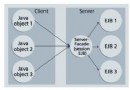
直接操作 FileReader/FileWriter 每次 read/write 都觸發系統調用,磁盤 I/O 極慢。緩衝流在內存中劃分 char[] buf (默認 8192 字符),批量讀寫、減少系統調用,典型提升 10 倍以上吞吐量。
// 關鍵字段
private Writer out;        // 底層字符輸出流
private char[] cb;         // 緩衝區
private int nextChar = 0;  // 下一個可寫入位置
private int nChars;        // 緩衝區大小

// write(int c) - 單字符寫入
public void write(int c) throws IOException {
    synchronized (lock) {
        ensureOpen();
        if (nextChar >= nChars) flushBuffer(); // 滿則刷新
        cb[nextChar++] = (char) c;
    }
}

// write(char[] cbuf, int off, int len) - 批量寫入
public void write(char[] cbuf, int off, int len) throws IOException {
    synchronized (lock) {
        ensureOpen();
        if (len >= nChars) {                    // 數據超過緩衝區,直寫底層
            flushBuffer();
            out.write(cbuf, off, len);
            return;
        }
        if (len > nChars - nextChar) flushBuffer(); // 剩餘空間不夠,先刷新
        System.arraycopy(cbuf, off, cb, nextChar, len);
        nextChar += len;
    }
}

// flushBuffer() - 核心刷新邏輯
void flushBuffer() throws IOException {
    synchronized (lock) {
        ensureOpen();
        if (nextChar == 0) return;
        out.write(cb, 0, nextChar); // 一次性寫入底層
        nextChar = 0;
    }
}
// 關鍵字段
private Reader in;
private char[] cb;
private int nextChar = 0, nChars = 0; // 當前讀取位置、有效數據長度

// fill() - 從底層批量填充緩衝區
private void fill() throws IOException {
    // ... 處理 mark/reset 邏輯 ...
    int n;
    do {
        n = in.read(cb, nChars, cb.length - nChars); // 讀滿為止
    } while (n == 0);
    if (n > 0) {
        nChars += n;
        nextChar = 0; // 重置讀取指針
    }
}

// read() - 單字符讀取
public int read() throws IOException {
    synchronized (lock) {
        ensureOpen();
        for (;;) {
            if (nextChar >= nChars) { fill(); if (nextChar >= nChars) return -1; }
            // 處理 \r\n 換行符統一
            if (skipLF) { skipLF = false; if (cb[nextChar] == '\n') { nextChar++; continue; } }
            return cb[nextChar++];
        }
    }
}

// readLine() - 按行讀取 (掃描 \n 或 \r\n)
public String readLine() throws IOException { return readLine(false); }
String readLine(boolean ignoreLF) throws IOException {
    StringBuffer s = null;
    for (;;) {
        if (nextChar >= nChars) fill();
        if (nextChar >= nChars) return (s != null && s.length() > 0) ? s.toString() : null;
        // 掃描行結束符
        int i = nextChar;
        for (; i < nChars; i++) {
            char c = cb[i];
            if (c == '\n' || c == '\r') break;
        }
        // 組裝行內容
        if (s == null) s = new StringBuffer(defaultExpectedLineLength);
        s.append(cb, nextChar, i - nextChar);
        nextChar = i + 1;
        if (i < nChars && cb[i] == '\r' && nextChar < nChars && cb[nextChar] == '\n') nextChar++;
        return s.toString();
    }
}
mark(readAheadLimit):記錄當前 nextChar,允許在限制範圍內 reset() 回退。readAheadLimit,可能觸發緩衝區擴容或標記失效。public static void copyFile(File src, File dest) throws IOException {
try (BufferedReader br = new BufferedReader(new FileReader(src));
BufferedWriter bw = new BufferedWriter(new FileWriter(dest))) {
char[] buf = new char[8192];
int len;
while ((len = br.read(buf)) != -1) {
bw.write(buf, 0, len);
}
bw.flush(); // 確保數據落盤
}
}
Files.lines(path) (Stream API) 或 BufferedReader.lines() (Java 8+),支持並行流。new BufferedReader(new InputStreamReader(new FileInputStream(f), StandardCharsets.UTF_8))。flush() 再 close(),try-with-resources 自動保證。BufferedReader/Writer 通過 內存緩衝區 + 批量系統調用 實現數量級性能提升。源碼核心在於 fill()/flushBuffer() 兩大私有方法,配合 nextChar/nChars 指針管理。理解其機制,有助於排查「數據丟失、亂碼、死循環」等疑難雜癥,也能指導自定義緩衝邏輯(如帶進度條的上傳)。