product 表 (含外鍵關聯 category)。Product Model + Hibernate 映射。ProductService 介面 + ProductServiceImpl (繼承 BaseServiceImpl)。BaseAction 注入 productService → ProductAction extends BaseAction。category 目錄結構 → 修改為 product 邏輯 (query/save/update.jsp)。public interface ProductService extends BaseService {
List queryJoinCategory(String name, int page, int size);
Long getCount(String name);
}
@Service("productService")
@SuppressWarnings("unchecked")
public class ProductServiceImpl extends BaseServiceImpl implements ProductService {
@Override
public List queryJoinCategory(String name, int page, int size) {
String hql = "from Product p left join fetch p.category where p.name like :name";
return getSession().createQuery(hql)
.setString("name", "%" + name + "%")
.setFirstResult((page - 1) * size)
.setMaxResults(size)
.list();
}
@Override
public Long getCount(String name) {
String hql = "select count(p) from Product p where p.name like :name";
return (Long) getSession().createQuery(hql)
.setString("name", "%" + name + "%")
.uniqueResult();
}
}
@Controller("productAction")
@Scope("prototype")
public class ProductAction extends BaseAction {
    public String queryJoinCategory() {
        List list = productService.queryJoinCategory(model.getName(), page, rows);
        pageMap.put("rows", list);
        pageMap.put("total", productService.getCount(model.getName()));
        return "jsonMap";
    }
}
        pageMap

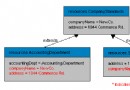
            rows[0].category.account  // 避免懶加載觸發 N+1 或序列化死循環
$('#dg').datagrid({
    url: 'product_queryJoinCategory.action',
    queryParams: {name: ''}, // 初始載入全部
    fitColumns: true, pagination: true, pageSize: 5,
    idField: 'id', // 必須設置,翻頁保持選中狀態
    toolbar: [
        {iconCls:'icon-add', text:'添加', handler: openSaveDialog},
        '-', {iconCls:'icon-edit', text:'更新', handler: openUpdateDialog},
        '-', {iconCls:'icon-remove', text:'刪除', handler: removeSelected},
        '-', {text: "<input id='ss' />"} // 搜索框
    ],
    columns: [[
        {field:'id', title:'編號', width:100},
        {field:'name', title:'商品名', width:100},
        {field:'price', title:'價格', width:80},
        {field:'commend', title:'推薦', width:80, formatter: boolFormatter},
        {field:'open', title:'上架', width:80, formatter: boolFormatter},
        {field:'category.type', title:'所屬分類', width:200,
         formatter: function(v, row){ return row.category?.type || '未分類'; }}
    ]]
});
// 搜索框綁定
$('#ss').searchbox({
    searcher: function(value){ $('#dg').datagrid('load', {name: value}); }
});
account)。like 查詢。本章體現「約定優於配置」的實戰智慧:Service/Action 基類封裝通用 CRUD,具體模塊僅實現差異化查詢;前端頁面模板化復用。新模塊接入成本降至「建表 → 逆向 → 改查詢 HQL → 改 JSP 欄位」四步驟。