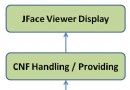
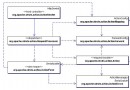
本範例展示前端使用 jQuery Uploadify(Flash 上傳元件),後端使用 Apache Commons FileUpload 處理 multipart/form-data 請求,支援多檔案同時上傳、檔案大小/類型限制、依日期分目錄儲存、回傳 JSON 路徑供前端預覽。
@WebServlet("/upload")
public class FileUploadServlet extends HttpServlet {

    private String uploadDir;   // 正式儲存目錄
    private String tempDir;     // 暫存目錄

    @Override
    public void init() {
        String base = getServletContext().getRealPath("/");
        uploadDir = base + getInitParameter("uploadDir");
        tempDir = base + getInitParameter("tempUploadDir");
        new File(uploadDir).mkdirs();
        new File(tempDir).mkdirs();
    }

    @Override
    protected void doPost(HttpServletRequest req, HttpServletResponse resp) throws IOException {
        resp.setContentType("application/json;charset=UTF-8");
        PrintWriter out = resp.getWriter();

        if (!ServletFileUpload.isMultipartContent(req)) {
            out.print("{\"error\":\"-1\"}"); return;
        }

        DiskFileItemFactory factory = new DiskFileItemFactory();
        factory.setRepository(new File(tempDir));
        ServletFileUpload upload = new ServletFileUpload(factory);
        upload.setSizeMax(100 * 1024 * 1024); // 100MB 總限制

        try {
            List<FileItem> items = upload.parseRequest(req);
            StringBuilder result = new StringBuilder();

            for (FileItem item : items) {
                if (!item.isFormField() && item.getName() != null && !item.getName().isEmpty()) {
                    String originalName = item.getName();
                    String ext = originalName.substring(originalName.lastIndexOf('.'));
                    String datePath = new SimpleDateFormat("yyyyMMdd").format(new Date());
                    File dateDir = new File(uploadDir, datePath);
                    dateDir.mkdirs();

                    String storedName = UUID.randomUUID() + ext;
                    File dest = new File(dateDir, storedName);
                    item.write(dest);

                    // 回傳相對路徑供前端使用
                    result.append(datePath).append('/').append(storedName).append(',');
                }
            }

            if (result.length() > 0) {
                String[] paths = result.toString().split(",");
                StringBuilder json = new StringBuilder("{\"rows\":[");
                for (String p : paths) {
                    json.append("{\"name\":\"").append(p).append("\"},");
                }
                json.deleteCharAt(json.length() - 1).append("]}");
                out.print(json);
            } else {
                out.print("{\"error\":\"-2\"}");
            }
        } catch (Exception e) {
            e.printStackTrace();
            out.print("{\"error\":\"-3\"}");
        } finally {
            out.flush();
        }
    }
}<servlet>
<servlet-name>FileUploadServlet</servlet-name>
<servlet-class>com.example.FileUploadServlet</servlet-class>
<init-param>
<param-name>uploadDir</param-name>
<param-value>/upload/images/</param-value>
</init-param>
<init-param>
<param-name>tempUploadDir</param-name>
<param-value>/upload/temp</param-value>
</init-param>
</servlet>
<servlet-mapping>
<servlet-name>FileUploadServlet</servlet-name>
<url-pattern>/upload</url-pattern>
</servlet-mapping>
<listener>
<listener-class>org.apache.commons.fileupload.servlet.FileCleanerCleanup</listener-class>
</listener><input id="fileupload" type="file" name="img" multiple="multiple"/>
<div id="preview"></div>
<script>
$('#fileupload').uploadify({
'swf' : '/js/uploadify/uploadify.swf',
'uploader' : '/upload',
'method' : 'post',
'buttonText' : '選擇檔案',
'fileSizeLimit' : '10MB',
'fileTypeExts' : '*.jpg;*.png;*.gif',
'onUploadSuccess' : function(file, data, response) {
var json = JSON.parse(data);
if (json.rows) {
json.rows.forEach(function(item) {
$('#preview').append('<img src="/upload/images/' + item.name + '" width="200">');
});
}
}
});
</script><dependency>
<groupId>commons-fileupload</groupId>
<artifactId>commons-fileupload</artifactId>
<version>1.4</version>
</dependency>
<dependency>
<groupId>commons-io</groupId>
<artifactId>commons-io</artifactId>
<version>2.11.0</version>
</dependency>@RequestPart MultipartFile`、Servlet 3.0+ `request.getPart()`、SparkJava 等框架內建支援。