簡單需求:抓取網頁原始碼
不引入第三方庫(如 Jsoup、HttpClient),僅用 JDK 內建 java.net.URL 與 DataInputStream 快速獲取網頁內容,適合輕量級爬蟲或健康檢查。
完整程式碼
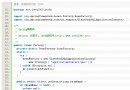
package com.example.web;

import java.io.DataInputStream;
import java.net.URL;

public class SimpleWebFetcher {

    public static void main(String[] args) {
        String targetUrl = "https://www.example.com"; // 修改為目標網址

        try {
            URL url = new URL(targetUrl);
            try (DataInputStream dis = new DataInputStream(url.openStream())) {
                String line;
                while ((line = dis.readLine()) != null) {
                    System.out.println(line);
                }
            }
        } catch (Exception e) {
            System.err.println("抓取失敗: " + e.getMessage());
            e.printStackTrace();
        }
    }
}
關鍵點解析
| 類別/方法 | 說明 |
|---|
new URL(String) | 解析 URL,支援 http/https/ftp 等協定。 |
url.openStream() | 建立連線並回傳 InputStream,底層自動處理 HTTP 協定(重導向、Cookie 等不支援)。 |
DataInputStream | 提供 readLine() 方便逐行讀取文字。 |
try-with-resources | JDK 7+ 自動關閉流,防止資源洩漏。 |
侷限性與現代替代方案
- ❌ 無 HTTP 客戶端功能:不支援 POST、Header 設定、Cookie、認證、連線/讀取超時控制。
- ❌ 編碼處理簡陋:預設平台編碼讀取,中文頁面易亂碼。
- ❌ 無連線池/重試:高併發下效能差、無彈性。
推薦替代方案
| 庫 | Maven 坐標 | 特點 |
|---|
| Jsoup | org.jsoup:jsoup:1.17+ | 鏈式 API、CSS 選擇器、自動修正 HTML、支援 POST/Header/Cookie |
| Apache HttpClient 5 | org.apache.httpcomponents.client5:httpclient5:5.3+ | 完整 HTTP 客戶端、連線池、非阻塞、認證、重試策略 |
| OkHttp | com.squareup.okhttp3:okhttp:4.11+ | 現代 HTTP/2、連線池、攔截器、Kotlin 友善 |
| JDK 11+ HttpClient | 內建 java.net.http | 零依賴、支援 HTTP/2、WebSocket、CompletableFuture 非阻塞 |
Jsoup 快速上手範例
Document doc = Jsoup.connect("https://example.com")
    .userAgent("Mozilla/5.0")
    .timeout(5000)
    .get();

String title = doc.title();
Elements links = doc.select("a[href]");
for (Element link : links) {
    System.out.println(link.attr("abs:href") + " -> " + link.text());
}
JDK 11 內建 HttpClient 範例
HttpClient client = HttpClient.newHttpClient();
HttpRequest request = HttpRequest.newBuilder()
    .uri(URI.create("https://example.com"))
    .timeout(Duration.ofSeconds(5))
    .GET()
    .build();

HttpResponse<String> response = client.send(request, HttpResponse.BodyHandlers.ofString());
System.out.println("Status: " + response.statusCode());
System.out.println("Body: " + response.body());