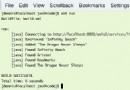
傳統 main 方法測試痛點:需手動調用、人工比對結果、無法批量執行、無報告統計。JUnit 解決了自動化執行、斷言驗證、生命周期管理、測試報告生成等核心需求。
| 註解 | 執行時機 | 用途 | 限制 |
|---|---|---|---|
@Test | 每個測試方法 | 標識測試入口 | 非 static、無參、void 返回 |
@BeforeEach | 每個 @Test 前 | 準備測試數據/環境 | |
@AfterEach | 每個 @Test 後 | 清理資源/重置狀態 | |
@BeforeAll | 所有測試前一次 | 昂貴資源初始化(如數據庫連接) | 必須 static |
@AfterAll | 所有測試後一次 | 釋放共享資源 | 必須 static |
@Disabled | - | 暫時禁用測試 | 可加原因說明 |
import static org.junit.jupiter.api.Assertions.*;

@Test
void assertionDemo() {
    // 相等性斷言
    assertEquals(4, 2 + 2, "基本加法驗證");
    assertEquals("hello", "HELLO".toLowerCase());

    // 精度比較(浮點數)
    assertEquals(3.14159, Math.PI, 0.00001);

    // 引用同一性
    String s1 = "test";
    String s2 = s1;
    assertSame(s1, s2);

    // 條件斷言
    assertTrue(List.of(1,2,3).contains(2));
    assertFalse("".isEmpty());

    // 空值檢查
    assertNull(null);
    assertNotNull(new Object());

    // 異常斷言(JUnit 5 新特性)
    assertThrows(IllegalArgumentException.class, () -> {
        throw new IllegalArgumentException("參數非法");
    });

    // 多條斷言組合(全部執行、匯總報錯)
    assertAll("用戶對象驗證",
        () -> assertEquals("張三", user.getName()),
        () -> assertTrue(user.getAge() > 18)
    );
}
被測類名 + Test(如 UserServiceTest)test + 被測方法名 + _場景_預期結果(如 testLogin_success_whenCredentialsValid)src/test/java@DisplayName("文件處理服務測試")
class FileProcessorTest {
private static final Path TEST_FILE = Path.of("target/test-data/input.txt");
private FileProcessor processor;
@BeforeAll
static void setupClass() throws IOException {
// 創建測試文件
Files.createDirectories(TEST_FILE.getParent());
Files.writeString(TEST_FILE, "3\n1\n2\n");
}
@AfterAll
static void tearDownClass() throws IOException {
Files.deleteIfExists(TEST_FILE);
}
@BeforeEach
void setUp() {
processor = new FileProcessor();
}
@Test
@DisplayName("正確讀取文件並按升序排序")
void readAndSort_validFile_returnsSortedList() throws IOException {
List<Integer> result = processor.readAndSort(TEST_FILE);
assertEquals(List.of(1, 2, 3), result);
}
@Test
@DisplayName("文件不存在時拋出異常")
void readAndSort_fileNotFound_throwsException() {
Path notExist = Path.of("not-exist.txt");
assertThrows(IOException.class, () -> processor.readAndSort(notExist));
}
@ParameterizedTest // 參數化測試 JUnit 5 新特性
@ValueSource(strings = {"", " ", "\n\t"})
@DisplayName("空白文件返回空列表")
void readAndSort_blankFile_returnsEmptyList(String content) throws IOException {
Path temp = Files.createTempFile("blank-", ".txt");
Files.writeString(temp, content);
assertTrue(processor.readAndSort(temp).isEmpty());
Files.deleteIfExists(temp);
}
}
@ParameterizedTest + @ValueSource/@CsvSource/@MethodSource 減少重複代碼。@Nested 內部類組織相關測試場景。@Tag("slow") 標記慢測試,CI 階段排除。@TestTemplate 定義可擴展測試模板。掌握 JUnit 5 的現代特性與規範實踐,能構建高可維護性的測試套件,為重構與持續交付提供安全網。