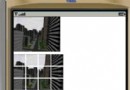
建立一個 Swing 桌面應用程式,使用 JFileChooser 選取資料夾,自動過濾圖片檔案(jpg、png、gif、bmp、jpeg),提供下一張/上一張手動切換、自動輪播與暫停功能。
public class PlayPicture extends JFrame implements ActionListener {
    // UI 元件
    private JButton showPic, previousPic, nextPic, beginPlayPic, stopPlayPic;
    private JLabel picIcon;
    // 狀態
    private File fileDirectory;
    private String[] fileName;
    private String parentPath;
    private int currentIndex = -1;
    private static boolean playing = false;
    // 單例模式供 TimerTask 存取
    private static PlayPicture instance;
    // ... 建構子、getInstance()、draw() 等方法
}fileChooser = new JFileChooser(new File("G:")); // 預設路徑
fileChooser.setFileSelectionMode(JFileChooser.DIRECTORIES_ONLY);
fileChooser.showOpenDialog(this);
fileDirectory = fileChooser.getSelectedFile();DIRECTORIES_ONLY 只顯示資料夾,避免使用者誤選檔案。
private boolean hasPicture() {
    for (String s : fileName) {
        if (s.matches("(?i).*(.jpg|.png|.gif|.bmp|.jpeg)$")) return true;
    }
    return false;
}

private void nextPicture() {
    if (++currentIndex >= fileName.length) currentIndex = 0;
    while (!fileName[currentIndex].matches("(?i).*(.jpg|.png|.gif|.bmp|.jpeg)$")) {
        if (++currentIndex >= fileName.length) currentIndex = 0;
    }
    picIcon.setIcon(new ImageIcon(parentPath + "\\" + fileName[currentIndex]));
}(?i) 忽略大小寫比對副檔名。public void automatic() {
TimerTask task = new TimerTask() {
@Override public void run() {
SwingUtilities.invokeLater(() -> {
if (playing) nextPicture();
else previousPicture(); // 暫停時回退一張(原碼邏輯)
});
}
};
new Timer().scheduleAtFixedRate(task, 0, 5_000); // 每 5 秒切換
}注意:Swing 元件更新必須在 EDT (Event Dispatch Thread) 執行,故使用 SwingUtilities.invokeLater() 包裝。
@Override
public void actionPerformed(ActionEvent e) {
    Object src = e.getSource();
    if (src == showPic)       { /* 選資料夾、初始化 */ }
    else if (src == nextPic)  { nextPicture(); }
    else if (src == previousPic) { previousPicture(); }
    else if (src == beginPlayPic) { playing = true; automatic(); }
    else if (src == stopPlayPic)  { playing = false; }
}ImageIO.read() 非同步載入,避免大圖切換時介面卡頓。fileDirectory.listFiles() 建立完整圖片清單。JSlider 或 JSpinner 動態修改 Timer 間隔。fileDirectory.list() 可能回傳 null(非資料夾或無權限),需加守衛條件。單一檔案 PlayPicture.java 包含所有邏輯,適合教學示範;實際專案建議拆分為 Model(圖片清單)、View(UI)、Controller(播放控制)三層。