承接上篇命令行基礎教程,本文詳細介紹如何在 Java 項目中集成 Tesseract OCR 引擎,實現圖片文字的自動識別與提取。核心思路是通過 Java 的 ProcessBuilder 調用系統級 Tesseract 可執行文件,並輔以圖像預處理(去噪、二值化)顯著提升識別準確率。
eng 英文、chi_sim 簡體中文)swingx 用於作業系統判斷,標準 java.awt 處理圖像public class OCRHelper {
private final String LANG_OPTION = "-l";
private String tessPath = new File("tesseract").getAbsolutePath();
public String recognizeText(File imageFile) throws Exception {
File outputFile = new File(imageFile.getParentFile(), "output");
List<String> cmd = new ArrayList<>();
// 跨平台命令適配
if (OS.isWindowsXP()) cmd.add(tessPath + "\\tesseract");
else if (OS.isLinux()) cmd.add("tesseract");
else cmd.add(tessPath + "\\tesseract");
cmd.add(""); // 佔位:圖片路徑
cmd.add(outputFile.getName());
cmd.add(LANG_OPTION);
cmd.add("eng"); // 或 chi_sim
ProcessBuilder pb = new ProcessBuilder(cmd);
pb.directory(imageFile.getParentFile());
cmd.set(1, imageFile.getName());
pb.redirectErrorStream(true);
Process process = pb.start();
// 讀取輸出結果
BufferedReader reader = new BufferedReader(
new InputStreamReader(process.getInputStream()));
StringBuilder result = new StringBuilder();
String line;
while ((line = reader.readLine()) != null) result.append(line);
return result.toString();
}
}針對驗證碼、模糊文檔等複雜場景,提供基於 Otsu 算法的自適應二值化與干擾線清除:
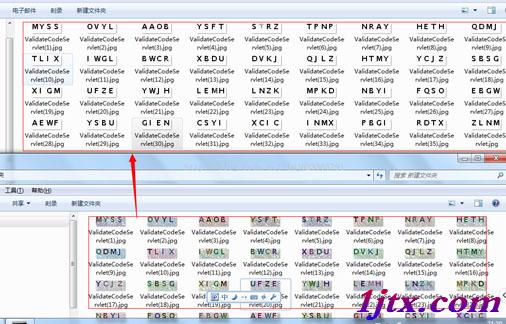
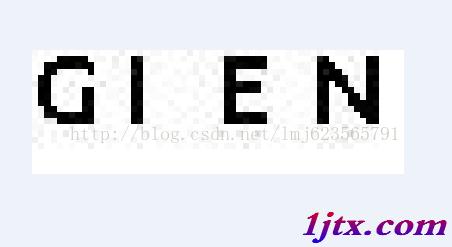
// 核心邏輯片段
int threshold = ostu(gray, w, h); // Otsu 閾值
BufferedImage binaryImg = new BufferedImage(w, h, BufferedImage.TYPE_BYTE_BINARY);
for (int x = 0; x < w; x++) {
    for (int y = 0; y < h; y++) {
        if (gray[x][y] > threshold) gray[x][y] |= 0x00FFFF; // 白
        else gray[x][y] &= 0xFF0000; // 黑
        binaryImg.setRGB(x, y, gray[x][y]);
    }
}
ImageIO.write(binaryImg, "jpg", new File(destDir, sfile.getName()));
chi_sim.traineddata 至 tessdata 目錄