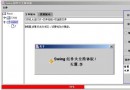
閱讀書籍時似懂非懂,關鍵在於「沒經過大腦思考、手寫代碼」。建議流程:
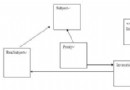
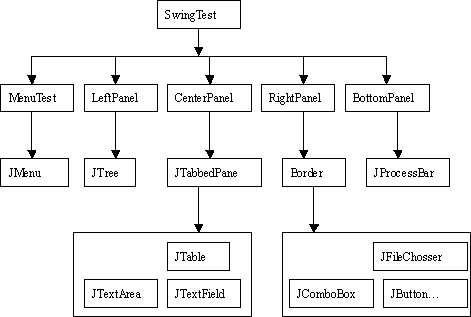
JFrame,採用 BorderLayout 佈局,掛載選單列與四大面板。JMenuBar,負責選單顯示與事件。JPanel,各自管理子組件佈局。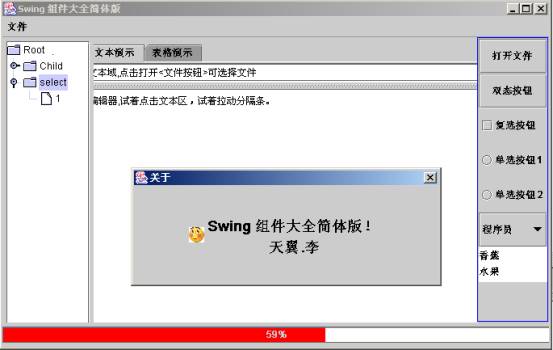
| 容器/嵌板 | 用途 |
|---|---|
| JFrame | 主視窗框架,組件需加入 getContentPane() |
| JPanel | 輕量級容器,直接加入組件 |
| JSplitPane | 分割面板,僅能分割兩個子組件(三個以上需巢狀) |
| JTabbedPane | 頁籤面板,單次顯示一頁 |
常用佈局:BorderLayout(預設五區)、FlowLayout(流式)、GridLayout(網格)、GridBagLayout(強大但複雜)。
Adapter 類別(如 WindowAdapter),僅覆寫需求方法。// 視窗關閉事件範例
addWindowListener(new WindowAdapter() {
@Override public void windowClosing(WindowEvent e) {
dispose(); System.exit(0);
}
});
public SwingTest() {
    MenuTest menu = new MenuTest();
    LeftPanel left = new LeftPanel();
    CenterPanel center = new CenterPanel();
    RightPanel right = new RightPanel();
    BottomPanel bottom = new BottomPanel();

    Container c = getContentPane(); // BorderLayout 預設
    setJMenuBar(menu);
    c.add(left, BorderLayout.WEST);
    c.add(center, BorderLayout.CENTER);
    c.add(right, BorderLayout.EAST);
    c.add(bottom, BorderLayout.SOUTH);

    setSize(700, 500);
    setTitle("Swing 組件大全");
    setLocation(200, 150);
    setVisible(true);

    addWindowListener(new WindowAdapter() {
        @Override public void windowClosing(WindowEvent e) { dispose(); System.exit(0); }
    });
}
JTable 連接資料庫實現 CRUD。JTextPane 支援圖文混排。Timer 驅動動畫或輪詢。所有原始碼已整合單一檔案並附詳細註解,建議先閱讀架構設計再逐模組研讀,並嘗試拆分為獨立類別檔案練習。