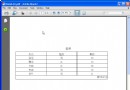
iText (現 Lowagie/iText 7) 是 Java 平台生成/操作 PDF 的經典庫。本例展示如何建立 A4 頁面、設定中文字體、添加水印、頁首頁尾、構建複雜表格 (合併儲存格、樣式、顏色、對齊),輸出專業級報表檔案。
Document document = new Document(PageSize.A4, 50, 50, 100, 50); // 頁面大小、邊距
PdfWriter.getInstance(document, new FileOutputStream("tables.pdf"));

// 關鍵:註冊中文字體 (需 iTextAsian.jar 或字體檔)
BaseFont bfSong = BaseFont.createFont("STSong-Light", "UniGB-UCS2-H", false);
Font fontSong = new Font(bfSong, 10, Font.NORMAL);
Font fontBold = new Font(bfSong, 10, Font.BOLD, new Color(0,0,255));
注意:iText 5/7 字體載入方式不同,新版建議用 FontProgramFactory.createFont() + PdfFontFactory.createFont()。
// 水印
Watermark watermark = new Watermark(Image.getInstance("test.jpg"), x, y);
watermark.scalePercent(50);
document.add(watermark);

// 頁首
HeaderFooter header = new HeaderFooter(new Phrase("Java實例一百例", fontSong), false);
header.setBorder(2); header.setAlignment(Element.ALIGN_RIGHT);
document.setHeader(header);

// 頁尾 (含頁碼佔位)
HeaderFooter footer = new HeaderFooter(new Phrase("第 ", fontSong), new Phrase(" 頁", fontSong));
footer.setAlignment(Element.ALIGN_CENTER); footer.setBorder(1);
document.setFooter(footer);
Table table = new Table(4); // 4 欄
table.setDefaultVerticalAlignment(Element.ALIGN_MIDDLE);
table.setBorder(Rectangle.NO_BORDER);
table.setWidths(new int[]{10, 20, 10, 20}); // 相對寬度比例
table.setWidth(100); // 佔頁面寬度 100%

// 表頭跨列
Cell cellmain = new Cell(new Phrase("用戶信息", fontBold));
cellmain.setHorizontalAlignment(Element.ALIGN_CENTER);
cellmain.setColspan(4); // 合併 4 列
cellmain.setBackgroundColor(new Color(0xC0, 0xC0, 0xC0));
table.addCell(cellmain);

// 分組表頭
Cell cellleft = new Cell(new Phrase("收貨人信息", fontItalic)); cellleft.setColspan(2); table.addCell(cellleft);
Cell cellright = new Cell(new Phrase("訂貨人信息", fontItalic)); cellright.setColspan(2); table.addCell(cellright);

// 資料列
table.addCell(new Phrase("姓名", fontSong));
table.addCell(new Phrase("張三", fontSong));
table.addCell(new Phrase("姓名", fontSong));
table.addCell(new Phrase("李四", fontSong));
// ... 後續欄位同理

document.add(table);
document.close(); // 必須關閉才會真正寫入檔案
| 功能 | iText 5 (舊) | iText 7/8 (新) |
|---|---|---|
| 核心類 | Document, PdfWriter, Table, Cell | Document, PdfWriter, Table, Cell (包路徑變更 com.itextpdf.layout) |
| 字體 | BaseFont, Font | PdfFont, FontProgram |
| 表格 | Table, Cell (舊) | Table, Cell (新 API: addCell() 返回 Table, 支援鏈式) |
| 水印 | Watermark | Canvas + 事件處理器 IEventHandler |
| 頁首尾 | HeaderFooter | IEventHandler 實作 handleEvent() |
PdfPTable (iText 5) 或 Table (iText 7) 的 setComplete(false) 分頁寫入。