許多開發者因環境配置繁瑣而敬而遠之 DocBook。實際上,DocBook 5.0 全面轉向 XML 與 RELAX NG,配合 maven-jdocbook-plugin 可實現極簡構建。本文提煉自 JBoss Seam 專案實踐,開箱即用。
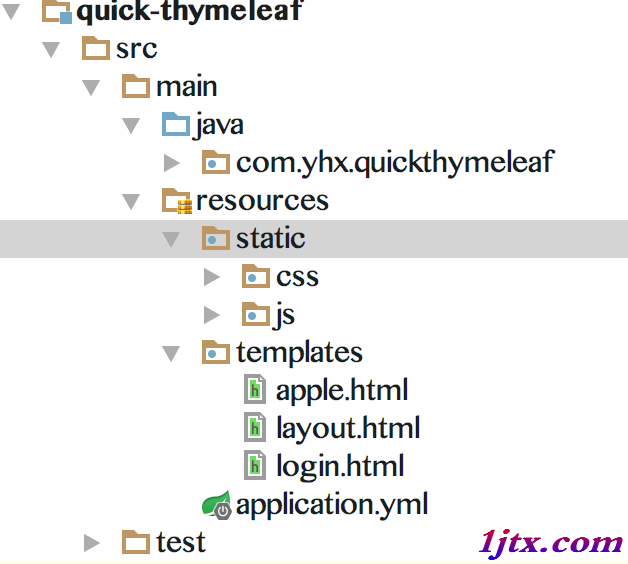
project-root/
├── pom.xml
└── src/main/docbook/
    ├── zh_CN/
    │   ├── master.xml      # 主文件
    │   └── chap1.xml       # 章節文件
    ├── images/             # 圖片資源
└── css/ # 樣式表<project xmlns="https://maven.apache.org/POM/4.0.0" ...>
<modelVersion>4.0.0</modelVersion>
<groupId>org.example</groupId>
<artifactId>docbook-demo</artifactId>
<version>1.0-SNAPSHOT</version>
<packaging>jar</packaging>
<build>
<plugins>
<plugin>
<groupId>org.jboss.maven.plugins</groupId>
<artifactId>maven-jdocbook-plugin</artifactId>
<version>2.1.1</version>
<extensions>true</extensions>
<dependencies>
<dependency>
<groupId>org.jboss</groupId>
<artifactId>jbossorg-docbook-xslt</artifactId>
<version>1.1.0</version>
</dependency>
<dependency>
<groupId>org.jboss</groupId>
<artifactId>jbossorg-jdocbook-style</artifactId>
<version>1.1.0</version>
<type>jdocbook-style</type>
</dependency>
</dependencies>
<executions>
<execution>
<id>doc_zh_CN</id>
<phase>package</phase>
<goals><goal>resources</goal><goal>generate</goal></goals>
<configuration>
<sourceDocumentName>master.xml</sourceDocumentName>
<sourceDirectory>${basedir}/src/main/docbook/zh_CN</sourceDirectory>
<imageResource><directory>${basedir}/src/main/docbook/images</directory></imageResource>
<cssResource><directory>${basedir}/src/main/docbook/css</directory></cssResource>
<targetDirectory>${basedir}/target/docbook/zh_CN</targetDirectory>
<formats>
<format>
<formatName>pdf</formatName>
<stylesheetResource>classpath:/xslt/org/jboss/pdf.xsl</stylesheetResource>
<finalName>zh_CN.pdf</finalName>
</format>
<format>
<formatName>html</formatName>
<stylesheetResource>classpath:/xslt/org/jboss/xhtml.xsl</stylesheetResource>
<finalName>index.html</finalName>
</format>
<format>
<formatName>html_single</formatName>
<stylesheetResource>classpath:/xslt/org/jboss/xhtml-single.xsl</stylesheetResource>
<finalName>index.html</finalName>
</format>
</formats>
<options><xincludeSupported>true</xincludeSupported></options>
</configuration>
</execution>
</executions>
</plugin>
</plugins>
<repositories>
<repository><id>jboss.org</id><url>https://repository.jboss.org/maven2</url></repository>
</repositories>
</build>
</project>master.xml
<?xml version='1.0' encoding="utf-8"?>
<book xmlns="https://docbook.org/ns/docbook" version="5.0" xml:lang="zh-CN"
      xmlns:xlink="https://www.w3.org/1999/xlink" xmlns:xi="https://www.w3.org/2001/XInclude">
  <title>我的第一本 DocBook 書</title>
  <xi:include href="chap1.xml"/>
</book>
chap1.xml
<?xml version='1.0' encoding="utf-8"?>
<chapter xmlns="https://docbook.org/ns/docbook" version="5.0" xml:lang="zh-CN"
         xmlns:xlink="https://www.w3.org/1999/xlink" id="ch1"
         xmlns:xi="https://www.w3.org/2001/XInclude">
  <title>第一章:DocBook 5.0 初體驗</title>
  <section>
    <title>起步</title>
    <para>這是我的第一篇 DocBook 5.0 文檔,部落格:<link xlink:href='https://example.com/'>範例連結</link>。</para>
  </section>
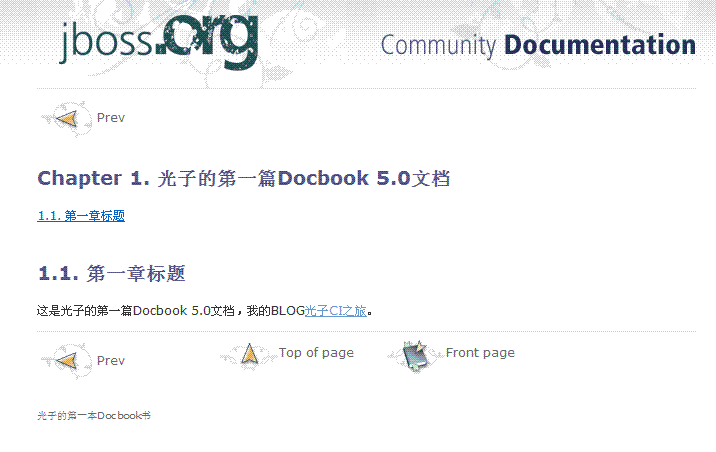
</chapter>mvn clean package即可在 target/docbook/zh_CN/ 下產出 PDF、分頁 HTML、單頁 HTML 三種格式。樣式採用 JBoss 風格,可自行替換 XSLT 客製化。
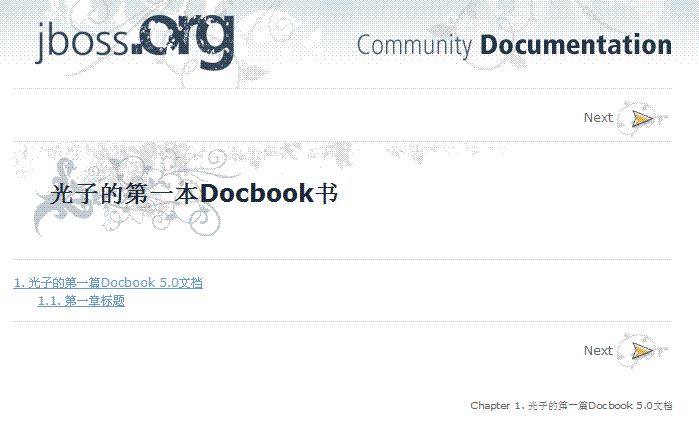
xi:include 支援大型文檔拆分協作stylesheetResource 即可切換風格配套原始碼已整理,可直接作為專案骨架使用。