MyEclipse 5.0 + Eclipse 3.2 + JDK 5.0 + Tomcat 5.5 + Struts 2 + JUnit 3.8
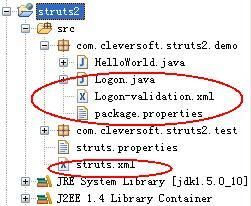
<s:url action="Logon!input"/> 指定叫用 input 方法。<s:form action="Logon">、<s:textfield>、<s:password>、<s:submit>。username、password 必填,錯誤訊息對應資源檔鍵值。public class Logon extends ActionSupport {
private String username, password;
public String execute() throws Exception {
if (isInvalid(username)) return INPUT;
if (isInvalid(password)) return INPUT;
return SUCCESS;
}
private boolean isInvalid(String v) { return v == null || v.length() == 0; }
// getter/setter 省略
}驗證失敗返回 INPUT 導回登入頁,成功返回 SUCCESS 導向選單。
<action name="Logon!*"
        method="{1}"
        class="com.cleversoft.struts2.demo.Logon">
  <result type="redirect-action">Menu</result>
  <result name="input">/Logon.jsp</result>
</action>
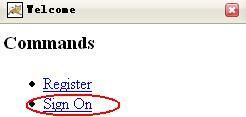
name="Logon!* 通配符匹配 Logon、Logon!input 等。method="{1}" 將 ! 後字串作為方法名(input),等同 method="input"。Menu Action,驗證失敗返回 Logon.jsp。存取 https://localhost:8080/struts2/Welcome.action:
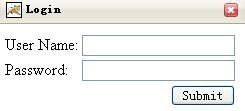
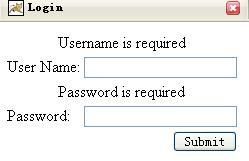
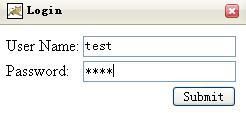
package.properties:requiredstring=${getText(fieldName)}isrequired.username=User Namepassword=PasswordLogon-validation.xml:<message key="requiredstring"/>Logon.jsp 標籤標題使用 OGNL 取資源:<s:textfield label="%{getText('username')}" .../>至此完成含驗證、國際化、通配符映射的 Struts 2 登入實戰範例。