標準 JFrame 視窗外觀綁定作業系統 (Windows 藍標題列、Motif 風格、Metal 風格),跨平台一致性差,品牌化客製極其困難。Java 1.4 引入 setUndecorated() 雖允許完全客製,卻犧牲了原生視窗管理 (最大化/最小化/調整大小/OS 視窗管理器註冊)。IFrame 框架 完美橋接這鴻溝:保留 JFrame 所有原生功能,同時提供豐富 API 實現自訂顏色、邊框、形狀、標題列元件、透明度,讓 Java Swing 應用擁有媲美原生應用的視覺體驗。
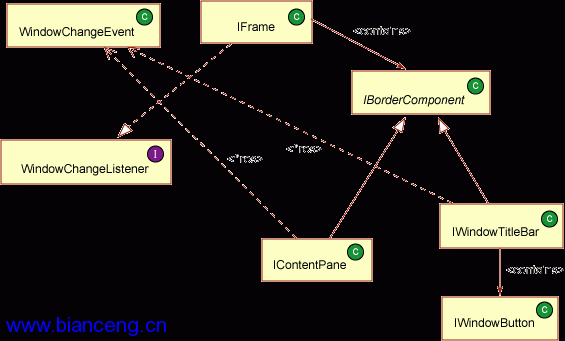
JFrame,新增 getIContentPane()/setIContentPane() 取代標準 ContentPane,預設行為與 JFrame 完全相容。JPanel 父類。子類包括 IWindowTitleBar、IContentPane,亦可自訂元件 (如 Office 右下角縮放控制)。paintComponent()。管理邊框偵測 (isMouseOnBorder()、isInsideTitleBar())。IBorderComponent 管理自身邊框。非矩形邊框需繼承覆寫 isMouseOnBorder()。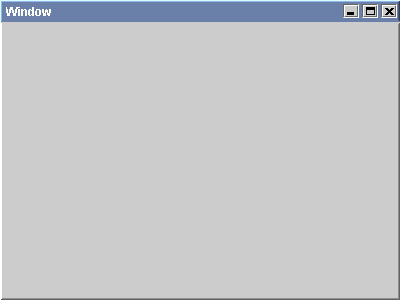
public class TestApp1 extends IFrame {
    public TestApp1() { setTitle("Window"); }
}
外觀模擬 Windows 2000 標準 JFrame,可直接替換現有 JFrame 零差異。
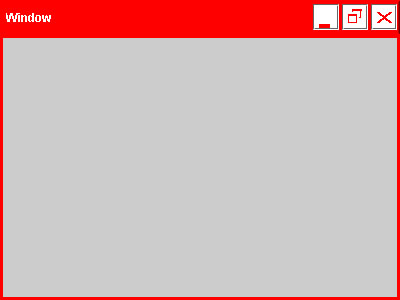
public class TestApp2 extends IFrame {
    public TestApp2() {
        IWTUtilities.setBorderSize(new Insets(3,3,3,3));
        setIContentPaneBorder(new LineBorder(Color.red, 3));
        setTitleBarHeight(35);
        setTitleBarBackground(Color.red);
        setTitleBarButtonColors(Color.red, Color.white);
        setTitleBarButtonSize(new Dimension(26, 26));
        setTitle("Window");
    }
}
無需繼承任何類,單純 API 呼叫即達 99% 應用無法企及的視覺層次。
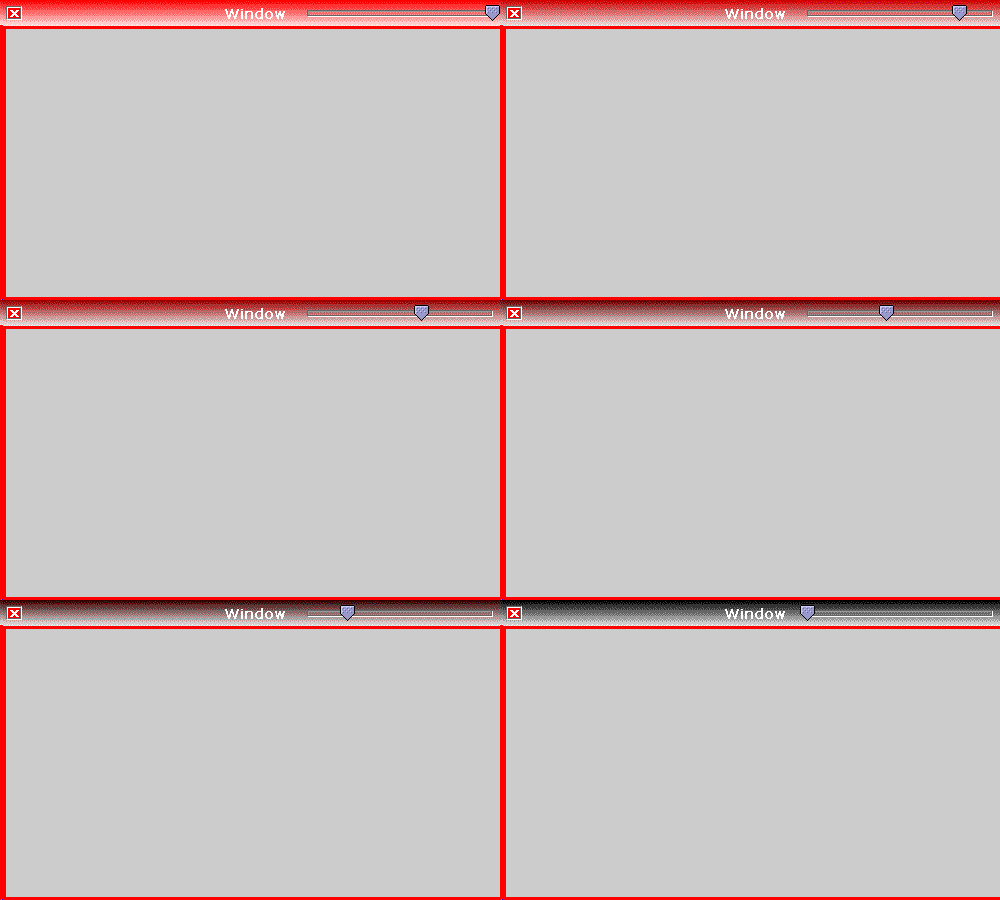
public class TestApp3 extends IFrame {
    public TestApp3() {
        IWTUtilities.setBorderSize(new Insets(3,3,3,3));
        getIContentPane().setBorder(new LineBorder(Color.red, 3));
        setTitleBar(new TitleBar()); // 核心:注入自訂標題列
    }
    private class TitleBar extends IWindowTitleBar implements ChangeListener {
        private Color c = Color.BLACK; private JSlider slider;
        public TitleBar() {
            setPreferredSize(new Dimension(0, 26));
            removeWindowDecorations(); // 移除預設三按鈕
            addWindowButton(IWindowButton.CLOSE, SwingConstants.LEFT); // 自訂關閉鍵在左
            setWindowButtonColors(Color.RED, Color.WHITE);
            addTitle(getTitle(), SwingConstants.CENTER, new Font("Verdana", Font.BOLD, 14), Color.WHITE);
            slider = new JSlider(0, 255); slider.setOpaque(false);
            slider.addChangeListener(this);
            add(slider, new GroupFlowLayoutConstraints(SwingConstants.RIGHT, new Insets(3,3,3,3)));
        }
        public void paintComponent(Graphics g) {
            super.paintComponent(g);
            PaintUtilities.paintGradient(g, 0, 0, getWidth(), getHeight(), c, Color.WHITE, SwingConstants.HORIZONTAL);
        }
        public void stateChanged(ChangeEvent e) {
            c = new Color(slider.getValue(), 0, 0); repaint(); // 滑桿即時改變漸層起始色
        }
    }
}
關鍵優勢:標題列可嵌入任意 JComponent (滑桿、表格、進度條),動態繪製完全可控。
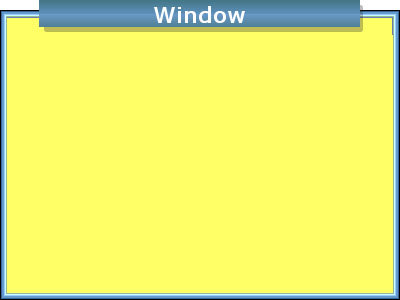
public class TestApp4 extends IFrame {
    public TestApp4() {
        setTitle("Window");
        IWTUtilities.setBorderSize(new Insets(0,7,7,7));
        IWTUtilities.setDiagonalSize(20); // 圓角大小
        getIContentPane().setBorder(new AppBorder()); // 自訂內容區邊框
        getIContentPane().setBackground(new Color(255, 255, 102));
        setTitleBar(new TitlePanel()); // 自訂非矩形標題列
    }
    private class TitlePanel extends IWindowTitleBar {
        public TitlePanel() {
            setPreferredSize(new Dimension(800, 35));
            setFont(new Font("Verdana", Font.BOLD, 22));
            removeWindowDecorations();
        }
        // 關鍵:非矩形需自行判斷滑鼠是否在邊框/標題列內
        protected boolean isInsideTitleBar(int x, int y) {
            return x >= getWidth()*0.1 && x <= getWidth()*0.9; // 側邊非標題區
        }
        protected void isMouseOnBorder(int x, int y) {
            isMouseOnBorder = (y > 10 && y > 16 && !isInsideTitleBar(x, y));
        }
        public void paintComponent(Graphics g) {
            super.paintComponent(g);
            int w = getWidth(), h = getHeight();
            setTransparent(this, g, 0, 0, w+1, 10); // 核心:繪製透明區域 (頂部 10px)
            PaintUtilities.paintDropShadow(g, (int)(w*0.1), 0, (int)(w*0.8), 27);
            PaintUtilities.paintGradient(g, (int)(w*0.1), 0, (int)(w*0.9), 14, new Color(67,118,135), new Color(105,152,199));
            PaintUtilities.paintGradient(g, (int)(w*0.1), 14, (int)(w*0.9), 13, new Color(105,152,199), new Color(67,118,135));
            // 抗鋸齒標題文字置中
            Graphics2D g2 = (Graphics2D)g;
            g2.setRenderingHint(RenderingHints.KEY_ANTIALIASING, RenderingHints.VALUE_ANTIALIAS_ON);
            g.setColor(Color.WHITE);
            int strW = SwingUtilities.computeStringWidth(g.getFontMetrics(), getTitle());
            int strH = g.getFontMetrics().getMaxAscent();
            g2.drawString(getTitle(), w/2 - strW/2, h - strH/2);
            g2.setRenderingHint(RenderingHints.KEY_ANTIALIASING, RenderingHints.VALUE_ANTIALIAS_OFF);
        }
        private void drawBorder(Graphics g, int x, int y, int w, int h) { /* 繪製側邊邊框 */ }
    }
    private class AppBorder extends AbstractBorder { /* 內容區非矩形邊框繪製 */ }
}透明度關鍵:在子類 paintComponent() 中呼叫 setTransparent(component, graphics, x, y, width, height),指定區域像素透明。透明繪製較慢,建議區域最小化。
| 需求層級 | 建議方式 | 範例對應 |
|---|---|---|
| 僅需向後相容 | 直接用預設 IFrame | 範例 1 |
| 快速調整顏色/尺寸/按鈕 | IFrame 公開 API (setTitleBarBackground 等) | 範例 2 |
| 標題列複雜繪製/嵌入元件/動態互動 | 繼承 IWindowTitleBar,覆寫 paintComponent() | 範例 3 |
| 非矩形視窗/透明度/企業級品牌視窗框架 | 繼承 IWindowTitleBar + IContentPane,覆寫邊框偵測 + setTransparent() | 範例 4 |
IFrame 讓 Swing 開發者擁有「視窗外觀完全掌控權」:從字體顏色微調到非矩形透明品牌視窗,皆在單一框架內優雅實現。其設計哲學——預設即標準、擴展即自由,使開發者能按需付出複雜度代價。相信閱讀本文後,您已準備好將腦海中的視覺創意透過 IFrame 落地於螢幕。
作者 Michael Abernethy 歡迎讀者分享 IFrame 創作截圖。本文配套原始碼可下載。