Struts 2 使用標準 Java .properties 資源檔,支援多層級搜尋順序,自動依瀏覽器 Accept-Language 選擇語系變體 (如 Message_zh_TW.properties)。
LoginAction.properties)ActionSupport.properties 放在 xwork2.jar!/com/opensymphony/xwork2/)ModelDriven,重複步驟 1 搜尋模型類同名檔struts.properties 設定 struts.custom.i18n.resources=my → my.properties 放在 classpath 根目錄package action.test;
public class Internationalizing extends ActionSupport {
public String execute() { return "forward"; }
}action/test/Internationalizing.propertiesdelete=刪除
save=保存<%@ taglib prefix="s" uri="/struts-tags" %>
<!-- 方式 1: property 標籤 -->
<s:property value="getText('delete')" />
<!-- 方式 2: text 標籤 (推薦) -->
<s:text name="save" />
<!-- 方式 3: i18n 標籤指定資源檔 -->
<s:i18n name="test.abc"> <!-- 對應 WEB-INF/classes/test/abc.properties -->
<s:text name="save" />
<s:text name="delete" />
</s:i18n># struts.properties (放在 src/ 根目錄)
struts.custom.i18n.resources=my
# my.properties (放在 src/ 根目錄)
welcome=歡迎光臨提供同基底名稱的語系變體檔:
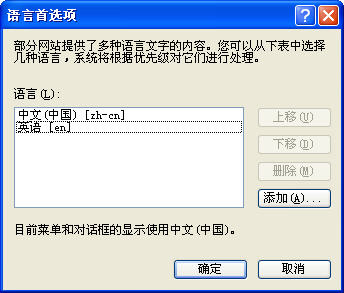
language.properties (預設)language_en.properties (英文)language_zh.properties (中文)language_zh_TW.properties (繁體中文)Struts 2 依 RequestLocale 攔截器解析 Accept-Language 標頭,自動選擇最匹配檔案。缺少對應變體時回退至基底檔。
struts.custom.i18n.resources) 集中管理.properties 儲存為 UTF-8 (或使用 native2ascii 轉 Unicode 逸出)模組.功能.訊息 格式 (如 user.login.failed) 避免衝突