NetBeans IDE 內建對 JAX-RS (JSR 311/339/370) 與 Jersey 參考實現的全周期支持:從實體類生成、服務骨架創建、測試客戶端生成、到第三方 REST API(如 Google Maps)拖拽整合。本文以 CustomerDB 示例項目為線索,演示 REST 服務全棧開發流程。
| 組件 | 推薦版本 |
|---|---|
| NetBeans IDE | 8.2+ (Java EE 包) |
| JDK | 8+ |
| 應用服務器 | GlassFish 4/5, Payara, WildFly, Tomcat 8/9 + Jersey |
| 數據庫 | Java DB (Derby) 內置 jdbc/sample 或 MySQL sample 库 |
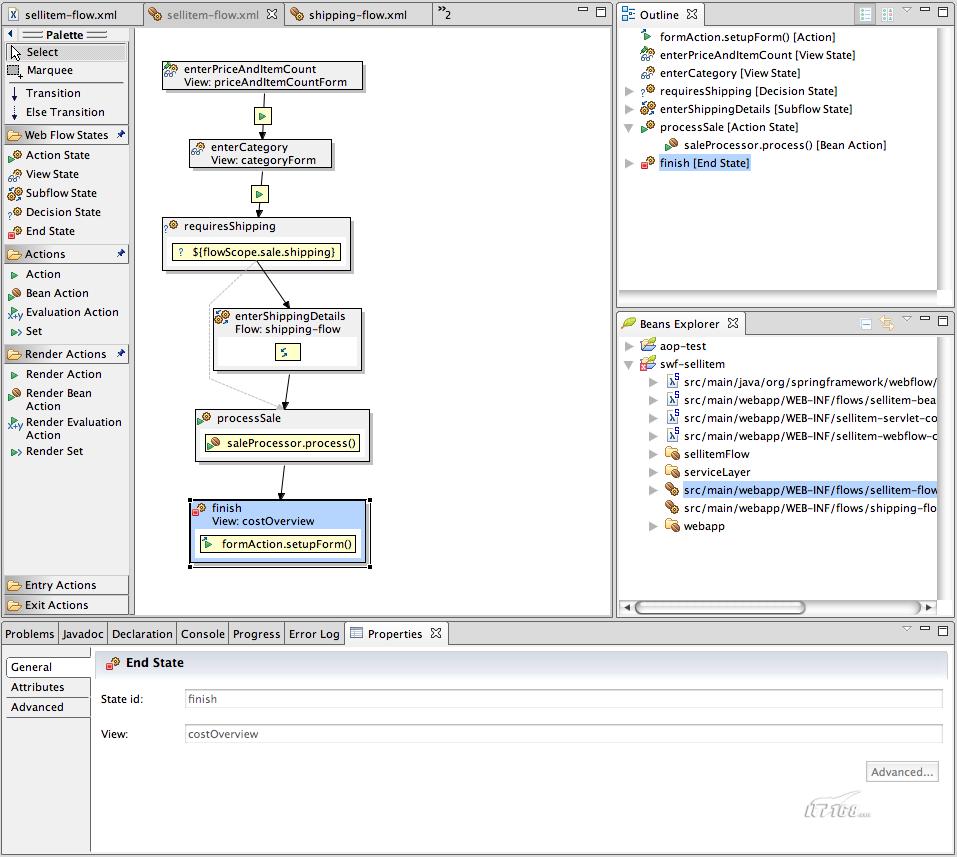
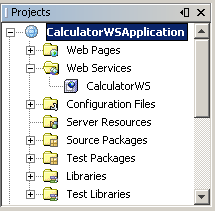
File → New Project → Java Web → Web ApplicationCustomerDBSpring Web MVC 框架啟用 Spring 事務管理New → Other → Web Services → RESTful Web Services from Databasejdbc/sample (Derby) 或新建 MySQL 連接CUSTOMER,自動關聯 DISCOUNT_CODEentities;服務包:serviceentities.Customer, entities.DiscountCode(JPA @Entity + JAXB @XmlRootElement)service.CustomerFacadeREST, service.DiscountCodeFacadeREST(@Stateless + @Path + @GET/@POST/@PUT/@DELETE)persistence.xml (JTA 數據源)web.xml (Jersey ServletContainer 初始化) 或 ApplicationConfig (EE 7+ 無 web.xml)converter 包 (CustomerConverter) 手動處理 Entity ↔ JAXB 對象轉換。@XmlRootElement、@XmlElement,服務類直接返回 Entity,容器自動序列化,**無需轉換器**,代碼量減少 40%+。Test RESTful Web Servicescustomers, discountCodescustomers → 選擇 GET (application/xml) → Max: 3 → Test結果面板 5 個標簽:
訪問 https://developers.google.com/maps/documentation/javascript/get-api-key,授權域名 https://localhost:8080。
@GET
@Path("{id}/map")
@Produces("text/html")
public String getGoogleMap(@PathParam("id") Integer id) {
    Customer c = super.find(id);
    String address = c.getAddressline1() + " " + c.getCity() + " " + c.getState() + " " + c.getZip();
    // 拖拽生成代碼填充此處
    return "";
}
Services 標簽 → Web Services → Google → Map Service → getGoogleMapreturn ""; 前org.netbeans.saas.google.GoogleMapService 調用代碼
@GET @Path("{id}/map") @Produces("text/html")
public String getGoogleMap(@PathParam("id") Integer id) {
    Customer c = super.find(id);
    String address = c.getAddressline1() + " " + c.getCity() + " " + c.getState() + " " + c.getZip();
    try {
        Integer zoom = 15;
        String iframe = "false";
        RestResponse result = GoogleMapService.getGoogleMap(address, zoom, iframe);
        return result.getDataAsString(); // 返回 HTML iframe
    } catch (Exception ex) {
        ex.printStackTrace();
        return "Error loading map";
    }
}
編輯 googlemapservice.properties,粘入 API Key:api.key=YOUR_KEY。
測試客戶端 → customers → 1 → GET (text/html) → 顯示該客戶地址的 Google Map 嵌入頁面。
項目創建時勾選 Spring Web MVC,生成差異:
PersistenceService 類(Spring 容器管理 EntityManager)org.springframework.transaction.annotation.Transactional@Transactional,聲明式事務邊界aopalliance.jar (Spring 3 依賴) 至 Libraries優勢:代碼更清爽、事務傳播/隔離/回滾規則統一聲明、支持 @PersistenceContext 注入 EntityManager。
| 現象 | 原因 | 解決 |
|---|---|---|
| 類找不到 / ClassNotFoundException | Jersey 庫未加入編譯時 classpath | 右鍵項目 → Properties → Libraries → Add Library → Jersey |
| Tomcat 7 部署 EE 8+ REST 失敗 | 缺少 EJB 3.1 / CDI 實現 | 升級 TomEE / WildFly / Payara,或降級為 EE 7 專案 |
| Google Map 顯示海洋 | 地址解析失敗 | 檢查地址字段完整性,API Key 配額、Referrer 限制 |
| Spring 專案啟動報錯 | 缺少 aopalliance.jar | 下載添加至 Libraries,刪除代碼中誤生成的 @Error 註解 |
@QueryParam("start"), @QueryParam("max"), @QueryParam("q") 標準化列表參數。/api/v1/customers,或 Accept 頭 application/vnd.myapp.v1+json。@RolesAllowed 細粒度授權。swagger.json)。NetBeans 將「數據庫 → 實體 → REST 服務 → 測試客戶端 → 第三方 API 整合」全鏈路壓縮為可視化向導與拖拽操作,讓開發者聚焦業務邏輯而非樣板代碼。無論選擇純 JAX-RS、Spring MVC 還是 MicroProfile,資源導向設計、HTTP 語義正交、聲明式序列化/事務/安全才是構建可演進 REST 系統的核心原則。掌握 IDE 能力邊界,並在架構層面做正確抉擇,方能行穩致遠。