J2ME UI 執行緒為單執行緒模型,所有畫面繪製與事件處理皆在其上運行。耗時操作(網路、I/O)必須移至背景執行緒,並透過進度條回饋使用者,避免介面凍結與誤操作。本文提出一套低耦合、可重用的「觀察者模式」進度條框架。
public interface ProgressObserver {
    void reset();                    // 重置狀態
    void setMax();                   // 設為滿格
    void show(Display display);      // 顯示於螢幕,啟動動畫執行緒(如適用)
    void exit();                     // 隱藏並關閉動畫執行緒
    void updateProgress(Object param); // 更新進度/提示文字
    boolean isStoppable(); void setStoppable(boolean);
    boolean isStopped(); void setStopped(boolean);
    void setTitle(String); void setPrompt(String);
}
public class ProgressGaugeUI implements ProgressObserver, CommandListener {
    private static ProgressGaugeUI instance;
    private Form form;
    private Gauge gauge;
    private Command stopCmd;
    private boolean stopped, stoppable;
    private int current;

    // 單例取得
    public static ProgressGaugeUI getInstance() { ... }

    // 實作介面方法...
    public void updateProgress(Object param) {
        current = (current + 1) % GAUGE_LEVELS;
        gauge.setValue(current * GAUGE_MAX / GAUGE_LEVELS);
        if (param instanceof String) setPrompt((String) param);
    }
    public void commandAction(Command c, Displayable d) {
        if (c == stopCmd && isStoppable()) stopped = true;
        else if (c == stopCmd) setPrompt("can't stop!");
    }
    // show() 呼叫 display.setCurrent(form)
    // exit() 釋放資源
}
public abstract class BackgroundTask extends Thread {
    protected ProgressObserver ui;
    protected Displayable prevScreen;
    protected Display display;
    protected Alert alertScreen;
    protected boolean needAlert;

    public BackgroundTask(ProgressObserver ui, Displayable prev, Display d) { ... }

    public void run() {
        try { runTask(); }
        catch (Exception e) { showErrorAlert(e); }
        finally {
            if (ui.isStoppable() && ui.isStopped()) {
                showCancelScreen(); // 顯示取消/失敗畫面
            }
            ui.exit();
        }
    }

    // 子類實作具體任務
    public abstract void runTask();

    // 靜態啟動輔助
    public static void runWithProgressGauge(BackgroundTask task, String title,
                                            String prompt, boolean stoppable, Display d) {
        ProgressObserver ui = task.getProgressObserver();
        ui.reset(); ui.setStoppable(stoppable);
        ui.setTitle(title); ui.setPrompt(prompt);
        ui.show(d); task.start();
    }

    // 任務成功完成時呼叫,防止使用者剛按取消即完成的競態
    public void taskComplete() { ui.setStopped(false); }
}
public void commandAction(Command c, Displayable d) {
    if (c == workCmd) {
        BackgroundTask task = new BackgroundTask(
            ProgressGaugeUI.getInstance(), d, display) {
            public void runTask() {
                alertScreen = new Alert("User Cancel", "...", null, AlertType.ERROR);
                needAlert = true;

                updateProgress(null);           // 階段 1 開始
                sleep(3000);
                updateProgress("slept 3s...");  // 階段 1 結束
                if (isStopped()) return;        // 檢查取消

                updateProgress(null);           // 階段 2 開始
                sleep(3000);
                setMax();                       // 完成
                display.setCurrent(new Form("Complete"));
                taskComplete();                 // 強制標記成功
            }
        };
        BackgroundTask.runWithProgressGauge(task, "Sleep 6s", "Sleeping...", true, display);
    }
}
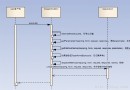
updateProgress() → UI;UI → isStopped() → 背景任務輪詢。taskComplete() 可在任務尾聲呼叫,蓋過使用者取消旗標,避免「剛完成卻被判定取消」的不一致。finally 區塊確保 UI 一定 exit(),不留殘留畫面。Canvas 繪製動畫進度條只需另寫 ProgressObserver 實作,任務碼完全不動。此模式已在多個商用 MIDlet 專案驗證,能顯著減少執行緒與 UI 同步的樣板碼,提升開發效率與維護性。