在 Struts 1.x 中構建動態複選框組(如權限分配、標籤篩選、多選題)是常見需求。本文展示利用 <html:multibox> 搭配 <logic:iterate> 實現:從後端動態獲取選項列表、根據表單屬性自動預選、提交時自動收集勾選值到 String 陣列的完整方案,並延伸示範 LabelValueBean 支援顯示值與提交值分離。
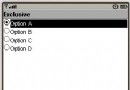
<html:multibox property="selectedItems"> 渲染為 ``。當表單提交時,Struts 自動將所有勾選的 checkbox 值收集到 ActionForm 的 String[] selectedItems 屬性。迴圈渲染時,若迴圈變量值存在於 selectedItems 陣列中,該 checkbox 自動加上 `checked="checked"`。
public class CheckboxTestForm extends ActionForm {
    // 所有可選項(如從資料庫查詢動態設置)
    private String[] mountains = {
        "Everest", "K2", "Kangchenjunga", "Lhotse", "Makalu",
        "Kangchenjunga South", "Lhotse Middle", "Kangchenjunga West",
        "Lhotse Shar", "Cho Oyu"
    };
    // 預選/提交勾選項
    private String[] selectedMountains = {"Everest", "K2", "Lhotse"}; // 初始預選

    // Getter/Setter 省略...
}<%@ taglib uri="https://struts.apache.org/tags-html" prefix="html" %>
<%@ taglib uri="https://struts.apache.org/tags-bean" prefix="bean" %>
<%@ taglib uri="https://struts.apache.org/tags-logic" prefix="logic" %>
<html:form action="/FormAction" name="testForm" type="com.example.CheckboxTestForm">
<h4><bean:message key="testForm.instruction"/></h4>
<logic:iterate name="testForm" property="mountains" id="mountain">
<!-- 複選框:property 指向提交收集屬性,body 為提交值 -->
<html:multibox property="selectedMountains">
<bean:write name="mountain"/>
</html:multibox>
<!-- 標籤顯示 -->
<bean:write name="mountain"/><br/>
</logic:iterate>
<br/>
<html:submit/> <html:reset/>
</html:form>關鍵點:
name="testForm" 對應 ActionForm Bean 名稱。property="mountains" 迴圈來源陣列/集合。id="mountain" 當前迴圈項暴露為 pageContext 屬性。<html:multibox property="selectedMountains"> body 內容作為 checkbox 的 `value` 屬性。public class CheckboxTestAction extends Action {
public ActionForward execute(ActionMapping mapping, ActionForm form,
HttpServletRequest request, HttpServletResponse response) {
CheckboxTestForm tf = (CheckboxTestForm) form;
String[] selected = tf.getSelectedMountains(); // 自動收集勾選值
// 業務處理:保存權限、記錄偏好等
HttpSession session = request.getSession();
session.setAttribute("selectedMountains", selected);
return mapping.findForward("success");
}
}實際場景常需「顯示中文名,提交英文代碼/ID」。使用 Struts 內建 org.apache.struts.util.LabelValueBean:
private List mountainsLb = new ArrayList<>();
// 初始化:
mountainsLb.add(new LabelValueBean("珠穆朗瑪峰", "Everest"));
mountainsLb.add(new LabelValueBean("喬戈里峰", "K2"));
// ... <logic:iterate name="testForm" property="mountainsLb" id="mountainLb">
<bean:define id="mountainBean" name="mountainLb" type="org.apache.struts.util.LabelValueBean"/>
<html:multibox property="selectedMountains">
<bean:write name="mountainBean" property="value"/> <!-- 提交值 -->
</html:multibox>
<bean:write name="mountainBean" property="label"/><br/> <!-- 顯示標籤 -->
</logic:iterate><bean:define> 將迴圈項轉型為 LabelValueBean 並暴露為 mountainBean,後續 property="value/label" 精確取值。
<logic:iterate id="mountain" property="mountains" name="testForm">
    <bean:write name="mountain"/><br/>
</logic:iterate>
<hr size="5" color="black"/>
<logic:iterate id="sel" property="selectedMountains" name="testForm">
    <bean:write name="sel"/><br/>
</logic:iterate>mountains 可為 Array、List、Collection,logic:iterate 均支援。selectedMountains 賦值,頁面載入即自動勾選。<s:checkboxlist> 或 <s:iterator> + <s:checkbox>,原理相似但標籤體系不同。本文整理自 IBM developerWorks 文章《Struts的動態復選框》,作者 Danilo Gurovich(Struts Recipes 合著者)。