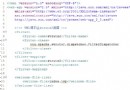
承接上篇,本文詳細說明在 <aop:config> 中如何聲明切面、定義切入點,以及配置五種通知類型。
<aop:aspect><aop:config proxy-target-class="true">
<aop:aspect id="TestAspectName" ref="MyAspect" order="1">
... 切入點與通知配置 ...
</aop:aspect>
</aop:config>ref(必填):指向切面支撐 Bean (backing bean) 的 id。order:切面載入順序(數值越小優先級越高)。id:切面唯一標識。<aop:pointcut><aop:pointcut id="testPointcut"
expression="execution(* aop.test.TestBean.*(..))"/>id:切入點識別碼,供通知引用。expression:AspectJ 切入點運算式語法。邏輯運算子在 XML 中的寫法:&& → and、|| → or、! → not。
引用 @Pointcut 註解定義的切入點:
<aop:pointcut id="test" expression="aop.test.MyAspect.Pointcut1()"/>必須使用完整類別名.方法名格式。
所有通知標籤共同屬性:
method(必填):支撐 Bean 中的通知方法名。pointcut:內嵌切入點運算式。pointcut-ref:引用已定義切入點 id(二擇一)。arg-names:方法參數名稱對應切入點參數。<aop:before><aop:before pointcut-ref="testPointcut" method="beforeAdvice"/><aop:after><aop:after pointcut-ref="testPointcut" method="afterAdvice"/><aop:after-returning><aop:after-returning pointcut-ref="testPointcut"
method="afterReturnAdvice" returning="retVal"/>returning 屬性將連接點返回值傳給通知方法參數 retVal。
<aop:after-throwing><aop:after-throwing pointcut-ref="testPointcut"
method="afterThrowingAdvice" throwing="ex"/>throwing 屬性指定匹配的例外參數名。
<aop:around><aop:around pointcut-ref="testPointcut" method="aroundAdvice"/>功能最強大,可完全控制目標方法執行(需自行呼叫 ProceedingJoinPoint.proceed())。