需修改 Tomcat 核心功能,必須編譯源碼並導入 Eclipse 調試。Tomcat 8 使用 Ant 建構。
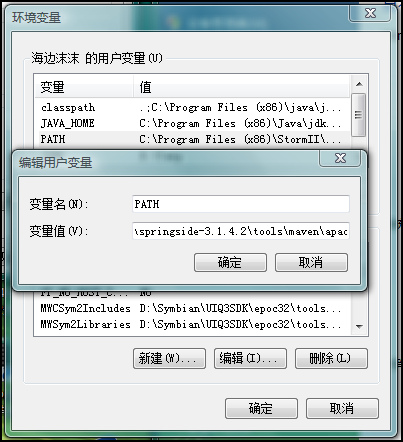
apache-tomcat-8.0.x-src 解壓至 D:\apache-tomcat-8.0.5-srcANT_HOME、PATHbuild.properties(從 build.properties.default 複製):base.path=D:/tomcat-deps # 依賴包下載目錄
proxy.host=proxy.company.com # 代理設定(如需)
proxy.port=8080
proxy.use=on
ant download 下載依賴ant 編譯 → 生成 output/build/ 含 lib/、conf/Tomcat8File → Import → File System 選擇源碼 java/、test/ → 勾選 Tomcat8 → Finishjava/、test/ → Build Path → Use as Source FolderBuild Path → Add External JARs 選擇 output/build/lib/ 下所有 JAR + junit.jar將 output/build/lib、output/build/conf 複製到專案根目錄,運行 org.apache.catalina.startup.Bootstrap 主類。
Run Configurations → Arguments → VM arguments:
-Dcatalina.home="D:/apache-tomcat-8.0.5-src/output/build"
直接運行 Bootstrap 類,控制台輸出啟動日誌,斷點生效。
ant -f dist.xml dist-javadoc 生成 API 文檔ant -f extras.xml 編譯擴展模組(commons-logging、webservices)ant -f dist.xml release 生產發布包修改源碼後只需重新執行 ant 增量編譯,Eclipse 熱部署即時生效。