當 Google 正式發布中文名稱「谷歌」時,不少開發者紛紛嘗試用程式碼呈現這個標誌性名稱。本文將示範如何使用 Java AWT(Abstract Window Toolkit)與 2D 圖形 API,將「谷歌」二字繪製成 JPEG 圖片檔案,並順帶在圖片上加上簽名。
以下完整程式碼展示了從建立畫布、設定字型、繪製文字到輸出 JPEG 檔案的完整流程:
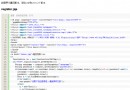
package ccidnet;

import java.io.*;
import java.awt.*;
import java.awt.image.*;
import com.sun.image.codec.jpeg.*;

public class GoogleDrawer {
    public static void main(String[] args) {
        BufferedImage bufferedImage = null;
        Graphics2D graphics2D = null;
        int width = 300;
        int height = 150;

        try {
            // 1. 建立 RGB 類型的緩衝圖片
            bufferedImage = new BufferedImage(width, height, BufferedImage.TYPE_INT_RGB);
            graphics2D = (Graphics2D) bufferedImage.getGraphics();

            // 2. 設定背景與前景色
            graphics2D.setBackground(Color.BLACK);
            graphics2D.setColor(Color.GREEN);
            graphics2D.clearRect(0, 0, width, height); // 填滿背景

            // 3. 設定主標題字型並繪製
            Font titleFont = new Font("微軟正黑體", Font.BOLD, 48);
            graphics2D.setFont(titleFont);
            graphics2D.drawString("谷歌", 60, 100);

            // 4. 設定簽名字型並繪製
            Font signFont = new Font("微軟正黑體", Font.PLAIN, 14);
            graphics2D.setFont(signFont);
            graphics2D.drawString("by 開發者", 200, 135);

            // 5. 輸出為 JPEG 檔案
            File outputFile = new File("google.jpg");
            try (FileOutputStream fos = new FileOutputStream(outputFile)) {
                JPEGImageEncoder encoder = JPEGCodec.createJPEGEncoder(fos);
                encoder.encode(bufferedImage);
                System.out.println("圖片已輸出至:" + outputFile.getAbsolutePath());
            }
        } catch (Exception e) {
            e.printStackTrace();
        } finally {
            if (graphics2D != null) {
                graphics2D.dispose(); // 釋放圖形資源
            }
        }
    }
}
BufferedImage 是記憶體中的圖片緩衝區,支援多種色彩模型(如 TYPE_INT_RGB)。透過 getGraphics() 取得 Graphics2D 物件,即可使用 Java 2D API 進行向量繪圖、文字渲染、仿射變換等進階操作。
範例使用 new Font("微軟正黑體", Font.BOLD, 48) 指定支援繁中/簡中的字型。若執行環境缺少該字型,Java 會回退至預設邏輯字型(如 Dialog),導致中文顯示為方塊。部署時請確認目標系統已安裝對應字型,或將 .ttf 檔隨應用程式打包並用 Font.createFont() 動態載入。
程式碼引用 com.sun.image.codec.jpeg.JPEGCodec,屬於 Sun/Oracle 私有 API,在 JDK 9 之後已被移除。現代專案建議改用標準 API javax.imageio.ImageIO:
ImageIO.write(bufferedImage, "jpg", outputFile);
此寫法跨版本相容、無需額外依賴。
範例在 finally 區塊呼叫 graphics2D.dispose() 釋放原生圖形資源;檔案輸出採用 try-with-resources 語法自動關閉串流,避免資源洩漏。
雖然 Java AWT 屬於早期 GUI 技術,但其 2D 繪圖能力在伺服器端無頭環境(Headless)產生圖片時依然實用。掌握 BufferedImage、Graphics2D 及標準 ImageIO 輸出流程,即可輕鬆實現各類動態圖片生成需求。