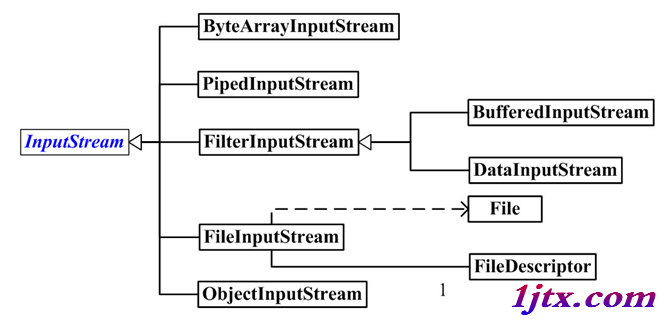
在傳統 Struts 2 應用中,實現檔案上傳至伺服器物理磁碟路徑是常見需求。本文提供完整 Action 代碼示例,涵蓋檔案接收、重命名、串流寫入、異常處理及業務邏輯串聯。
public ActionForward add(ActionMapping mapping, ActionForm form,
                         HttpServletRequest request, HttpServletResponse response) {

    TruckBaseForm tbf = (TruckBaseForm) form;
    FormFile uploadFile = tbf.getFilename();
    String savedFileName = "";

    if (uploadFile.getFileName().trim().length() > 0) {
        // 生成唯一文件名:時間戳 + 原始副檔名
        long timestamp = new Date().getTime();
        String ext = uploadFile.getFileName().substring(
            uploadFile.getFileName().lastIndexOf("."));
        savedFileName = timestamp + ext;

        try {
            // 獲取 Web 應用根目錄物理路徑
            String realPath = getServlet().getServletContext().getRealPath("/");
            String targetDir = realPath + "truckimg\\"; // 注意:Windows 路徑分隔符

            // 確保目標目錄存在
            File dir = new File(targetDir);
            if (!dir.exists()) dir.mkdirs();

            // 串流複製
            try (InputStream in = uploadFile.getInputStream();
                 OutputStream out = new FileOutputStream(targetDir + savedFileName)) {

                byte[] buffer = new byte[8192];
                int bytesRead;
                while ((bytesRead = in.read(buffer)) != -1) {
                    out.write(buffer, 0, bytesRead);
                }
            } // try-with-resources 自動關閉串流 (Java 7+)

        } catch (Exception e) {
            e.printStackTrace(); // 生產環境建議使用日誌框架
            // 可拋出自定義業務異常或返回錯誤頁面
        }
    }

    // 後續業務邏輯:構建領域對象、持久化、查詢列表、轉向
    TruckBase tb = makeTruckBase(tbf, savedFileName);
    int truckId = Integer.parseInt(request.getParameter("truckid"));
    int result = tbSEV.saveTruckBase(tb);

    List list = tbSEV.getAllTruckBase(truckId);
    request.setAttribute("truckbaseList", list);

    list = (ArrayList) dataSEV.getDataDictionaryList();
    request.setAttribute("dataList", list);

    TruckCard td = tcSEV.getTruckCard(truckId);
    request.setAttribute("truckCardList", td);

    return mapping.findForward("add");
}getInputStream()、getFileName() 等方法。getServletContext().getRealPath("/") 取得部署根目錄絕對路徑,避免相對路徑部署差異。FileNotFoundException。struts.xml 配置 maximumSize 或 Action 中攔截過大檔案。