掌握 NBearV3 IoC 模組基本開發流程,包含實體設計、服務介面定義、實作類別、Castle 容器配置與服務調用。
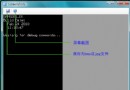
NBear.Tools.DbToEntityDesign.exeServer=(local);Database=Northwind;Uid=sa;Pwd=sa[MappingName("Categories")]
public interface Category : Entity {
[PrimaryKey] int CategoryID { get; }
[SqlType("nvarchar(15)")] string CategoryName { get; set; }
[SqlType("ntext")] string Description { get; set; }
byte[] Picture { get; set; }
[FkQuery("Category", OrderBy="{ProductName}", Contained=true, LazyLoad=true)]
Product[] Products { get; set; }
}
[MappingName("Products")]
public interface Product : Entity {
[PrimaryKey] int ProductID { get; }
[SqlType("nvarchar(40)")] string ProductName { get; set; }
int SupplierID { get; set; }
int CategoryID { get; set; }
[SqlType("nvarchar(20)")] string QuantityPerUnit { get; set; }
decimal UnitPrice { get; set; }
short UnitsInStock { get; set; }
short UnitsOnOrder { get; set; }
short ReorderLevel { get; set; }
bool Discontinued { get; set; }
[FkReverseQuery(LazyLoad=false)]
[MappingName("CategoryID")]
Category Category { get; set; }
}
[ReadOnly]
[MappingName("Products by Category")]
public interface ProductsByCategory : Entity {
[SqlType("nvarchar(15)")] string CategoryName { get; }
[SqlType("nvarchar(40)")] string ProductName { get; }
[SqlType("nvarchar(20)")] string QuantityPerUnit { get; }
short UnitsInStock { get; }
bool Discontinued { get; }
}注意: 循環關聯時勿同時設 LazyLoad=false,否則導致死循環。
EntityDesignToEntity.exe 載入 DLLEntities\Entities.cs(加入 NBear.Common.dll 參考)website\EntityConfig.xml<configSections>
<section name="entityConfig" type="NBear.Common.EntityConfigurationSection, NBear.Common" />
</configSections>
<entityConfig>
<includes> <add key="Sample Entity Config" value="~/EntityConfig.xml" /> </includes>
</entityConfig>
<connectionStrings>
<add name="Northwind" connectionString="Server=(local);Database=Northwind;Uid=sa;Pwd=sa" providerName="NBear.Data.SqlServer.SqlDbProvider" />
</connectionStrings>Gateway gateway = new Gateway("Northwind");
Category[] categories = gateway.FindArray<Category>(WhereClip.All, OrderByClip.Default);public interface ICategoryService : IService {
Category[] GetAllCategories();
Category GetCategoryByID(int categoryID);
}
public interface IProductService : IService {
Product[] GetAllProducts();
Product GetProductByID(int productID);
}服務介面必須繼承 IService。
public class CategoryService : ICategoryService {
    public Category[] GetAllCategories() {
        return Gateway.Default.FindArray<Category>(WhereClip.All, OrderByClip.Default);
    }
    public Category GetCategoryByID(int categoryID) {
        return Gateway.Default.Find<Category>(categoryID);
    }
}

public class ProductService : IProductService {
    public Product[] GetAllProducts() {
        return Gateway.Default.FindArray<Product>(WhereClip.All, OrderByClip.Default);
    }
    public Product GetProductByID(int productID) {
        return Gateway.Default.Find<Product>(productID);
    }
}<configSections>
<section name="castle" type="Castle.Windsor.Configuration.AppDomain.CastleSectionHandler, Castle.Windsor" />
<section name="entityConfig" ... />
</configSections>
<castle>
<components>
<component id="category service" service="ServiceInterfaces.ICategoryService, ServiceInterfaces" type="ServiceImpls.CategoryService, ServiceImpls" />
<component id="product service" service="ServiceInterfaces.IProductService, ServiceInterfaces" type="ServiceImpls.ProductService, ServiceImpls" />
</components>
</castle>protected void Page_Load(object sender, EventArgs e) {
ServiceFactory factory = ServiceFactory.Create();
IProductService ps = factory.GetService<IProductService>();
Product[] products = ps.GetAllProducts();
WriteLine($"Got all products, {products.Length} in total.");
ICategoryService cs = factory.GetService<ICategoryService>();
Category[] categories = cs.GetAllCategories();
WriteLine($"Got all categories, {categories.Length} in total.");
foreach (Category item in categories) {
WriteLine($"ID={item.CategoryID}, Name={item.CategoryName}, Products in category: {item.Products.Length}.");
}
}ServiceFactory.Create() 內部為單例,隨處呼叫皆取得同一實例。服務實作間互相調用時,只需引用 ServiceInterfaces,避免實作相依,耦合度降至最低。
Website 不需參考 ServiceImpls,但需將 ServiceImpls.dll 複製至 Website 的 Bin 目錄,供 Castle 容器動態載入。