Enterprise Library 3.0 帶來三大組態管理增強:工具整合進 Visual Studio、組態區段加密支援、標準 AppSettings 視覺化編輯。
舊版需獨立執行組態工具,3.0 版直接整合至 VS IDE:
Web.config/App.config 雙擊預設以「Enterprise Library Configuration Editor」開啟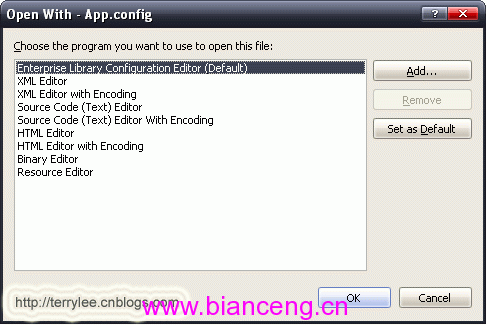
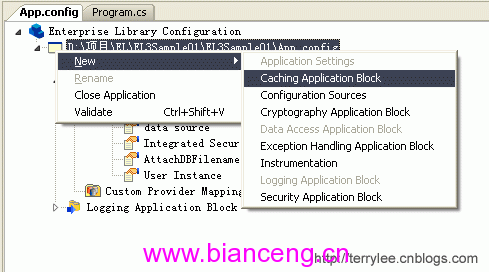
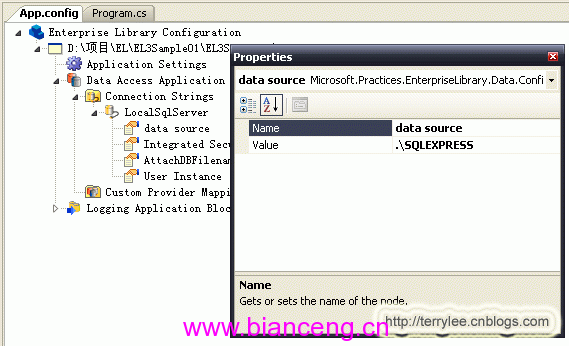
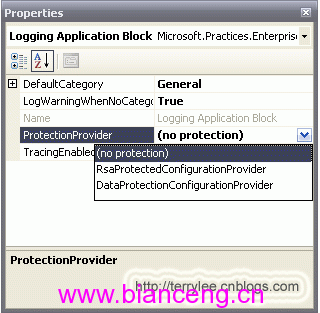
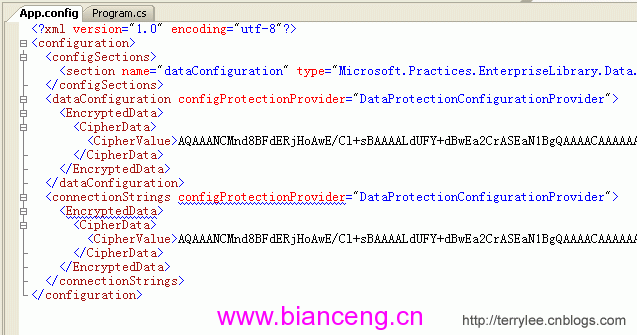
在組態工具中,任一應用程式區段的屬性視窗提供「加密」選項:
組態工具新增「Application Settings」區段支援:
<appSettings> 鍵值對UpLoadPath = "https://localhost:8080/UpLoad"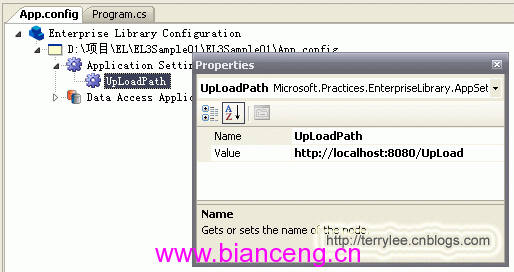
產生的 XML:
<appSettings>
  <add key="UpLoadPath" value="https://localhost:8080/UpLoad" />
</appSettings>
三大功能大幅降低組態管理複雜度,提升開發效率與安全性。