傳統模式:建表 → 實體類 → CRUD → UI → 服務 → 權限 → 菜單,重複勞動量大。RapidWebDev 以「配置代替代碼」處理通用管理功能。
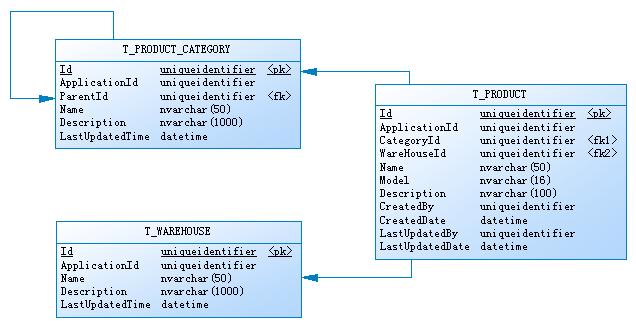
T_PRODUCT:核心產品表T_PRODUCT_CATEGORY:樹形分類 → HierarchyData 處理T_WAREHOUSE:倉庫信息 → ConcreteData 處理<Item Text="業務模塊">
<Item Text="產品管理" PageUrl="~/ProductManagement/DynamicPage.svc" Value="Everyone" />
<Item Text="產品分類管理"
PageUrl="~/HierarchyDataManagement/DynamicPage.svc?HierarchyType=產品分類"
Value="ProductCategoryManagement" />
<Item Text="倉庫管理"
PageUrl="~/ConcreteDataManagement/DynamicPage.svc?ConcreteDataType=倉庫"
Value="DepotManagement" />
</Item>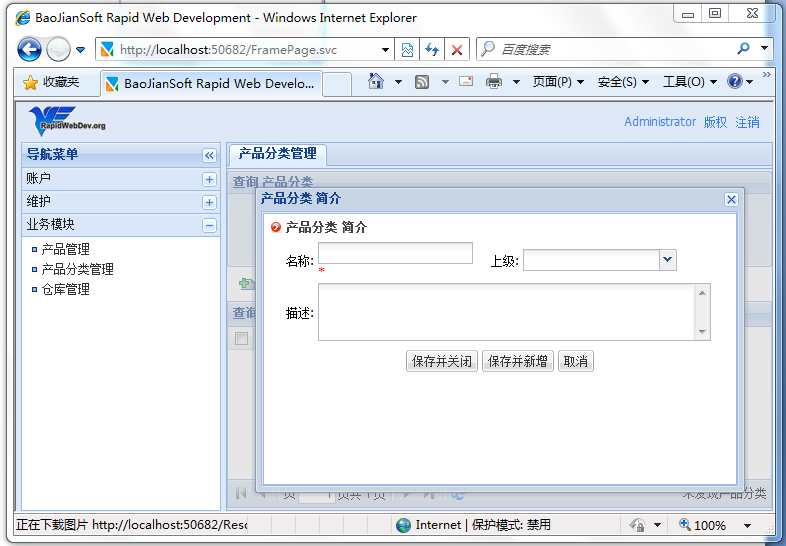
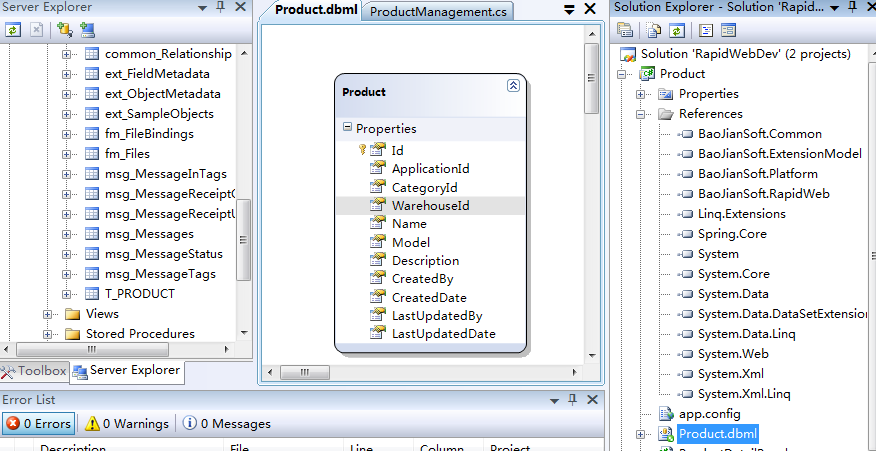
CREATE TABLE T_PRODUCT (
    Id UNIQUEIDENTIFIER PRIMARY KEY DEFAULT NEWID(),
    ApplicationId UNIQUEIDENTIFIER NOT NULL,
    CategoryId UNIQUEIDENTIFIER NULL,
    WarehouseId UNIQUEIDENTIFIER NULL,
    Name NVARCHAR(50) NOT NULL,
    Model NVARCHAR(16) NULL,
    Description NVARCHAR(100) NULL,
    CreatedBy UNIQUEIDENTIFIER NOT NULL,
    CreatedDate DATETIME DEFAULT GETDATE(),
    LastUpdatedBy UNIQUEIDENTIFIER NOT NULL,
    LastUpdatedDate DATETIME DEFAULT GETDATE()
)
public override QueryResults Query(QueryParameter parameter)
{
    LinqPredicate predicate = parameter.Expressions.Compile();
    string sorting = parameter.SortExpression?.Compile() ?? "LastUpdatedDate ASC";

    using (ProductDataContext ctx = DataContextFactory.Create<ProductDataContext>())
    {
        var q = ctx.Products.AsQueryable();
        if (!Kit.IsEmpty(predicate.Expression))
            q = q.Where(predicate.Expression, predicate.Parameters);

        q = q.OrderBy(sorting);
        int count = q.Count();
        var list = q.Skip(parameter.PageIndex * parameter.PageSize)
                     .Take(parameter.PageSize).ToList();
        return new QueryResults(count, list);
    }
}<dataContext>
<settings>
<setting name="ProductDataContext"
type="Product.ProductDataContext, Product"
connectionString="Global" />
</settings>
</dataContext>public override void Delete(string entityId)
{
Kit.NotNull(entityId, "entityId");
Guid id = new Guid(entityId);
using (var ctx = DataContextFactory.Create<ProductDataContext>())
{
var product = ctx.Products.FirstOrDefault(d => d.Id == id);
if (product != null)
{
ctx.Products.DeleteOnSubmit(product);
ctx.SubmitChanges();
}
}
}<QueryPanel HeaderText="產品管理">
<TextBox FieldName="Name" Label="產品名稱: " />
<TextBox FieldName="Model" Label="規格型號:" />
<ComboBox FieldName="CategoryId" Label="產品分類:" Editable="true"
MinChars="2" FieldValueType="System.Guid" ForceSelection="true">
<DynamicDataSource Url="/Services/HierarchyService.svc/json/FindByKeyword?limit=999"
Method="GET" TextField="Name" ValueField="Id" QueryParam="q">
<Param Name="hierarchyType" Value="產品分類" />
</DynamicDataSource>
</ComboBox>
</QueryPanel>
<Fields>
<Field FieldName="Name" HeaderText="產品名稱" Width="280" />
<Field FieldName="Model" HeaderText="規格型號" />
<Field FieldName="CategoryId" HeaderText="所屬分類">
<Transform-Callback Type="Product.ShowCategoryById, Product"/>
</Field>
<Field FieldName="WarehouseId" HeaderText="存放倉庫">
<Transform-Callback Type="Product.ShowWarehouseById, Product"/>
</Field>
<Field FieldName="CreatedDate" HeaderText="創建日期"/>
<Field FieldName="LastUpdatedDate" HeaderText="最後修改日期" />
</Fields>// 分類 ID 轉名稱
public string ShowCategoryById(object fieldValue)
{
if (Kit.IsEmpty(fieldValue)) return string.Empty;
Guid id = new Guid(fieldValue.ToString());
return hierarchyApi.GetHierarchyData(id).Name;
}
// 倉庫 ID 轉名稱
public string ShowWarehouseById(object fieldValue)
{
if (Kit.IsEmpty(fieldValue)) return string.Empty;
Guid id = new Guid(fieldValue.ToString());
return concreteDataApi.GetById(id).Name;
}<DetailPanel HeaderText="產品詳細信息" ShowMessageAfterSavedSuccessfully="false">
<Type>Product.ProductDetailPanel, Product</Type>
<SkinPath>~/Templates/Product/ProductDetail.ascx</SkinPath>
<SaveButton />
<CancelButton />
</DetailPanel>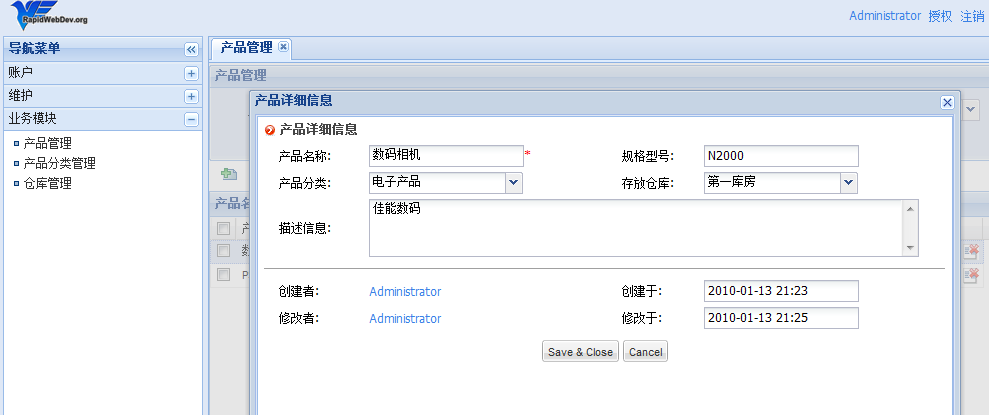
RapidWebDev 以 HierarchyData/ConcreteData 消除簡單主檔開發,核心業務僅需實現查詢/刪除服務 + XML 配置列表詳情頁。本案例從建表到完整產品管理,核心代碼不足 200 行,展現配置驅動開發的高效能。