承接使用者管理,OEA 以「部門+崗位=角色」模型實作功能權限。權限對象 OrgPositionOperation 關聯 CommandBase,涵蓋工具列按鈕、右鍵選單等所有 UI 指令。
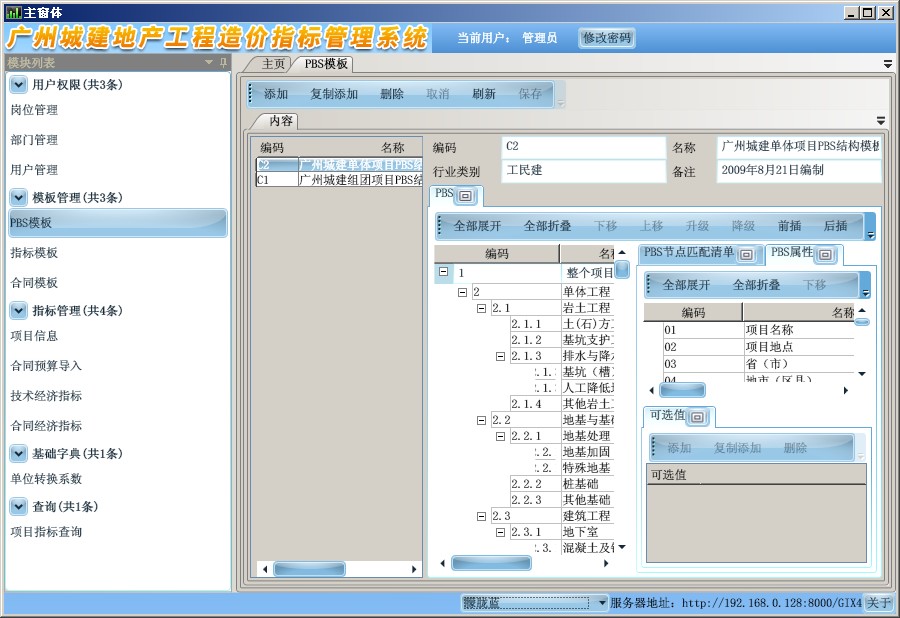
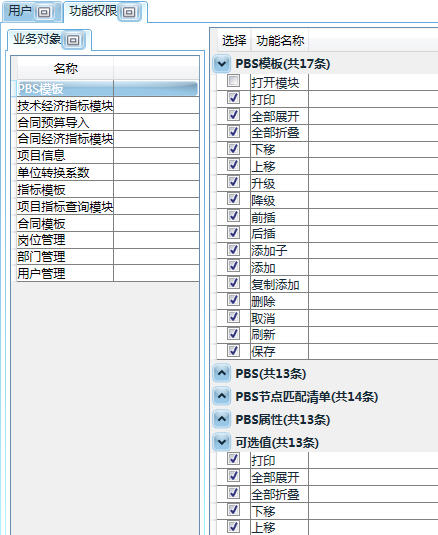
private static void CreateCommandsForToolBar(ToolBar toolbar, Type boType, ObjectView view, BoInfoOperationList commands) {
    foreach (var cmd in commands) {
        var command = cmd.Operation.Command;
        // 權限檢查
        if (!(Csla.ApplicationContext.User.Identity as OEAIdentity).HavePermissionOnOperation(boInfo.Id, new Guid(command.Id)))
            continue; // 無權限則跳過不產生 UI 元素
        // ... 建立按鈕/選單項目
    }
}
登入時依使用者權限動態產生模組清單:
IList<BusinessObjectInfo> modules = new List<BusinessObjectInfo>();
if (Csla.ApplicationContext.User.Identity.IsAuthenticated) {
    foreach (var item in ApplicationModel.Modules) {
        if ((Csla.ApplicationContext.User.Identity as OEAIdentity).HavePermissionOnOperation(item.Id, new Guid(CommandNames.OpenModule)))
            modules.Add(item);
    }
}
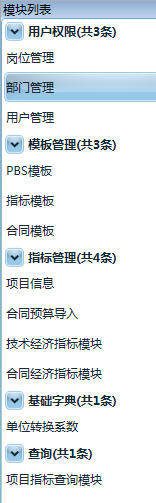
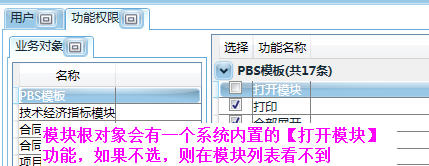
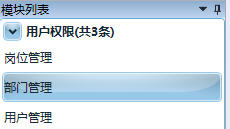
移除「開啟模組」權限後,該模組從主選單消失,實現模組層級存取控制。下一篇將介紹資料權限(Row-Level Security)。