ChangeWindowMessageFilter 讓指定訊息穿透權限邊界開始 → 控制台 → 使用者帳戶與家庭安全 → 使用者帳戶 → 變更使用者帳戶控制設定從不通知 的等級(從不通知 會停用 UAC)確定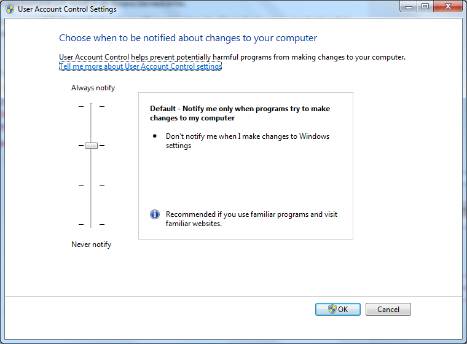
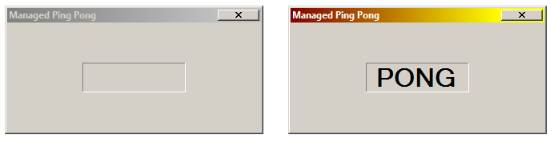
PingPongBroken\Debug 資料夾BrokenManagedPingPong.exe 啟動第一個視窗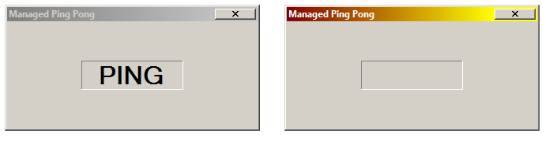
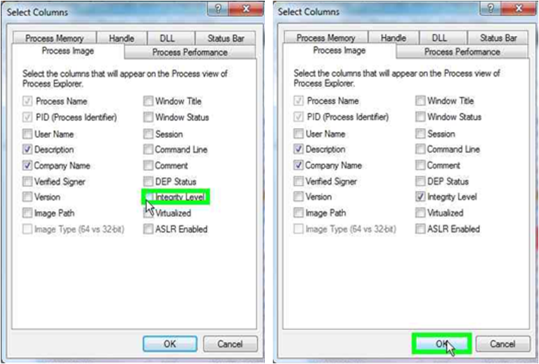
View → Select Columns → 勾選 Integrity Level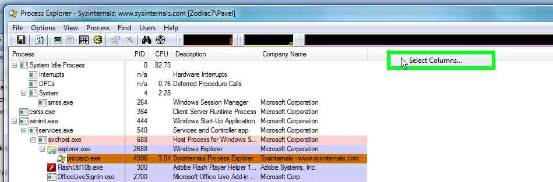
以系統管理員身分執行(High 完整性層級)
核心原因:UIPI 禁止低完整性層級進程向高完整性層級進程發送視窗訊息(PostMessage/SendMessage)。
PingPongForm.cs:NativeWrappers 類別封裝 RegisterWindowMessage、PostMessageWindowProc 多載處理訊息,Timer 每 500ms 發送Main 透過 FindWindow (P/Invoke) 尋找同名視窗步驟 1:加入 P/Invoke 包裝器
public enum ChangeWindowMessageFilterFlags : uint {
    Add = 1, Remove = 2
};

[DllImport("user32")]
public static extern bool ChangeWindowMessageFilter(uint msg,
    ChangeWindowMessageFilterFlags flags);
步驟 2:在訊息註冊成功後呼叫過濾器
_message = NativeWrappers.RegisterWindowMessage("BALL");
if (_message == 0) Close();
else {
    NativeWrappers.ChangeWindowMessageFilter(_message,
        NativeWrappers.ChangeWindowMessageFilterFlags.Add);
    NativeWrappers.PostMessage(Program.hOtherForm, _message, Handle, IntPtr.Zero);
}
步驟 3:編譯並用 ManagedPingPongLoader.exe 測試
修復後,Medium 進程發送的自訂訊息即可穿透至 High 進程,Ping Pong 通訊恢復正常。完整解決方案位於 PingPongFixed 資料夾。
| 概念 | 說明 |
|---|---|
| UIPI | 使用者介面特權隔離,阻擋低 IL 進程向高 IL 進程傳送視窗訊息 |
| Integrity Level | Low / Medium / High / System,標準使用者預設 Medium,管理員啟動為 High |
| ChangeWindowMessageFilter | Vista 引入 API,允許特定訊息 ID 穿越 IL 邊界(進程級) |
| ChangeWindowMessageFilterEx | Windows 7 新增,可針對特定視窗控制(更精細) |
| 永遠允許的訊息 | WM_NULL, WM_MOVE, WM_SIZE, WM_GETTEXT, WM_GETTEXTLENGTH, WM_GETHOTKEY, WM_GETICON, WM_RENDERFORMAT, WM_DRAWCLIPBOARD, WM_CHANGECBCHAIN, WM_THEMECHANGED 等 |
PingPongFixed 資料夾