系列第二篇介紹 **MEX (Metadata Exchange) 契約** 服務專用字串:透過服務端暴露的 MEX 端點動態下載中繼資料,建立通道調用 WCF。**無需產生 Proxy 組件、無需註冊 COM 類型、無需 GAC**,僅需服務端開啟 MEX 端點。適合客戶端環境未安裝 .NET Framework、或不想部署強型別組件的場景 (如 Excel 巨集分發至大量無 .NET 機器)。
<service name="WCFServiceMoniker.Service1" ...>
  <endpoint address="" binding="wsHttpBinding" contract="WCFServiceMoniker.IService1" />
  <endpoint address="mex" binding="mexHttpBinding" contract="IMetadataExchange" />
</service>
<behaviors>
  <serviceBehaviors>
    <behavior ...>
      <serviceMetadata httpGetEnabled="true" /> <!-- 也支援 ?wsdl -->
    </behavior>
  </serviceBehaviors>
</behaviors>
瀏覽 https://localhost/WCFServiceMoniker/Service1.svc?wsdl,關鍵資訊:
https://localhost/WCFServiceMoniker/Service1.svchttps://localhost/WCFServiceMoniker/Service1.svc/mexWSHttpBinding_IService1 (來自 <wsdl:binding name="WSHttpBinding_IService1">)https://tempuri.org/IService1 (來自 <wsdl:portType name="IService1">)https://tempuri.org/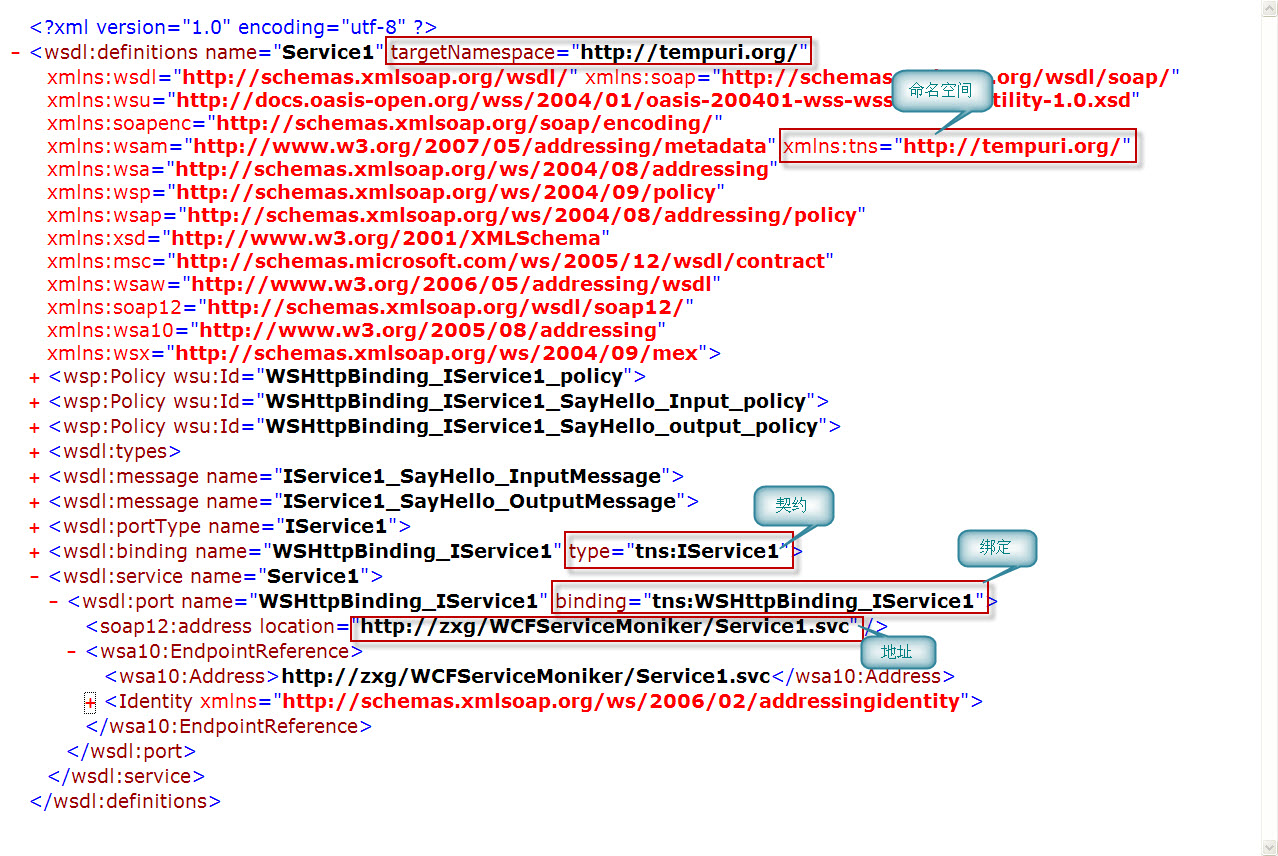
圖 1:WSDL 中提取的關鍵參數
' CallWCFService_mex.vbs
'---------------------------------------------------------------
' MEX service moniker example
'---------------------------------------------------------------

mexMonikerString = "service:mexAddress='https://localhost/WCFServiceMoniker/Service1.svc/mex'"
mexMonikerString = mexMonikerString + ", address='https://localhost/WCFServiceMoniker/Service1.svc'"
mexMonikerString = mexMonikerString + ", binding=WSHttpBinding_IService1, bindingNamespace='https://tempuri.org/'"
mexMonikerString = mexMonikerString + ", contract=IService1, contractNamespace='https://tempuri.org/'"

Set mexServiceMoniker = GetObject(mexMonikerString)
WScript.Echo mexServiceMoniker.SayHello("I am LazyBee, My blog is https://lazybee.cnblogs.com/")
Set mexServiceMoniker = Nothing
Sub CallWCFService_Mex()
    Dim mexMonikerString As String
    Dim mexServiceMoniker As Object

    mexMonikerString = "service:mexAddress='https://localhost/WCFServiceMoniker/Service1.svc/mex'"
    mexMonikerString = mexMonikerString + ", address='https://localhost/WCFServiceMoniker/Service1.svc'"
    mexMonikerString = mexMonikerString + ", binding=WSHttpBinding_IService1, bindingNamespace='https://tempuri.org/'"
    mexMonikerString = mexMonikerString + ", contract=IService1, contractNamespace='https://tempuri.org/'"

    Set mexServiceMoniker = GetObject(mexMonikerString)
    MsgBox mexServiceMoniker.SayHello("I am LazyBee, My blog is https://lazybee.cnblogs.com/")
    Set mexServiceMoniker = Nothing
End Sub
VB6 代碼與 VBA 完全相同。
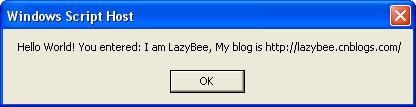
圖 2:VBScript 執行成功輸出
| 參數 | 範例值 | 來源 | 備註 |
|---|---|---|---|
mexAddress | https://.../Service1.svc/mex | 服務端 MEX 端點位址 | 通常為服務位址 + /mex |
address | https://.../Service1.svc | 實際通訊端點 | 與 mexAddress 分離,支援負載平衡 |
binding / bindingNamespace | WSHttpBinding_IService1 / https://tempuri.org/ | WSDL binding 區塊 | **嚴格區分大小寫** |
contract / contractNamespace | IService1 / https://tempuri.org/ | WSDL portType 區塊 | **嚴格區分大小寫** |
bindingConfiguration 注入 maxReceivedMessageSize 等設定。大訊息場景必須改用類型化契約 (見第 4 篇)https://tempuri.org/,生產環境建議明確指定MEX 契約在 **「無 .NET 客戶端環境」+「服務端可暴露 MEX」** 的雙重條件下,提供最便捷的零部署 WCF 調用體驗。VBScript/VBA/VB6 共用同一專用字串語法,極大降低傳統應用整合 WCF 的門檻。
下一篇將介紹 WSDL 契約:當 MEX 也被禁用時的備選方案。