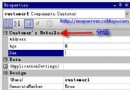
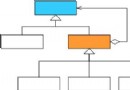
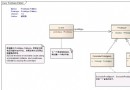
詳細說明 Visual Studio 整合插件安裝、介面操作、介面檔產生與實體類別產生完整流程。
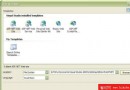
工具 → 增益集管理器 → 確認 MySoft Entity Designer 已勾選載入。
新增 C# 類別庫專案(如 MySoftExample.EntityDesign),專供定義實體介面。
MySoft.Tools.EntityDesign.exeEntitiesDesign.cs 或每個介面獨立檔案複製 lib/EntityDesignConfig.xml 至專案,修改關鍵節點:
<EntityDesignConfiguration>
  <CompileMode>Debug</CompileMode>
  <InputDllName>MySoftExample.EntityDesign.dll</InputDllName>
  <OutputLanguage>C#</OutputLanguage>
  <OutputNamespace>MySoftExample.DataEntity</OutputNamespace>
  <EntityCodePath>..\MySoftExample.DataEntity\</EntityCodePath> <!-- 目錄=每介面一檔 -->
</EntityDesignConfiguration>建置介面專案 → 點選插件工具列「產生實體」 → 自動呼叫 MySoft.Tools.EntityDesign.exe 依 XML 組態產出實體檔案 → 將產出檔案「包含在專案中」。
public enum UserType { General, Admin }
[Description("用戶資訊")]
public interface User : IEntity {
    [PrimaryKey, Description("用戶ID")] int UserID { get; }
    [Description("用戶名")] string UserName { get; set; }
    [Description("用戶類型")] UserType UserType { get; set; }
}
產生實體時自動帶入 XML 註解與列舉型別。
[Mapping("User")]
public interface UserEntity : IEntity {
    [Mapping("UserID")] int ID { get; }
    [Mapping("UserName")] string Name { get; set; }
    [Mapping("UserType")] UserType Type { get; set; }
}
實體屬性名稱與資料庫欄位名稱不一致時使用。
列舉需置於獨立組件,介面專案與實體專案共同參考。
MySoft.Data.dll 才能編譯通過