WF 4.0 內建 Messaging 活動組(Receive、ReceiveAndSendReply、Send、SendAndReceiveReply),讓開發者能在工作流設計器中以視覺化方式定義 WCF 服務合約、繫結與位址(ABC)。本文透過一個圖書預約範例,詳細說明如何在 WF 中實作服務端與客戶端。
[MessageContract(IsWrapped = false)]
public class ReservationRequest
{
    [MessageBodyMember] public String Title { get; set; }
    [MessageBodyMember] public String ISBN { get; set; }
    [MessageBodyMember] public String Author { get; set; }
    [MessageBodyMember] public Guid RequestID { get; set; }
    [MessageBodyMember] public Branch Requester { get; set; }
    [MessageBodyMember] public Guid InstanceID { get; set; }
    // 建構子略...
}
[MessageContract(IsWrapped = false)]
public class ReservationResponse
{
    [MessageBodyMember] public bool Reserved { get; set; }
    [MessageBodyMember] public Branch Provider { get; set; }
    [MessageBodyMember] public Guid RequestID { get; set; }
    // 建構子略...
}
[ServiceContract]
public interface ILibraryReservation
{
    [OperationContract] void RequestBook(ReservationRequest request);
    [OperationContract] void RespondToRequest(ReservationResponse response);
}
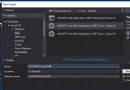
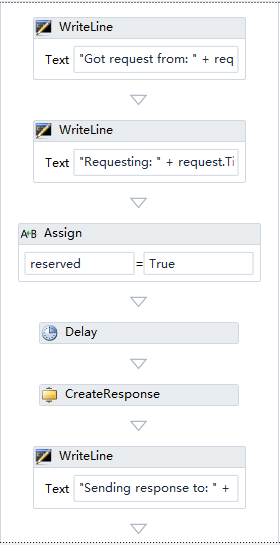
在工作流 ProcessRequest 中拖放 ReceiveAndSendReply 活動:
Receive 設定 OperationName=RequestBook、ServiceContractName=ILibraryReservation、訊息內容型別為 ReservationRequest。SendReply 設定回覆訊息型別為 ReservationResponse。CreateResponse 組裝回應物件。流程設計圖:
以程式碼啟動 WorkflowServiceHost:
WorkflowService service = new WorkflowService
{
    Name = "LibraryReservation",
    Body = new ProcessRequest(),
    Endpoints = {
        new Endpoint {
            ServiceContractName = "ILibraryReservation",
            AddressUri = new Uri("https://localhost:" + port + "/LibraryReservation"),
            Binding = new BasicHttpBinding()
        }
    }
};
WorkflowServiceHost wsh = new WorkflowServiceHost(service);
wsh.Open();
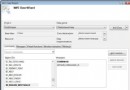
客戶端同樣使用工作流 SendRequest,拖放 SendAndReceiveReply 活動:
CreateRequest 活動建立 ReservationRequest。Send 設定目標端點、合約、操作名稱。ReceiveReplyForSend 接收 ReservationResponse。呼叫程式碼:
IDictionary<string, object> input = new Dictionary<string, object> {
    {"Title", "Gone with the Wind"},
    {"Author", "Margaret Mitchell"},
    {"ISBN", "9781416548898"}
};
IDictionary<string, object> output = WorkflowInvoker.Invoke(new SendRequest(), input);
ReservationResponse resp = (ReservationResponse)output["Response"];
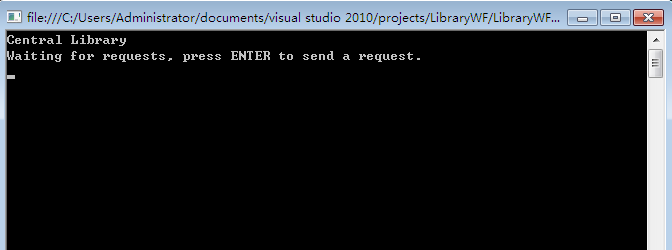
服務端啟動等待:
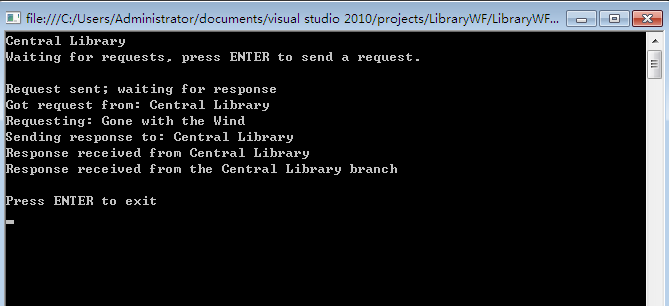
客戶端呼叫後輸出:
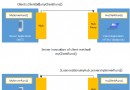
完整互動序列圖:
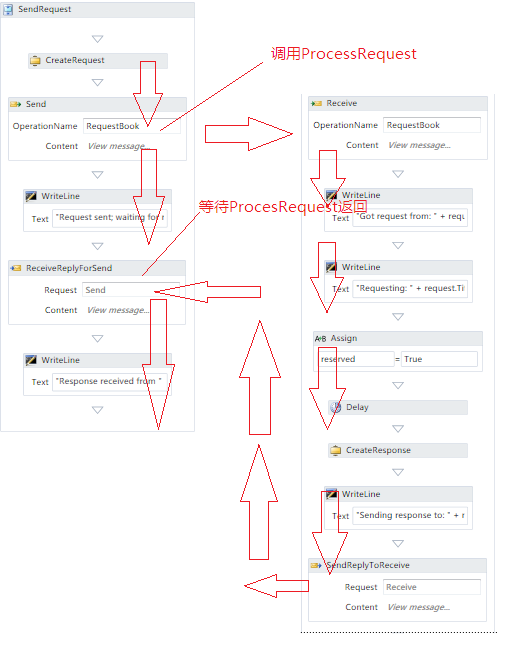
WF 4.0 的 Messaging 活動將 WCF 的 ABC 設定視覺化,開發者無需撰寫大量樣板碼即可在工作流中發布與消費服務,極大簡化了服務整合開發。
本文配套原始碼已提供(下載連結請參考原文)。