郵政編碼驗證邏輯以傳統代碼實現:
string USCode = @"^(\d{5}$)|(\d{5}$\-\d{4}$)";
string CanadianCode = @"[ABCEGHJKLMNPRSTVXY]\D[A-Z]\d[A-Z]\d";
public static bool ValidatePostalCode(string str)
{
    return (Regex.IsMatch(str, USCode) || Regex.IsMatch(str, CanadianCode));
}
本章將創建相同功能的工作流應用程式,體驗聲明式開發模式。
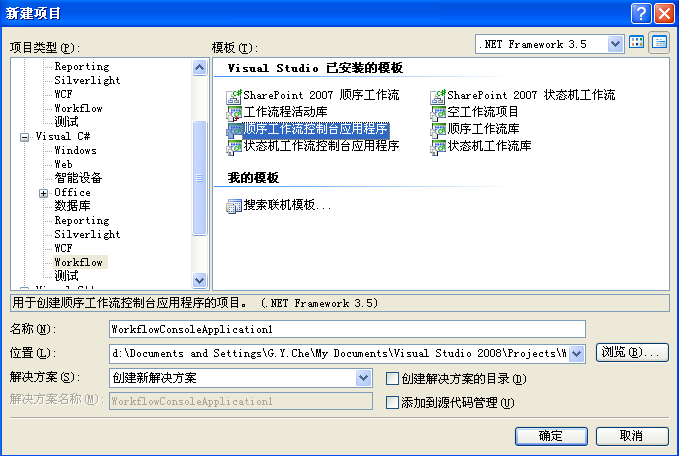
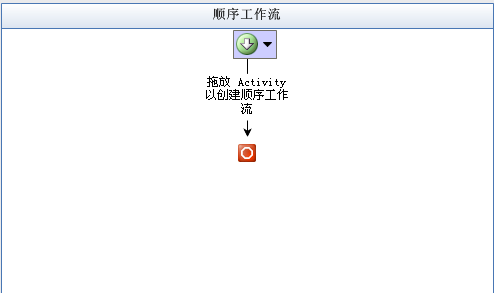
拖放 IfElse 活動至設計器。問題:「輸入字串是否為合法郵政編碼?」
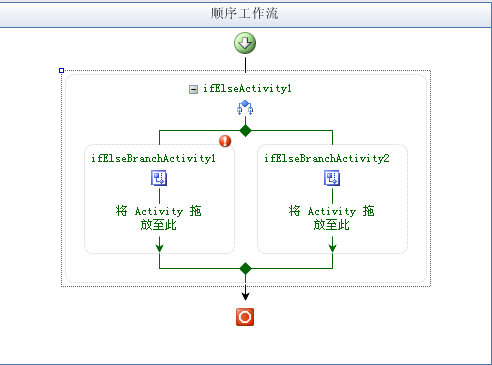
設計器右上角驚嘆號提示分支缺少條件判斷代碼,編譯將報錯。
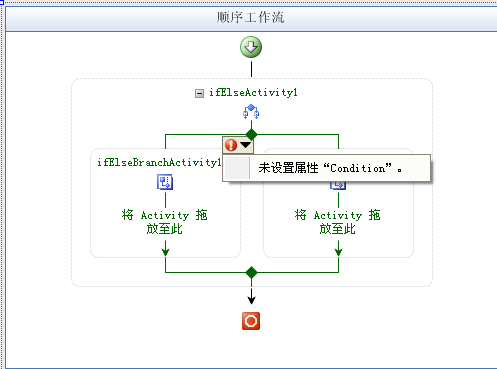
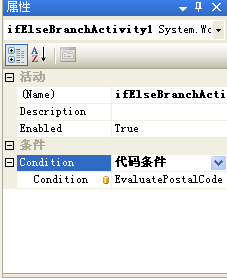
分別在左右分支拖放 Code 活動,設定 ExecuteCode 事件:
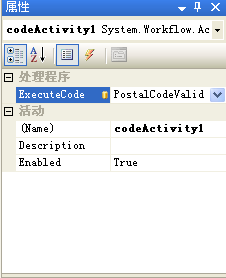
using System.Text.RegularExpressions;

private string _code = string.Empty;
public string PostalCode
{
    get { return _code; }
    set { _code = value; }
}

private void EvaluatePostalCode(object sender, ConditionalEventArgs e)
{
    string USCode = @"^(\d{5}$)|(\d{5}$\-\d{4}$)";
    string CanadianCode = @"[ABCEGHJKLMNPRSTVXY]\D[A-Z]\d[A-Z]\d";
    e.Result = (Regex.IsMatch(_code, USCode) || Regex.IsMatch(_code, CanadianCode));
}

private void PostalCodeValid(object sender, EventArgs e)
{
    Console.Write("The postal code {0} is valid.", _code);
}

private void PostalCodeInValid(object sender, EventArgs e)
{
    Console.Write("The postal code {0} is *invalid*.", _code);
}
ConditionalEventArgs 的 Result 屬性決定 IfElse 走左分支或右分支。PostalCode 公有屬性接收外部輸入。
修改 Program.cs 傳遞命令列參數:
Dictionary<string, object> wfArgs = new Dictionary<string, object>();
wfArgs.Add("PostalCode", args.Length > 0 ? args[0] : "");
WorkflowInstance instance = workflowRuntime.CreateWorkflow(typeof(PCodeFlow.Workflow1), wfArgs);pcodeflow 12345 驗證有效美國郵編pcodeflow 1234x 驗證無效輸入至此完成第一個 WF 應用,體驗了聲明式流程設計、條件分支、參數傳遞與宿主調用全流程。