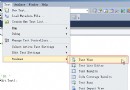
托管 MEF 核心步驟:建立 CompositionContainer、載入目錄、呼叫 ComposeParts。首先參考 System.ComponentModel.Composition.dll。
private void Compose()
{
    var catalog = new AssemblyCatalog(Assembly.GetExecutingAssembly());
    var container = new CompositionContainer(catalog);
    container.ComposeParts(this);
}
定義介面與實作,實作標記 [Export]:
public interface IBookService
{
    void GetBookName();
}

[Export(typeof(IBookService))]
public class ComputerBookService : IBookService
{
    public void GetBookName() => Console.WriteLine("《Hello Silverlight》");
}
宿主類別定義導入屬性:
class Program
{
    [Import]
    public IBookService Service { get; set; }

    private void Compose()
    {
        var catalog = new AssemblyCatalog(Assembly.GetExecutingAssembly());
        var container = new CompositionContainer(catalog);
        container.ComposeParts(this, new ComputerBookService());
    }

    static void Main(string[] args)
    {
        var p = new Program();
        p.Compose();
        p.Service.GetBookName(); // 輸出書名
    }
}
此範例展示 MEF 最基礎的「目錄 → 容器 → 組合」流程,也是所有進階應用的基石。參考資料:Hosting MEF in an application,官網 mef.codeplex.com。