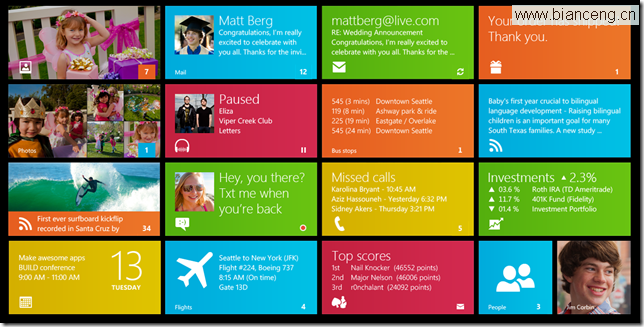
開始畫面的磁貼是使用者感知應用狀態的第一界面。**靜態磁貼**僅顯示 Logo 與名稱;**動態磁貼**透過本地/排程/推播通知,週期性更新文字、圖片、數字,讓使用者不進入應用即可獲取關鍵資訊 (新訊息數、頭條新聞、股價、天氣、行程提醒)。本文詳細實作靜態磁貼設定與本地通知動態更新全流程。
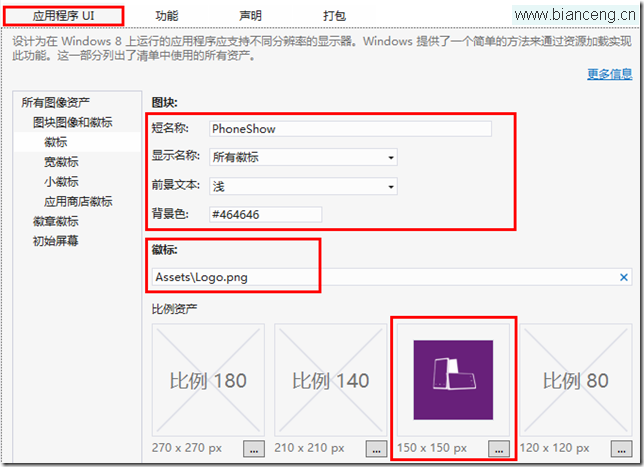
雙擊 `Package.appxmanifest` → `應用程式 UI` 索引標籤:


命名空間:`Windows.UI.Notifications`, `Windows.Data.Xml.Dom`
// 範例:寬幅磁貼 - 一張圖片 + 一行文字
XmlDocument tileXml = TileUpdateManager.GetTemplateContent(TileTemplateType.TileWideImageAndText01);
// 同時建立方塊磁貼 XML (最佳實踐:雙版本並發)
XmlDocument squareTileXml = TileUpdateManager.GetTemplateContent(TileTemplateType.TileSquareText04);
模板 XML 結構:
<tile>
  <visual>
    <binding template="TileWideImageAndText01">
      <image id="1" src=""/>
      <text id="1"></text>
    </binding>
    <!-- 方塊磁貼 binding 將在此附加 -->
  </visual>
</tile>
// 寬幅文字
XmlNodeList wideText = tileXml.GetElementsByTagName("text");
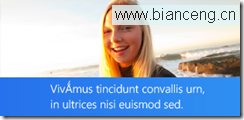
wideText[0].InnerText = "即時新聞:Windows 8.1 正式釋出!";

// 方塊文字 (使用寬幅同樣文字或精簡版)
XmlNodeList squareText = squareTileXml.GetElementsByTagName("text");
squareText[0].AppendChild(squareTileXml.CreateTextTextNode("Windows 8.1 釋出!"));
// 注意:方塊模板 TileSquareText04 有 4 行文字,可填入多行
XmlNodeList wideImages = tileXml.GetElementsByTagName("image");
var imgElem = (XmlElement)wideImages[0];

// 1. 應用封裝資源 (最快、離線)
imgElem.SetAttribute("src", "ms-appx:///Assets/WideLogo.png");
imgElem.SetAttribute("alt", "新聞配圖");

// 2. 本地儲存 (動態產生/下載)
// imgElem.SetAttribute("src", "ms-appdata:///local/TileImages/news_wide.png");

// 3. 網路圖片 (需 ≤200KB, ≤1024×768)
// imgElem.SetAttribute("src", "https://cdn.example.com/tile_news.jpg");
使用者隨時可能將磁貼切換為方塊或寬幅,**必須在同一 XML 中包含兩種 binding**,系統會自動根據當前磁貼尺寸選擇渲染。
// 取得方塊 XML 中的  節點
IXmlNode squareBinding = squareTileXml.GetElementsByTagName("binding").Item(0);
// 匯入至寬幅 XML 的  節點下 (作為同級)
IXmlNode importedNode = tileXml.ImportNode(squareBinding, true);
tileXml.GetElementsByTagName("visual").Item(0).AppendChild(importedNode);

// 合併後 XML 結構:
//
//   ...
//   ...
//
TileNotification notification = new TileNotification(tileXml);

// 設定過期時間 (避免過期內容誤導使用者)
// 本地通知預設永不過期,建議根據內容時效性設定 (如新聞 30 分鐘、天氣 2 小時)
notification.ExpirationTime = DateTimeOffset.UtcNow.AddMinutes(30);

// 發送
TileUpdateManager.CreateTileUpdaterForApplication().Update(notification);
// 單獨清除 (若有多個通知佇列啟用)
// TileUpdateManager.CreateTileUpdaterForApplication().Remove(notification);

// 全部清除 (恢復 Package.appxmanifest 靜態磁貼)
TileUpdateManager.CreateTileUpdaterForApplication().Clear();
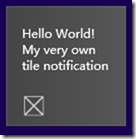
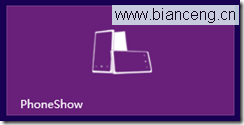
方塊磁貼 (150×150):

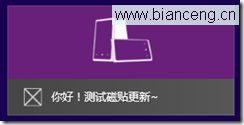
寬幅磁貼 (310×150):
// 啟用佇列 (預設關閉,僅顯示最新一條)
TileUpdateManager.CreateTileUpdaterForApplication().EnableNotificationQueue(true);
// 連續發送 5 條 Update(),系統自動輪播 (約 7 秒/條)
適用場景:新聞頭條輪播、股票漲跌前 5 名、行程提醒多筆。
// 設定雲端 XML 端點,系統每 30 分鐘/1 小時/6 小時/12 小時/1 天自動下載更新
PeriodicUpdateRecurrence recurrence = PeriodicUpdateRecurrence.HalfHour;
Uri pollUri = new Uri("https://api.example.com/tile.xml"); // 回傳合法 Tile XML
TileUpdateManager.CreateTileUpdaterForApplication().StartPeriodicUpdate(pollUri, recurrence);
優點:應用不在前景也能更新、節省推播成本。缺點:最小間隔 30 分鐘、無法即時觸發。
WNS (Windows Push Notification Services) → 雲端服務 → `TileUpdater.PushNotificationReceived`。即時性最強、成本最高 (需雲端後端)。
新聞類:15-30 分鐘;天氣/股價:1-2 小時;行程提醒:事件時間前 1 天過期。**永不過期的動態磁貼 = 垃圾資訊來源**。
動態磁貼實作 = **靜態資產設定 (manifest) + 模板 XML 選擇 + 文字/圖片填充 + 雙版本 Binding 合併 + 過期時間設定 + 發送 API**。進階佇列、週期性、推播三種更新策略可組合使用。核心原則:**內容精準、圖片合規、時效可控、雙版本並備**。打造優質動態磁貼,讓開始畫面成為應用最有價值的「微型儀表板」。