習慣在 Visual Studio 「加入服務參考」產生 Proxy 的開發者,往往忽略 WCF 的通道模型本質。其實只要共用服務合約 (Contract),客戶端即可手寫代理類,直接用 ChannelFactory<T> 或繼承 ClientBase<T> 建立通道呼叫服務,完全不需產生庞大的產生代碼與設定檔。本文以簡單算術服務為例,示範雙通道 (HTTP/TCP) 手動呼叫全流程。
建立 Class Library CommonLib 定義服務合約,伺服端與客戶端同時參考:
[ServiceContract]
public interface ITest {
  [OperationContract] int Add(int a, int b);
  [OperationContract] int Multiply(int a, int b);
  [OperationContract] int GetRandom();
}
public class MyService : ITest {
  readonly Random _rnd = new Random();
  public int Add(int a, int b) => a + b;
  public int Multiply(int a, int b) => a * b;
  public int GetRandom() => _rnd.Next();
}

static void Main() {
  var host = new ServiceHost(typeof(MyService));
  // HTTP 端點
  host.AddServiceEndpoint(typeof(ITest), new WSHttpBinding(SecurityMode.None), "https://localhost:8900/");
  // TCP 端點
  host.AddServiceEndpoint(typeof(ITest), new NetTcpBinding(SecurityMode.None), "net.tcp://localhost:1700/");
  host.Open();
  Console.WriteLine("服務已啟動,按任意鍵結束...");
  Console.ReadKey();
  host.Close();
}
關鍵差異:不設基底位址、不加 ServiceMetadataBehavior,因為不需產生 WSDL/Proxy。
var httpEp = new EndpointAddress("https://localhost:8900/");
var tcpEp  = new EndpointAddress("net.tcp://localhost:1700/");

void CallHttp() {
  var binding = new WSHttpBinding(SecurityMode.None);
  var factory = new ChannelFactory(binding);
  ITest channel = factory.CreateChannel(httpEp);
  try {
    Console.WriteLine($"Add: {channel.Add(1,2)}");
    Console.WriteLine($"Mul: {channel.Multiply(3,4)}");
    Console.WriteLine($"Rnd: {channel.GetRandom()}");
  } finally {
    ((IClientChannel)channel).Close();
    factory.Close();
  }
}

void CallTcp() {
  var binding = new NetTcpBinding(SecurityMode.None);
  var factory = new ChannelFactory(binding);
  ITest channel = factory.CreateChannel(tcpEp);
  try { /* 同上 */ } finally { ((IClientChannel)channel).Close(); factory.Close(); }
}
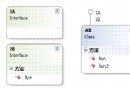
public class MyClient : ClientBase, ITest {
  public MyClient(Binding binding, EndpointAddress address) : base(binding, address) { }
  public int Add(int a, int b) => Channel.Add(a, b);
  public int Multiply(int a, int b) => Channel.Multiply(a, b);
  public int GetRandom() => Channel.GetRandom();
}
呼叫端極度簡潔:
using (var client = new MyClient(new WSHttpBinding(SecurityMode.None), httpEp)) {
  Console.WriteLine(client.Add(10, 20));
}
using (var client = new MyClient(new NetTcpBinding(SecurityMode.None), tcpEp)) {
  Console.WriteLine(client.Multiply(5, 6));
}
ClientBase<T> 內部已實作通道建立/關閉邏輯,Channel 屬性直接暴露 T 介面。ITest 讓 MyClient 本身成為強型別 Proxy,呼叫端像呼叫本地物件一樣自然。app.config 設定端點。Close(),異常時呼叫 Abort() 避免佔用連線。DuplexChannelFactory。手寫 Proxy 不僅減少專案依賴、部署檔案,更能深入理解 WCF 通道架構。掌握 ChannelFactory 與 ClientBase 兩種模式,彈性應對無法加入服務參考(如跨平台、動態端點、AOT 編譯)的場景。