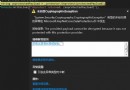
瀏覽 .svc 時出現:「當前已禁用此服務的中繼資料發布」。原因:<serviceMetadata httpGetEnabled="true" /> 未設定或未掛載至服務行為。
<system.serviceModel> 中加入行為設定:<behaviors>
<serviceBehaviors>
<behavior name="myBehavior">
<serviceMetadata httpGetEnabled="true" httpsGetEnabled="true" />
<serviceDebug includeExceptionDetailInFaults="false" />
</behavior>
</serviceBehaviors>
</behaviors>
<services>
  <service name="MyNamespace.MyService" behaviorConfiguration="myBehavior">
    <endpoint address="" binding="basicHttpBinding" contract="MyNamespace.IMyService" />
    <endpoint address="mex" binding="mexHttpBinding" contract="IMetadataExchange" />
  </service>
</services>
behaviorConfiguration 名稱必須與 <behavior name="..."> 完全一致。mexHttpBinding 端點(address="mex"),否則雖啟用 httpGetEnabled 仍無法匯入中繼資料。httpsGetEnabled="true" 並提供 mexHttpsBinding 端點。瀏覽 https://host/Service.svc?wsdl 或 https://host/Service.svc/mex 應能正常回傳 WSDL/中繼資料。