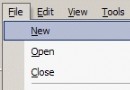
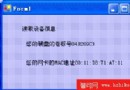
.NET Framework 未直接提供系統選單操作相關屬性或方法(如 SystemMenu、GetSystemMenu),本文通過 P/Invoke 調用 Windows API,封裝出一個 SystemMenu 類,實現對系統選單的完整控制:添加自定義項、禁用/移除內建項(如關閉、最大化、最小化)、響應自定義項點擊事件。
GetSystemMenu 獲取選單句柄副本,配合 AppendMenu、InsertMenu 等 API 實現控制public enum ItemFlags
{
mfString = 0x00000000, // 顯示字符串
mfSeparator = 0x00000800, // 分隔線
mfChecked = 0x00000008, // 打勾
mfDisabled = 0x00000002, // 禁用
mfGrayed = 0x00000001, // 灰色
mfPopup = 0x00000010, // 彈出子選單
mfByPosition = 0x00000400, // 按位置索引
mfByCommand = 0x00000000, // 按命令 ID
mfBarBreak = 0x00000020, // 欄分隔
mfBreak = 0x00000040 // 換行/換列
}
public enum WindowMessages
{
wmSysCommand = 0x0112
}[DllImport("USER32", EntryPoint = "GetSystemMenu", SetLastError = true,
CharSet = CharSet.Unicode, ExactSpelling = true,
CallingConvention = CallingConvention.Winapi)]
private static extern IntPtr apiGetSystemMenu(IntPtr WindowHandle, int bReset);
[DllImport("USER32", EntryPoint = "AppendMenuW", SetLastError = true,
CharSet = CharSet.Unicode, ExactSpelling = true,
CallingConvention = CallingConvention.Winapi)]
private static extern int apiAppendMenu(IntPtr MenuHandle, int Flags, int NewID, String Item);
[DllImport("USER32", EntryPoint = "InsertMenuW", SetLastError = true,
CharSet = CharSet.Unicode, ExactSpelling = true,
CallingConvention = CallingConvention.Winapi)]
private static extern int apiInsertMenu(IntPtr hMenu, int Position, int Flags, int NewId, String Item);FromForm(Form):靜態工廠方法,獲取視窗系統選單句柄,失敗拋 NoSystemMenuExceptionAppendMenu / InsertMenu:添加/插入選單項,支援分隔線、打勾、禁用等標志組合AppendSeparator / InsertSeparator:便捷分隔線方法ResetSystemMenu(Form):還原預設系統選單VerifyItemID(int):驗證 ID 範圍(1 ~ 0xEFFF),避免與系統命令衝突private SystemMenu m_SystemMenu = null;
private const int m_AboutID = 0x100;
private const int m_ResetID = 0x101;
private void frmMain_Load(object sender, EventArgs e)
{
try
{
m_SystemMenu = SystemMenu.FromForm(this);
// 底部添加分隔線 + "關於" 項
m_SystemMenu.AppendSeparator();
m_SystemMenu.AppendMenu(m_AboutID, "關於");
// 頂部插入分隔線 + "重置系統選單" 項
m_SystemMenu.InsertSeparator(0);
m_SystemMenu.InsertMenu(0, m_ResetID, "重置系統選單");
}
catch (NoSystemMenuException)
{
// 錯誤處理
}
}protected override void WndProc(ref Message msg)
{
base.WndProc(ref msg); // 必須調用基類實現
if (msg.Msg == (int)WindowMessages.wmSysCommand)
{
switch (msg.WParam.ToInt32())
{
case m_ResetID:
if (MessageBox.Show(this, "\t確定要重置?", "提問",
MessageBoxButtons.YesNo) == DialogResult.Yes)
{
SystemMenu.ResetSystemMenu(this);
}
break;
case m_AboutID:
MessageBox.Show(this, "作者:朱先中 \n\n e-mail: sdmyzxz@163.com", "關於");
break;
}
}
}OnSysCommand 事件,WndProc 中觸發,業務邏輯通過事件訂閱處理,解耦更徹底VerifyItemID 防禦性檢查SystemMenu 實例本文通過 SystemMenu 類完整演示了 .NET 平台調用非托管 DLL 的標準流程:DllImport 簽名 → IntPtr 句柄操作 → 靜態工廠封裝 → 訊息迴路攔截。源碼在 Windows 2000 Server / VS .NET 2003 下調試通過,核心原理至今仍適用於 .NET 6/7/8 的 Windows Forms 應用。