多執行緒讓程式能「同時」處理多項工作。C# 提供 System.Threading.Thread 類別直接控制作業系統執行緒。本文從建立執行緒、傳遞參數、同步化存取共享資料、安全更新 UI 控制項,逐步建立正確觀念。
using System.Threading;

Thread t = new Thread(DoWork); // 參數為 ThreadStart 委派 (無參數、無回傳)
t.Start(); // 啟動執行緒,DoWork 開始在新執行緒執行

// 帶參數版本:ParameterizedThreadStart (單一 object 參數)
Thread t2 = new Thread(DoWorkWithParam);
t2.Start(42); // 傳遞參數

void DoWork() { /* ... */ }
void DoWorkWithParam(object obj) { int param = (int)obj; /* ... */ }| 屬性/方法 | 說明 |
|---|---|
IsBackground | true:背景執行緒,主程式結束時自動終止;false (預設):前景執行緒,會阻止程式結束 |
Priority | Lowest / BelowNormal / Normal / AboveNormal / Highest (建議保持 Normal) |
Name | 除錯時顯示在「執行緒視窗」 |
Join() | 阻塞呼叫端直到執行緒結束 |
Sleep(ms) | 讓**目前執行緒**暫停指定毫秒 |
Abort() | 已淘汰:強制終止,易造成資料損壞/鎖定未釋放。改用 CancellationToken 協作式取消 |
int counter = 0;
for (int i = 0; i < 10; i++)
    new Thread(() => { for (int j = 0; j < 10000; j++) counter++; }).Start();
// 預期 100,000,實際常少於此,因 counter++ 非原子操作| 機制 | 適用場景 | 範例 |
|---|---|---|
lock (obj) | 一般互斥鎖,保護關鍵區段 | lock(_lockObj) { counter++; } |
Interlocked.Increment | 單一整數原子運算 (最快) | Interlocked.Increment(ref counter); |
Monitor.Enter/Exit | lock 底層實作,可嘗試取得鎖 TryEnter | Monitor.TryEnter(_lock, 1000) |
Mutex | 跨程序同步 (命名 Mutex) | new Mutex(false, "Global\\MyApp") |
SemaphoreSlim | 限制並行存取數量 | await sem.WaitAsync(); try{} finally{sem.Release();} |
ReaderWriterLockSlim | 讀多寫少,允許多讀單寫 | rwl.EnterReadLock(); |
ConcurrentDictionary/Queue/Bag | 無鎖高效能集合 | dict.TryAdd(k,v); queue.TryDequeue(out v); |
private readonly object _lock = new();
private int _counter = 0;

public void Increment()
{
    lock (_lock) // 僅鎖定私有唯讀物件,避免死結
    {
        _counter++;
        // 關鍵區段盡量短,避免呼叫外部方法/IO
    }
}Windows Forms 控制項**非執行緒安全**,必須在建立它們的執行緒 (UI 執行緒) 存取。
// 在背景執行緒中
if (this.InvokeRequired) // 或 listView1.InvokeRequired
{
    // 切換到 UI 執行緒執行委派 (同步阻塞)
    this.Invoke(new Action(() =>
    {
        listView1.Items.Add(new ListViewItem(new[] { "項目", "值" }));
    }));
}
else
{
    // 已在 UI 執行緒,直接存取
    listView1.Items.Add(...);
}
this.BeginInvoke(new Action(() =>
{
    progressBar1.Value = percent;
    labelStatus.Text = $"處理中... {percent}%";
}));
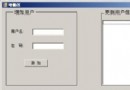
// 背景執行緒繼續跑,不等待 UI 更新完成public partial class MainForm : Form
{
private readonly List _threads = new();
private readonly List _counters = new();
private readonly object _sync = new();
public MainForm()
{
InitializeComponent();
listView1.View = View.Details;
listView1.Columns.Add("執行緒 ID", 80);
listView1.Columns.Add("計數值", 100);
listView1.FullRowSelect = true;
listView1.GridLines = true;
}
private void btnAdd_Click(object sender, EventArgs e)
{
lock (_sync)
{
int id = _threads.Count;
_counters.Add(0);
var t = new Thread(Worker) { IsBackground = true, Name = $"Worker-{id}" };
_threads.Add(t);
// UI 更新必須在 UI 執行緒
if (InvokeRequired)
Invoke(new Action(() => AddListViewItem(id)));
else
AddListViewItem(id);
t.Start(id); // 傳遞索引作為參數
}
}
private void AddListViewItem(int index)
{
listView1.Items.Insert(index, new ListViewItem(new[] { index.ToString(), "0" }));
}
private void Worker(object state)
{
int index = (int)state;
for (int i = 1; ; i++)
{
Thread.Sleep(100);
lock (_sync)
{
if (index >= _counters.Count) break; // 已被刪除
_counters[index] = i;
}
// 回報進度到 UI
if (IsDisposed || !IsHandleCreated) break; // 表單已關閉
BeginInvoke(new Action(() =>
{
if (index < listView1.Items.Count)
listView1.Items[index].SubItems[1].Text = i.ToString();
}));
}
}
private void btnDelete_Click(object sender, EventArgs e)
{
lock (_sync)
{
int last = _threads.Count - 1;
if (last < 0) return;
var t = _threads[last];
if (t.IsAlive)
{
// 協作式取消:這裡簡單用 Abort 示範 (不推薦生產環境)
// 正確做法:共享 CancellationToken 或 bool 旗標讓 Worker 迴圈檢查退出
t.Abort();
}
_threads.RemoveAt(last);
_counters.RemoveAt(last);
if (InvokeRequired)
Invoke(new Action(() => listView1.Items.RemoveAt(last)));
else
listView1.Items.RemoveAt(last);
}
}
private void btnClear_Click(object sender, EventArgs e)
{
lock (_sync)
{
foreach (var t in _threads)
if (t.IsAlive) t.Abort();
_threads.Clear();
_counters.Clear();
if (InvokeRequired)
Invoke(new Action(() => listView1.Items.Clear()));
else
listView1.Items.Clear();
}
}
protected override void OnFormClosing(FormClosingEventArgs e)
{
btnClear_Click(null, EventArgs.Empty); // 確保所有執行緒結束
base.OnFormClosing(e);
}
} lock/Interlocked/Concurrent* 保護?InvokeRequired?lock 區塊內呼叫耗時/阻塞/外部方法?IsBackground = true 避免主視窗關閉後程式殘留?Thread.Abort()、Thread.Suspend()、Thread.Resume()?CancellationToken)?IsDisposed/IsHandleCreated 避免存取已銷毀控制項?Task.Run, Parallel.For, PLINQIProgress<T>, CancellationTokenSystem.Threading.Channels, BlockingCollection, Dataflow (TPL Dataflow)Dispatcher, WinUI 3, MAUI, Blazor