SetColor(string name)(如 "red", "white")SetColor(int r, int g, int b) RGB 介面
Target (SimpleDrawer)
    ▲
    │ implements
Adapter (AssistantDrawer) ──uses──► Adaptee (ProfessionalDrawer)
// 目標介面:客戶端依賴的抽象
public abstract class SimpleDrawer {
    public virtual void SetColor(string name) { }
}

// 適配器:繼承目標,組合被適配者
public class AssistantDrawer : SimpleDrawer {
    private readonly ProfessionalDrawer _adaptee = new ProfessionalDrawer();

    public override void SetColor(string name) {
        switch (name.ToLower()) {
            case "white": _adaptee.SetColor(255, 255, 255); break;
            case "black": _adaptee.SetColor(0, 0, 0); break;
            default: Console.WriteLine("I haven't seen this color!"); break;
        }
    }
}

// 被適配者:既有 RGB 介面
public class ProfessionalDrawer {
    public void SetColor(int r, int g, int b) {
        Console.WriteLine($"set the color to RGB({r},{g},{b})");
    }
}

// 測試驅動
public class TestApp {
    public static void Main() {
        var drawer = new AssistantDrawer();
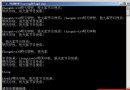
        drawer.SetColor("red");   // 未定義 → 提示
        drawer.SetColor("black"); // RGB(0,0,0)
        drawer.SetColor("white"); // RGB(255,255,255)
    }
}AssistantDrawer 依賴 SimpleDrawer(穩定抽象)與 ProfessionalDrawer(具體實作),符合依賴倒置原則。AssistantDrawer,不動 ProfessionalDrawer。ProfessionalDrawer,避免繼承耦合,支援多重適配。interface IDrawer { void SetColor(string name); },AssistantDrawer : IDrawer。Dictionary<string, (int r, int g, int b)> 或 IReadOnlyDictionary,擴充性更佳。ProfessionalDrawer 為第三方庫無法修改,可寫成 static 擴展方法:public static void SetColor(this ProfessionalDrawer d, string name),用法更自然。適配器模式核心在於「介面轉換」,以最小代價橋接兩個既有契約,是棕地專案重構的利器。