mysqldump 完成備份。cron/systemd timer 實現真正定時。文件 db_list,每行一個數據庫名。避開 fgets 的換行符/不可見字符坑,改用 fgetc 逐字符構建:
void readDbFile() {
    FILE *fp = fopen(DB_FILE, "r");
    if (!fp) { fprintf(stderr, "%s not found\n", DB_FILE); exit(1); }
    malloc_dblist(); // 預分配指針數組
    int c, j = 0, read_num = 1, isnewline = 0;
    while ((c = fgetc(fp)) != EOF) {
        if (c == ' ' || c == '\0' || c == '\r' || !isprint(c)) continue;
        if (c == '\n') { j = 0; isnewline = 1; continue; }
        if (isnewline) { read_num++; isnewline = 0; }
        db_list[read_num-1][j++] = c;
    }
    fclose(fp);
    // 後續優化:改用 fscanf(fp, "%127s", buf) 自動跳過空白,更簡潔健壯
}
pid_t pid = fork();
if (pid == 0) { // 子進程:串行備份每個庫
    for (i = 0; i < read_num; i++) {
        snprintf(buf, LEN, "mysqldump -uroot %s > %s.sql", db_list[i], db_list[i]);
        system(buf); // 簡單但阻塞;生產環境建議用 pipe + exec 避免 shell 注入
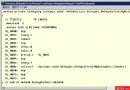
        printf("%d,%s\n", i, buf);
    }
    exit(0);
} else if (pid > 0) { // 父進程:等待回收
    int status;
    wait(&status);
    if (!WIFEXITED(status)) fprintf(stderr, "Child abnormal exit\n");
} else { perror("fork"); exit(1); }
void malloc_dblist() {
    for (int i = 0; i < NUM; i++) {
        db_list[i] = malloc(LEN);
        memset(db_list[i], 0, LEN);
    }
}
void free_dblist() {
    for (int i = 0; i < NUM; i++) free(db_list[i]);
}
# 1. 準備配置
echo -e "admin\nbook" > db_list

# 2. 編譯
gcc -o backup main.c

# 3. 手動測試
./backup

# 4. 定時部署(推薦 systemd timer)
# /etc/systemd/system/mysql-backup.service
[Unit]
Description=MySQL Daily Backup
[Service]
Type=oneshot
ExecStart=/opt/backup/backup
WorkingDirectory=/opt/backup

# /etc/systemd/system/mysql-backup.timer
[Unit]
Description=Run backup daily 02:00
[Timer]
OnCalendar=*-*-* 02:00:00
Persistent=true
[Install]
WantedBy=timers.target

systemctl daemon-reload && systemctl enable --now mysql-backup.timer
| 問題 | 解決方案 |
|---|---|
system() 命令注入風險 | 改用 fork+execvp 直調 mysqldump,參數數組化 |
| 無錯誤碼檢查 | 捕獲 mysqldump 返回碼,記錄日誌、告警 |
| 單線程串行備份慢 | 線程池/進程池並行,控制併發數 |
| 無壓縮/加密/上傳 | 管道接 gzip/openssl,上傳至 S3/OSS |
| 硬編碼 root 無密碼 | 配置文件讀取憑證,或使用 .my.cnf |